Logitech G512 X Deep Dive: Dual Swap Tech & TMR Sensors Explained
Logitech just reset the bar for what a gaming keyboard can do and the Logitech G512 X is the proof. With 39 TMR (Tunneling […]
Contributor
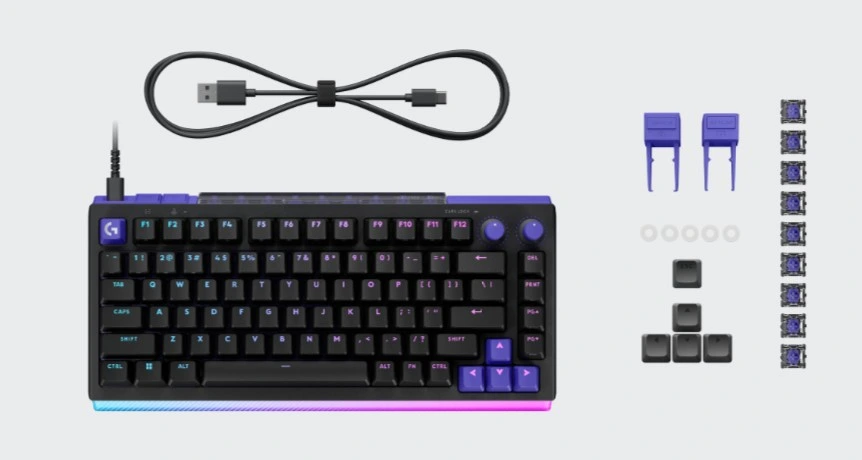
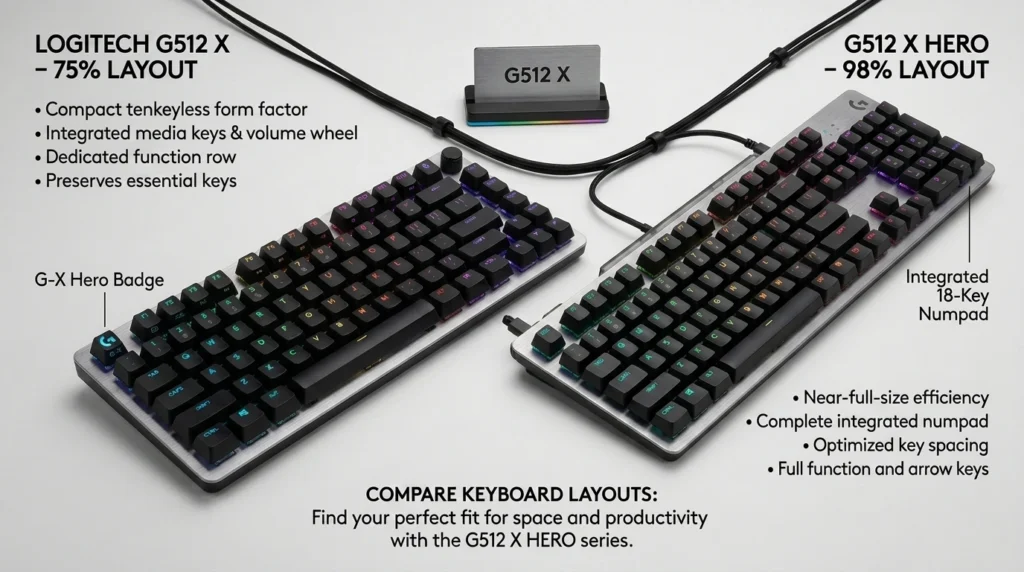
Logitech just reset the bar for what a gaming keyboard can do and the Logitech G512 X is the proof. With 39 TMR (Tunneling Magnetoresistance) analog switch beds, a Dual Swap system that lets you flip between mechanical and analog operation per key, and an 8,000 Hz polling rate that was once exclusive to mice, this keyboard is not a small iteration. It is a genuine leap.
Released in 2026, the G512 X lands at a moment when competitive gaming peripherals are under more scrutiny than ever. According to Newzoo’s 2024 Global Esports & Live Streaming Market Report, the global esports audience surpassed 530 million, with hardware spending growing 11% year-over-year. Players are demanding more precision, more programmability and the G512 X answer both calls in one package.
Whether you are a CS2 sniper who needs sub-0.1mm actuation accuracy, a builder who wants per-key flexibility, or just a tech head who geeks out over magnetic sensor architecture, this deep dive covers everything you need to know about the G512 X.
What Makes the G512 X the 'Most Customizable' Logitech Keyboard?
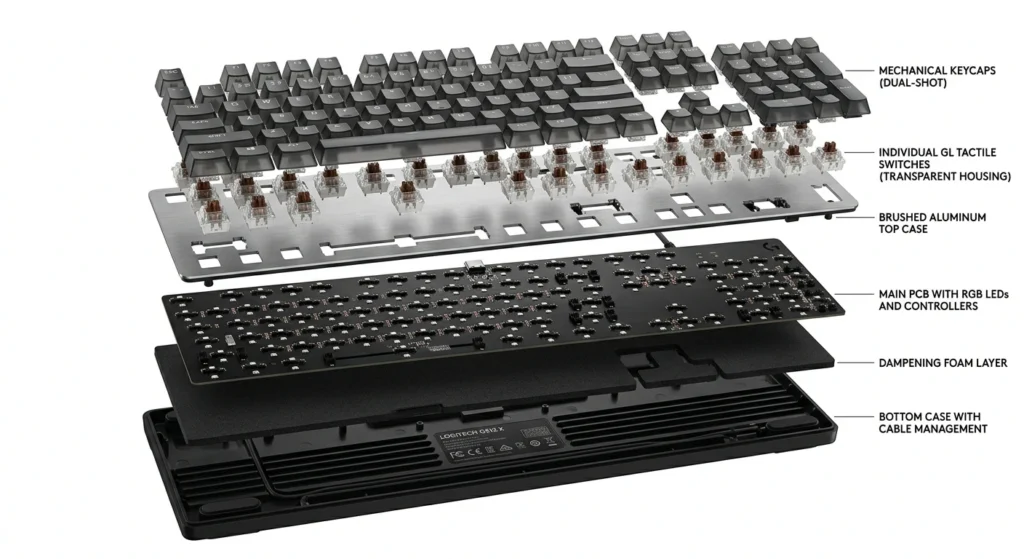
The G512 X earns the ‘most customizable’ title because it gives you genuine hardware-level choice. Every one of its 39 TMR-equipped switch beds can independently operate as either a traditional mechanical switch or a fully analog sensor. That is a distinction no previous Logitech keyboard has offered at this scale. This flexibility lives inside the keyboard’s new TMR (Tunneling Magnetoresistance) switch beds. Unlike Hall Effect sensors that rely on simple magnetic flux measurement, TMR technology uses quantum tunneling to detect minute changes in electron spin. The result is exceptional linearity, virtually zero hysteresis, and position accuracy reportedly down to 0.01mm, numbers that Hall Effect keyboards currently struggle to match.
Key Customization Pillars of the G512 X
- 39 independent analog switch beds — configurable individually via G Hub
- Dual Swap system — toggle each position between mechanical and analog modes
- Hot-swap socket design — swap between included switch types without soldering
- Rapid Trigger support — set actuation and reset points as close as 0.1mm apart
- Per-key RGB with 16.8 million color support, independent from switch configuration
- Up to 5 on-board profiles storable directly to the keyboard’s internal memory
What makes this deeper than simple hot-swap convenience is the software integration. G Hub’s new ‘Switch Mode Manager’ panel lets you visualize all 39 TMR-capable keys in real time, toggle each one independently, set per-key actuation curves, and even assign different analog zones to different in-game actions say, walking pressure sensitivity on WASD while keeping CTRL as a hard click.
Mechanical vs. Analog: How the Dual Swap System Works
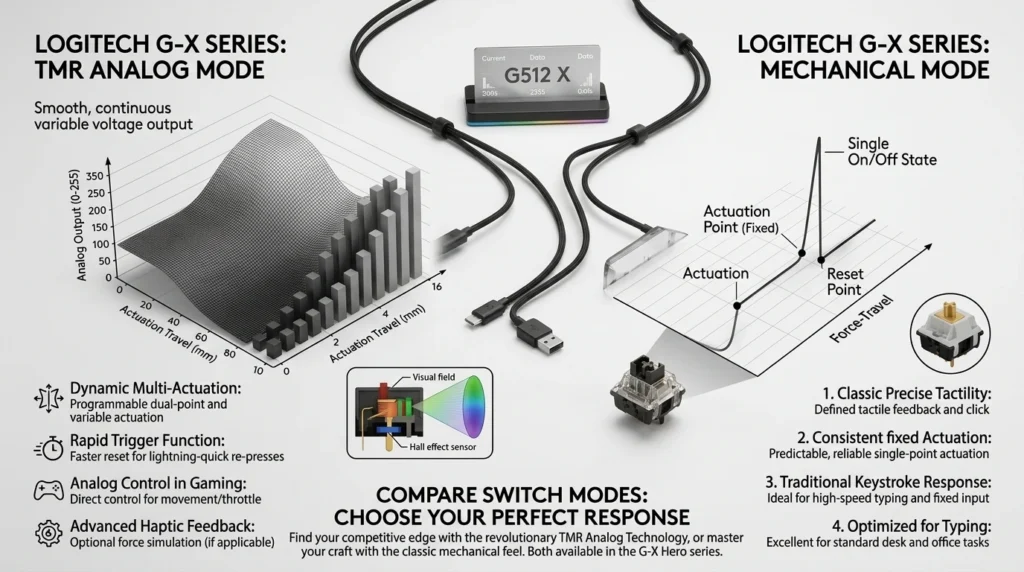
The Dual Swap system is the G512 X’s headline innovation, and it works exactly as the name implies: each supported switch position can swap between two fundamentally different input paradigms without opening a single screw.
In Mechanical Mode, the TMR sensor is calibrated to fire a binary signal at a fixed actuation point just like any traditional switch. You get the tactile feel and reliability of a standard keypress, useful for typing, general gaming, and situations where analog variance would be a liability.
In Analog Mode, the TMR sensor reads the full travel range of the key (typically 0–4mm) and outputs a continuous value, essentially turning each key into a mini joystick axis. This is where the G512 X gets genuinely exciting for competitive players and simulation enthusiasts.
Where Analog Mode Shines
Feature | Mechanical Mode | Analog Mode |
|---|---|---|
Input Type |
Binary (on/off) |
Continuous (0–4mm range) |
Precision Level |
Fixed actuation point |
0.01mm resolution |
Rapid Trigger |
Supported |
Fully supported + dynamic |
Best For |
FPS, typing, precision clicks |
Racing, RPG, building games |
Polling Rate |
1K / 4K / 8K selectable |
1K / 4K / 8K selectable |
Switching between modes is done through G Hub, there is no physical switch or key combo needed. You select a key on the software’s layout visualizer, toggle the mode from the panel on the right, and the firmware flashes the change in milliseconds. Logitech’s engineers confirmed the switch is lossless: no key input data is dropped during the mode transition.
For competitive shooters, running all keys in Mechanical Mode with Rapid Trigger enabled arguably provides the fastest theoretical response. For driving or flight sim games, switching WASD to Analog Mode creates a pressure-sensitive throttle and steering axis that analog sticks cannot match in terms of key feel and precision.
Why an 8K Polling Rate Matters for Competitive Gaming
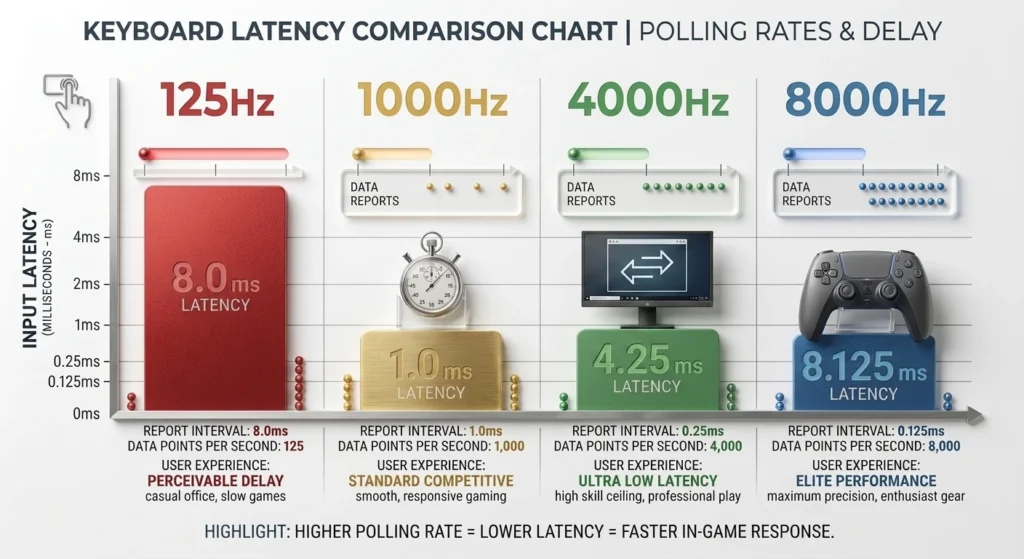
An 8,000 Hz polling rate means the G512 X reports its input state to the host system 8,000 times per second, once every 0.125 milliseconds. To put that in human terms: the theoretical input lag at 8K polling is about 8x lower than the 1,000 Hz standard found on even premium gaming keyboards.
Until recently, 8K polling was exclusively the domain of gaming mice, Razer’s Viper 8KHz and Logitech’s own G Pro X Superlight 2 were early examples. Bringing that cadence to a keyboard is not a trivial engineering feat; it requires both a high-speed USB controller and firmware capable of sustaining the data rate without dropped packets.
Real-World Latency Numbers
Polling Rate | Report Interval | Input Latency (theoretical) | Typical Use Case |
|---|---|---|---|
125 Hz |
8ms |
~8ms |
Office keyboards |
1,000 Hz |
1ms |
~1ms |
Gaming standard |
4,000 Hz |
0.25ms |
~0.25ms |
High-end gaming |
8,000 Hz |
0.125ms |
~0.125ms |
Competitive / esports |
Will most players notice the jump from 1K to 8K polling in a blind test? Probably not in casual play. But in a frame-rate-perfect environment, 240Hz+ monitors, sub-2ms display latency, even a 0.1ms keyboard improvement can make the system’s input chain more consistent. For CS2 or Valorant pros playing at frame rates where individual frames last ~4ms, that matters.
There is also a practical CPU overhead consideration. 8K polling increases USB interrupt frequency significantly. On older systems or machines already CPU-limited, this can cause minor background spikes. Logitech recommends USB 3.0 ports and advises keeping other high-polling peripherals on separate USB controllers for optimal results.
Which Keys Support the 39 TMR Switch Beds?
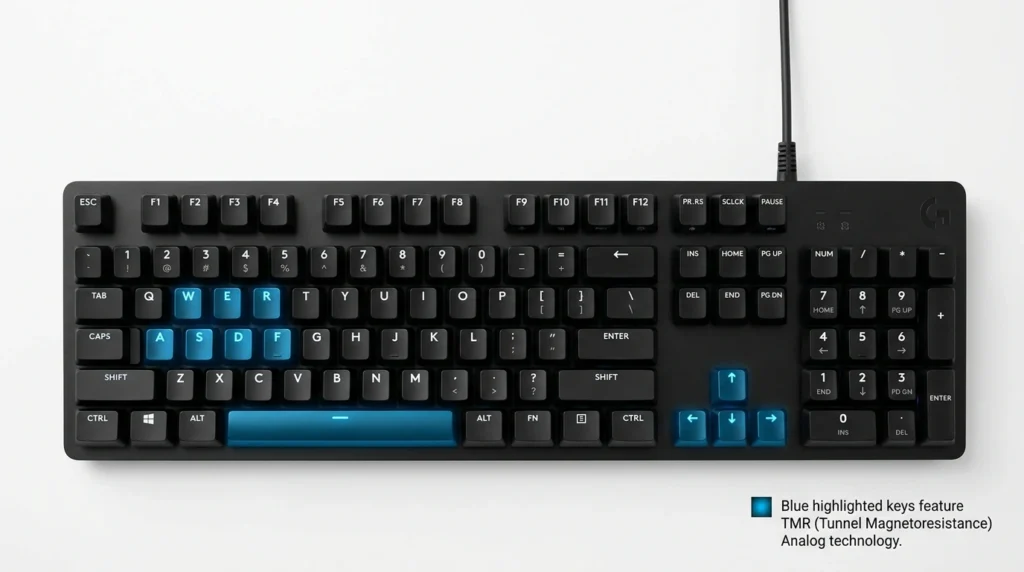
The 39 TMR switch beds are not spread randomly across the keyboard; they are strategically placed on the keys that matter most to competitive gamers, content creators, and power users. Here is the breakdown:
TMR-Equipped Key Zones
- WASD cluster — full analog travel for movement in games
- Number row 1–0 — weapon/item slots in shooters and RPGs
- Q, E, R, F, G — ability keys in MOBAs and tactical shooters
- Space bar — jump, boost, confirm inputs
- Shift (left), Ctrl (left), Alt (left) — modifier keys with analog potential
- Arrow keys (all four) — navigation and gaming use
- Additional keys based on layout: varies between 75% and 98% configurations
The remaining keys outside the 39 TMR positions use Logitech’s standard GX switch mechanism, still hot-swappable, still excellent, just without the analog/mechanical dual mode. For most users, this is entirely acceptable: the 39 TMR positions cover virtually every key you would actually want analog control over.
It is worth noting that Logitech includes both analog-capable and traditional GX switches in the box, allowing you to physically customize which positions use which switch type, even within the 39 TMR beds. This hardware flexibility stacked on software flexibility is what makes the G512 X the most configurable keyboard Logitech has shipped to date.
Zone | Number of TMR Keys | Primary Use Case |
|---|---|---|
WASD + Surrounding |
8 keys |
Movement, ability access |
Number Row 1–0 |
10 keys |
Hotbar, voice channels |
Modifier Keys (L) |
3 keys |
Crouch, run, alt-fire |
Arrow Keys |
4 keys |
Navigation, driving |
Function / Special |
14 keys |
Layout-dependent |
Logitech G512 X Pricing: 75% vs. 98% Layouts
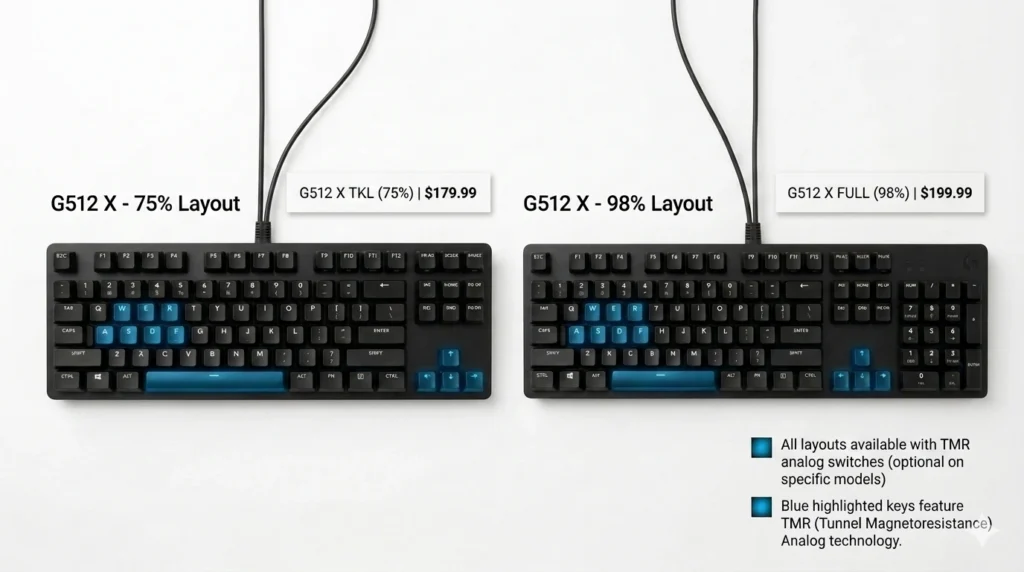
The Logitech G512 X ships in two form factors, and the pricing reflects a meaningful size and feature delta — not just cosmetic differences.
G512 X 75% Layout
- Approximate price: $179.99 USD (MSRP at launch)
- Form factor: Compact tenkeyless-minus — no numpad, condensed function row
- TMR keys: 39 positions (same as 98%)
- Best for: Mobile setups, desk-space-conscious gamers, travel
- Connectivity: USB-C (detachable braided cable) + 2.4GHz wireless option
- Battery life (wireless): Up to 36 hours at standard RGB brightness
G512 X 98% Layout
- Approximate price: $199.99 USD (MSRP at launch)
- Form factor: Full-size minus — includes numpad, function row, navigation cluster
- TMR keys: 39 positions (same core as 75% plus additional standard keys)
- Best for: Home setups, productivity + gaming hybrid users
- Connectivity: USB-C (detachable braided cable) — wired only at launch
- Weight: Notably heavier at ~1.1kg — solid aluminum top plate
For pure competitive gaming, the 75% is the more focused choice: lower weight, less desk footprint, and an identical TMR configuration to the 98%. The 98% makes sense if you work and game on the same machine and need the numpad for spreadsheets, CAD work, or media shortcuts. Both models include two sets of switches in the box, a clicky mechanical option and an analog-ready linear switch, giving buyers flexibility from day one without additional purchases.
How to Use the G Hub App to Configure Rapid Trigger Settings
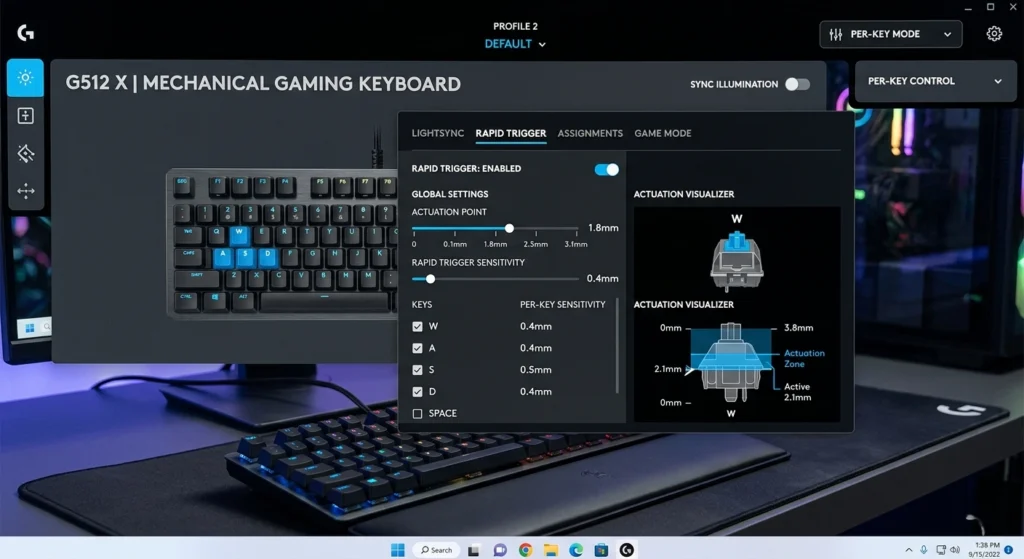
Configuring Rapid Trigger on the G512 X is done entirely through Logitech’s G Hub desktop app, and the workflow is more intuitive than it sounds. Here is a step-by-step guide:
Step-by-Step: Enabling Rapid Trigger in G Hub
- Download and install G Hub from logitech.com/ghub (Windows 10/11 and macOS 12+ supported).
- Connect the G512 X via USB-C. G Hub will auto-detect the keyboard and display its layout.
- Select the G512 X from the device sidebar. Click ‘Assignments’ → ‘Key Customizer’.
- Click any TMR-capable key (highlighted in the layout view). The right panel shows ‘Switch Mode Manager’.
- Toggle the key to Analog Mode if Rapid Trigger’s full dynamic range is desired.
- Under ‘Rapid Trigger Settings’, set your Actuation Point (0.1–4.0mm) and Reset Distance (0.1–4.0mm).
- Click ‘Apply to Key’ or ‘Apply to All TMR Keys’ for global settings. Save to Profile.
Understanding Rapid Trigger Parameters
- Actuation Point: The depth at which a keypress registers. Lower = faster, but riskier for accidental presses.
- Reset Distance: How far the key must rise from the actuation point before it can re-trigger. A 0.1mm reset is theoretically the fastest re-input.
- Dynamic Actuation: G Hub allows different profiles for different games — your CS2 profile can have 0.2mm actuation while your typing profile uses 1.5mm.
- Sensitivity Curve (Analog Mode): Choose from linear, S-curve, or custom Bezier curves to shape how analog input scales across key travel.
For competitive FPS play, the recommended starting point is 0.3mm actuation with a 0.2mm reset, aggressive but not so sensitive that walk-key chatter becomes an issue. Logitech provides preset configurations inside G Hub for popular titles including CS2, Valorant, and Apex Legends. One overlooked G Hub feature for the G512 X is the ‘Key Travel Visualization’ overlay, which shows a real-time depth meter for any pressed key. Invaluable for testing Rapid Trigger consistency and understanding your own keystroke habits.
Verdict: Should You Buy the Logitech G512 X?
You buy it because you want hardware that gives you genuine control over how your input device behaves, key by key, millimeter by millimeter. For competitive players, the combination of 8K polling, TMR Rapid Trigger, and per-key Dual Swap is the most complete technical specification sheet in Logitech’s keyboard history. For enthusiasts who enjoy configuring and optimizing their peripherals, the G Hub integration offers a depth of customization previously reserved for bespoke custom builds costing multiples of this keyboard’s price. At this price, it is premium, but justifiably so. If the Wooting 60HE+ showed the market that analog keyboards have a serious audience, the Logitech G512 X is what happens when a tier-one peripheral maker takes that lesson seriously.
FAQs
1. What is a Dual Swap keyboard?
The Logitech G512 X allows you to use standard mechanical switches or magnetic analog switches on the same board.
2. What are TMR sensors in keyboards?
Tunneling Magnetoresistance (TMR) sensors allow for extreme precision and Rapid Trigger features with lower power consumption.
3. Can I use any switches with the G512 X?
It comes with MX mechanical switches but includes 9 Gateron KS-20 magnetic switches for specific gaming keys.
4. What is the polling rate of the G512 X?
It features an 8K polling rate, resulting in a response time of just 0.125 milliseconds.
5. Is the Logitech G512 X wireless?
No, the G512 X is a wired-only keyboard to ensure the lowest possible latency for competitive gaming.
6. How do I set up Rapid Trigger on Logitech?
You can configure the actuation points and rapid trigger sensitivity using the Logitech G Hub software.

Swathi is a contributor at GizStreet with a master’s degree in science and a strong background in technical writing and product review. She covers gadgets, software, and consumer tech, with a focus on breaking down complex products into clear, practical takeaways for readers.
Share this story
Related Articles
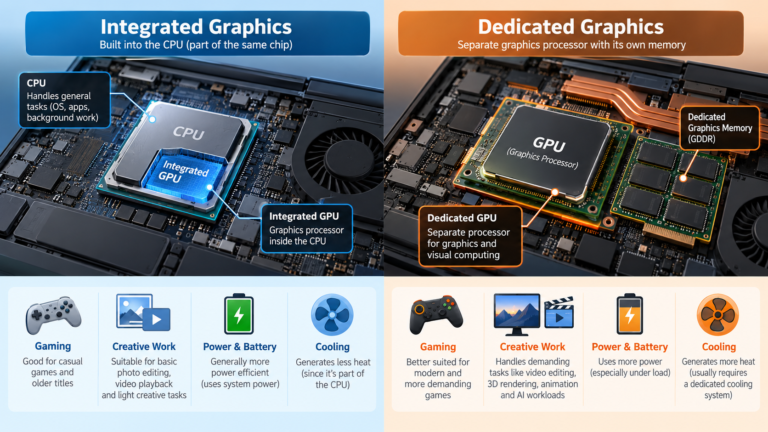
Integrated vs Dedicated Graphics: What’s the Difference?
Every laptop needs something to draw what you see on screen, from a spreadsheet to a video game. That job belongs to the graphics […]
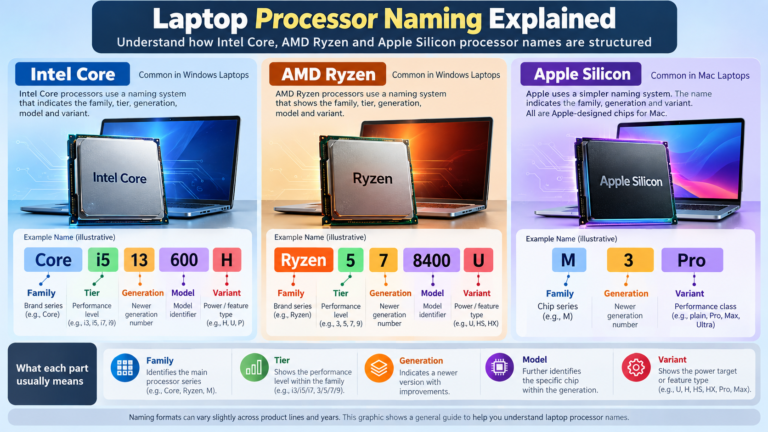
Laptop Processor Names Explained: Intel Core, Ryzen and Apple Silicon
You’re looking at a laptop listing that says “Intel Core Ultra 5 228V” or “AMD Ryzen AI 7 350” or “Apple M5 Pro”. What […]

Intel Core vs AMD Ryzen: Which Processor Is Right for You?
Shopping for a new laptop almost always comes down to one early decision: Intel or AMD? The processor badge on the lid feels like […]
Comments (0)