Valve Steam Controller (2026) Review: The Perfect Steam Deck Companion?
The long wait for a successor to Valve’s cult-classic peripheral is finally over. Launched on May 4, 2026, the new Steam Controller arrives as part of […]
Contributor
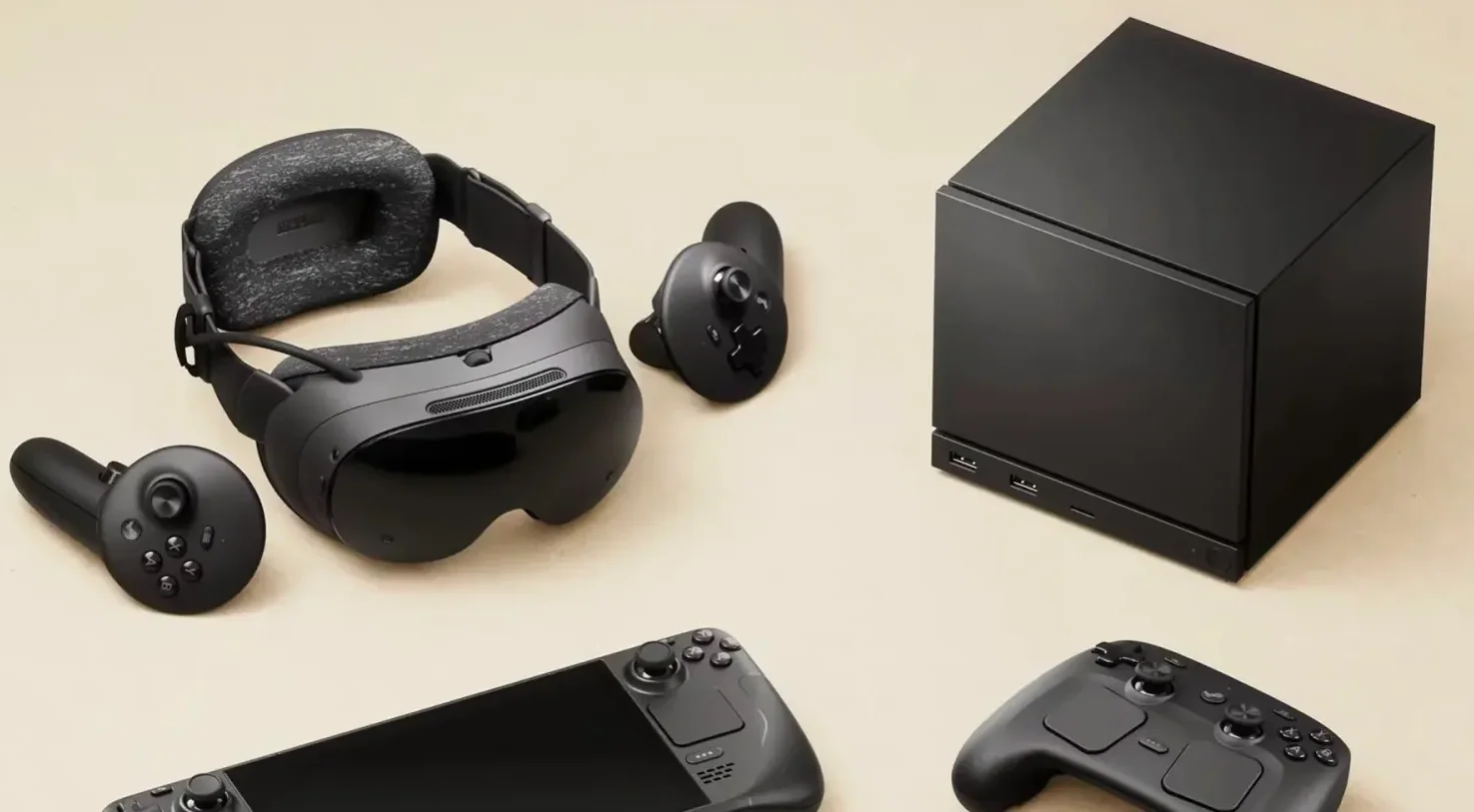
The long wait for a successor to Valve’s cult-classic peripheral is finally over. Launched on May 4, 2026, the new Steam Controller arrives as part of a hardware trifecta alongside the Steam Machine and the Steam Frame VR headset. This controller pairs TMR drift-proof sticks, dual trackpads, and a charging puck with seamless Steam Deck integration. With its $99 price tag, it is clear Valve isn’t just releasing a gamepad; they are attempting to perfect the bridge between PC precision and couch-side comfort.
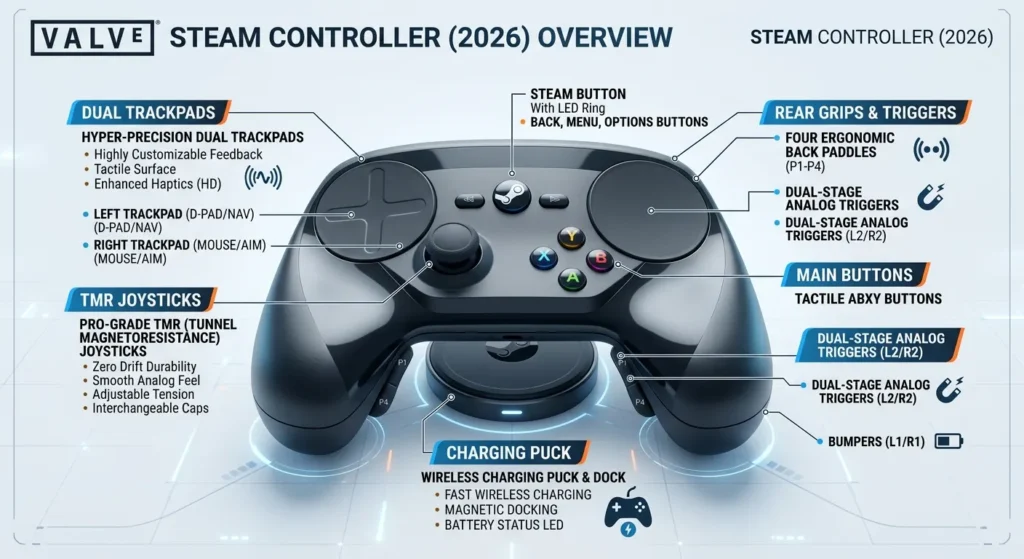
Whether you are a Steam Deck power user or a desktop gamer looking to escape your desk, the 2026 iteration promises to fix the ergonomic quirks of its predecessor while introducing cutting-edge Tunnel Magnetoresistance (TMR) technology. But in a market dominated by the PlayStation DualSense and Xbox Elite, can Valve’s specialized hardware truly claim the throne? Let’s dive deep into the specs, the launcher controversy, and the tech that makes this controller a drift-killer.
Why does the Steam Controller require the Steam Launcher?
The Valve Steam Controller 2026 requires the Steam Launcher because it relies on Steam Input for full feature access like trackpad mapping, gyro aiming, and haptic feedback. Without Steam running, it defaults to basic mouse/trackpad mode, limiting buttons and controls. Unlike traditional controllers that send fixed button presses, the Steam Controller relies on the Steam Input layer to map its dual trackpads and Grip Sense gyro to mouse or joystick movements. This ties into Valve’s ecosystem play. The controller shines in Steam’s overlay, where you get community configs and per-game profiles, think of it as Steam Deck controls detached from the screen.
Without the launcher running in the background, the hardware effectively loses its intelligence, reverting to a basic HID profile that lacks the advanced haptics and precise trackpad emulation that make it unique. This deep integration allows for:
- Per-Game Customization: Thousands of community-made layouts available for every title in your library.
- Unified Haptics: Complex waveforms handled by Steam’s software to provide immersive feedback.
Seamless Firmware Updates: Updates are pushed directly through the Steam client for both the controller and its puck.
TMR Joysticks vs. Hall Effect: Which prevents stick drift better?
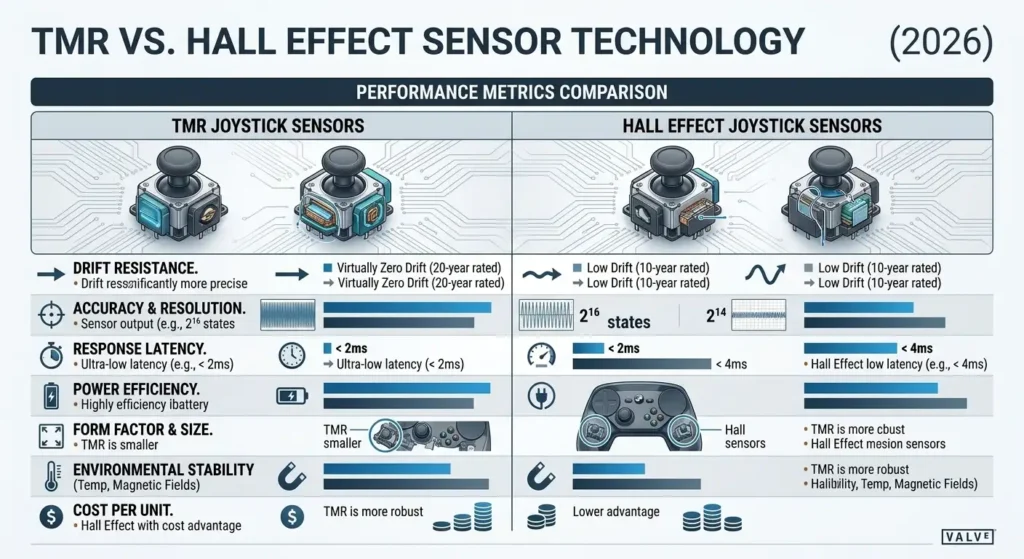
TMR (Tunnel Magnetoresistance) joysticks prevent stick drift better than Hall Effect sensors because they offer significantly higher signal resolution and superior thermal stability, ensuring the center of the stick remains rock-solid even after years of use. While both technologies are contactless and immune to the physical wear that plagues traditional potentiometer sticks, TMR is the new gold standard for 2026.
Feature | Hall Effect Joysticks | TMR Joysticks (2026 Std) |
|---|---|---|
Drift Resistance |
Very High (Contactless) |
Extreme (Highest Stability) |
Precision |
8-bit to 10-bit typical |
12-bit native resolution |
Power Use |
Moderate |
Ultra-Low (Extends Battery) |
TMR sensors detect changes in magnetic resistance at a quantum level, whereas Hall Effect sensors measure changes in voltage. For the Steam Controller, this means a 35-hour battery life and a stick that feels as sharp on day 1,000 as it did on day 1.
The Valve Steam Controller 2026 uses TMR sticks, earning raves for zero drift after weeks of testing—TechRadar gave performance 4.5/5.
How to use the Steam Controller charging puck
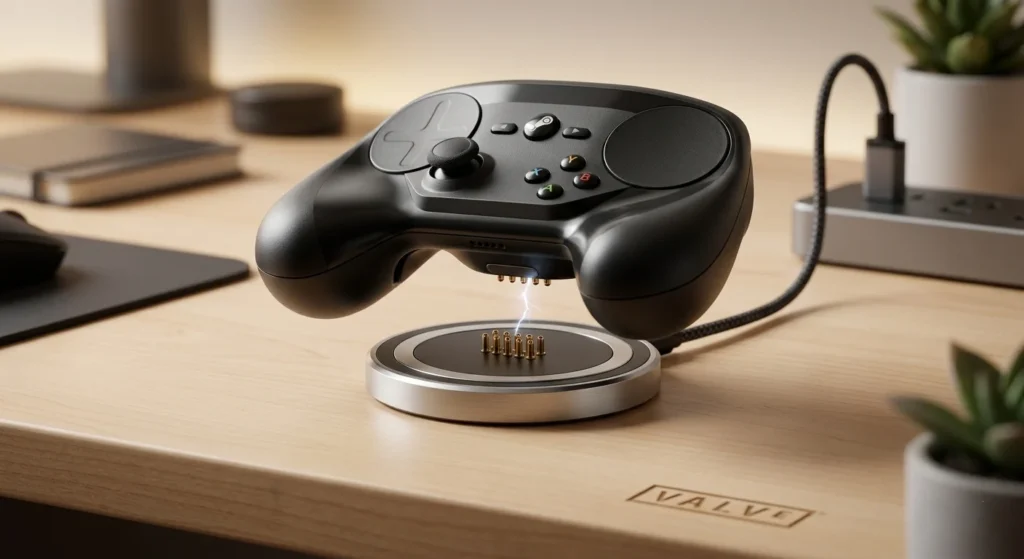
To use the Steam Controller charging puck, simply place the controller on top of the puck until the magnetic pins on the back of the gamepad snap into place with a satisfying click. This One puck, two jobs design means it simultaneously acts as your 2.4GHz wireless transceiver and a dedicated charging station. PCMag called it “terrific-feeling” for living room PC gaming.
- Setup: Plug the puck into your PC or Steam Deck dock via the included USB-C cable.
- Multi-Connection: A single puck can support up to four Steam Controllers at once.
- Status LED: A white light on the controller indicates a puck connection, while blue indicates Bluetooth mode.
Is the Steam Controller compatible with the Steam Frame VR headset?
Yes, the Steam Controller is fully compatible with the Steam Frame VR headset, serving as a secondary navigation tool for the SteamVR Dashboard and supported flat-to-VR titles. While it doesn’t replace the motion-tracked Wand controllers for full-room VR, its high-precision gyro and trackpads make it the preferred choice for seated VR experiences like flight simulators or racing games. It pairs seamlessly for PCVR streaming or standalone SteamOS play on Frame.
The controller connects directly to the Steam Frame’s built-in receiver, minimizing latency to approximately 8ms for a nearly instantaneous response in virtual environments.
VR integration perks
- Gyro aiming and trackpads map to VR gestures.
- Community profiles for major titles.
- Low-latency puck connection.
- Grip Sense activates motion controls.
Polygon named it a “near-perfect PC gamepad” for VR, with SteamVR defaulting to Frame Controller bindings.
Customizing trackpads and gyros for non-Steam games
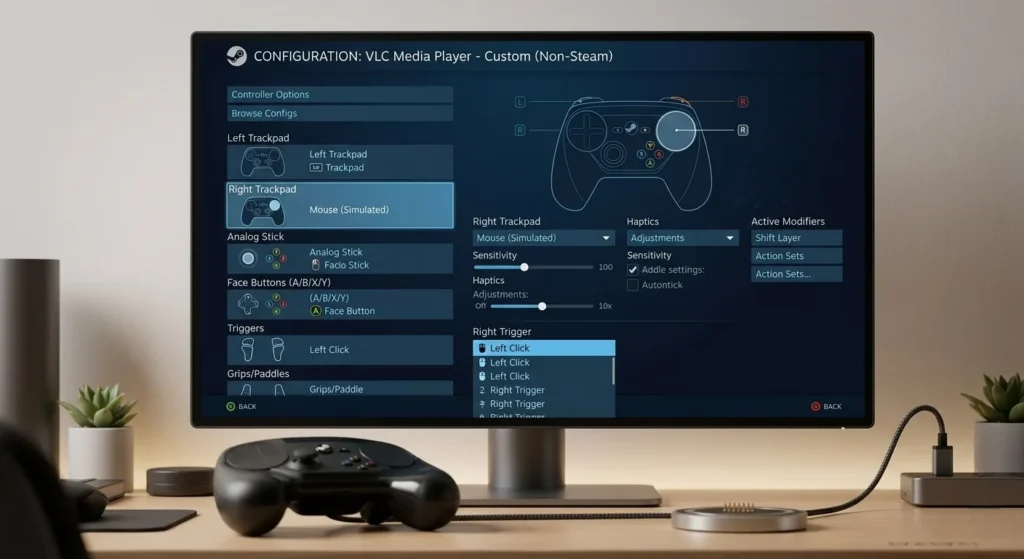
You can customize trackpads and gyros for non-Steam games by adding the game’s executable (.exe) as a Non-Steam Game to your Steam Library. Once added, you can access the full suite of Steam Input tools, allowing you to map the trackpads as high-precision mouse regions and the Grip Sense gyro for motion-assisted aiming.
- Open Steam and click “Add a Game” in the bottom left corner.
- Select “Add a Non-Steam Game” and browse for your title (e.g., Epic Games Store or GOG titles).
- Launch the game through Steam to enable the Grip Sense feature, which activates the gyro only when your hands are touching the capacitive grips.
PC Gamer lauds this for versatility—even Portal 2 felt “fast and responsive” with gyro tweaks.
Key Features Breakdown
The Valve Steam Controller 2026 packs Steam Deck DNA into a $99 powerhouse: TMR sticks, 4 back buttons, Hall Effect triggers, 6-axis gyro, dual trackpads with haptics, 250Hz polling. Ergonomics mimic Deck minus screen—parallel sticks, ABXY layout, D-pad. Battery crushes rivals at 35+ hours.
Full specs list
- Polling: 250Hz (4ms latency).
- Haptics: 4 motors (trackpads + grips).
- Buttons: 4 rear paddles, Grip Sense.
- Wireless: Puck (2.4GHz), Bluetooth fallback.
- Weight: Balanced for long sessions.
Benchmarks from reviews
- TechRadar: 4.5/5 performance.
- Gaming PC: 5/5 battery.
- Minimal input lag, no drift.
Market Impact and Competition
Controller market hit $2.5B in 2025 (Statista), with drift complaints driving Hall/TMR adoption, 80% of new premium pads now use magnetic tech. Valve’s entry disrupts Xbox/PlayStation dominance in PC space. It’s not perfect, Steam-only full features irks some, but for Deck owners, it’s unbeatable. Gartner notes PC gaming peripherals growing 12% YoY; this positions Valve as handheld-to-big-screen bridge.
Challenges and Fixes
- Main gripe: Steam dependency.
- Workaround, desktop config or third-party tools like sc-controller for offline use.
- Membrane buttons feel cheap vs. mechanical, per some.
- Repairability shines—TMR sticks swappable.
Future Outlook: A New Era for Valve Hardware
The release of the Steam Controller signals that Valve is no longer just a software giant; they are a hardware powerhouse capable of moving the entire industry toward better standards like TMR sensors. With Steam Deck sales continuing to climb and the Steam Machine finally finding its niche in the living room, the ecosystem is more robust than ever.
As we look toward 2027, expect the Steam Input ecosystem to become even more pervasive, possibly even influencing how third-party manufacturers design their own “Pro” controllers.
FAQs
1. Does the new Steam Controller have stick drift?
No, it uses TMR joysticks which are immune to traditional mechanical wear and drift.
2. Can I use the Steam Controller on a PS5?
No, the controller only communicates with the Steam client on PC, Mac, or Linux.
3. What is the price of the Steam Controller (2026)?
The launch price is $99.
4. How long is the battery life?
Valve claims the controller lasts over 35 hours on a single charge.
5. Does it work with the Steam Deck?
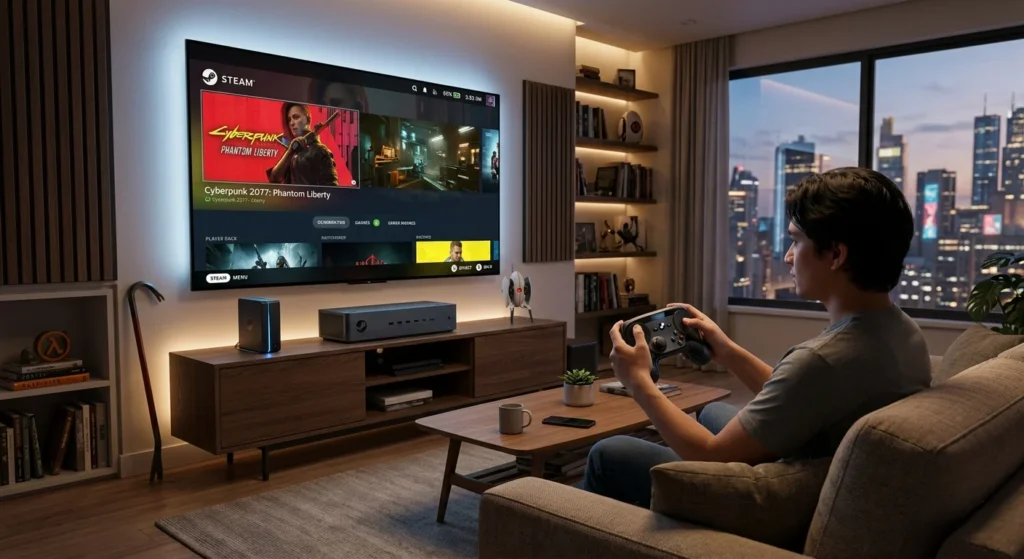
Yes, it is designed as the primary docked controller for the Steam Deck and upcoming Steam Machine.
6. What is the “charging puck”?
It is a magnetic dock that both charges the controller and acts as the wireless receiver for the PC.

Swathi is a contributor at GizStreet with a master’s degree in science and a strong background in technical writing and product review. She covers gadgets, software, and consumer tech, with a focus on breaking down complex products into clear, practical takeaways for readers.
Share this story
Related Articles

Halo: Campaign Evolved Brings the Original Adventure Back With Modern Technology Across Xbox, PC, and PS5
Halo: Campaign Evolved brings a ground-up remake of the original campaign with cross-platform co-op, new story content, and a July 28, 2026 launch.
Lenovo Legion Y700 AI Officially Teased With 165Hz OLED Display Ahead of China Launch
Lenovo has revealed key specifications for the Legion Y700 AI, confirming an 8.4-inch 165Hz OLED display, Dolby Vision, 5G connectivity, and an August China launch.

Avatar Legends: The Fighting Game Brings Hand-Drawn Combat to PC With Cross-Play and Rollback Netcode
Avatar Legends: The Fighting Game has launched with hand-drawn 2D animation, rollback netcode, cross-play and Story Mode. Here's everything officially confirmed.
Comments (0)