The Great Audio Divide: Why Gaming Headsets Are Going Wireless Without Fully Abandoning Wired Audio
Gaming headsets are evolving beyond wired vs wireless debates, combining low-latency connections, Bluetooth, and flexible features for modern players.
Contributor

Executive Summary
Gaming headsets are entering a transition period. Wireless models have become more capable, but wired connections still hold their appeal among players who value simplicity, reliability, and consistent performance.
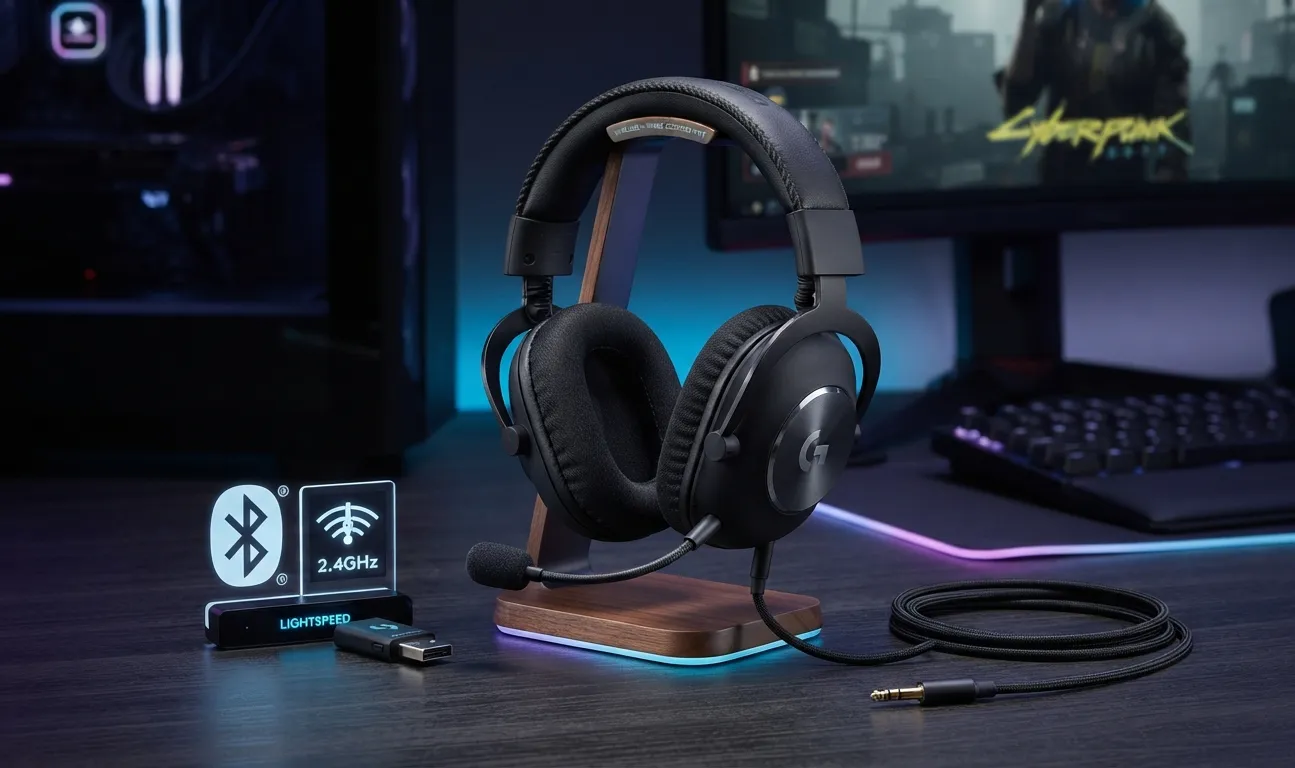
The latest generation of gaming headsets from companies such as SteelSeries and Razer reflects this shift. Instead of replacing wired audio entirely, manufacturers are building hybrid devices that combine low-latency 2.4GHz wireless, Bluetooth, USB, and traditional wired connections.
The result is a market where the “best” headset depends less on the connection type and more on how a player actually uses it.
Why Is Gaming Audio Moving Toward Wireless?
For years, wired headsets were the default choice for competitive gaming. A direct cable connection removed concerns about battery life and avoided the extra processing involved in wireless transmission.
Wireless solved a different problem: freedom.
Players could move away from their desks, switch between devices, and use the same headset for gaming, calls, and entertainment without managing cables.
The challenge has always been finding the right balance between convenience and performance.
Modern gaming headsets increasingly rely on two wireless technologies:
| Technology | Purpose |
|---|---|
| 2.4GHz wireless | A dedicated connection designed for gaming, typically through a USB transmitter, with a focus on reducing delay between the game and headset. |
| Bluetooth | A widely supported wireless standard designed for connecting devices such as smartphones and tablets. |
Rather than choosing one approach, manufacturers are combining both.
How Are Modern Gaming Headsets Handling Wireless Connectivity?
Dual Wireless Is Becoming a Key Feature
SteelSeries has built several gaming headsets around a combination of 2.4GHz wireless and Bluetooth.
The Arctis Pro Wireless system uses 2.4GHz wireless as the primary gaming connection, while Bluetooth can handle mobile devices or secondary audio sources. SteelSeries also states that the headset supports simultaneous 2.4GHz wireless and Bluetooth connections.
That means players can stay connected to a gaming device while also managing audio from another source.
The same approach appears in newer products such as the SteelSeries Arctis Nova Pro Wireless and Nova Pro Omni, which also feature dual wireless connectivity.

Important
Wireless gaming does not automatically mean Bluetooth gaming. Many premium gaming headsets use dedicated 2.4GHz connections because they are designed specifically for lower-latency gameplay.
Razer Focuses on Multiple Connection Options
Razer’s BlackShark V3 Pro follows the same broader direction by offering several ways to connect.
The headset supports:
| Connection Method | Purpose |
|---|---|
| 2.4GHz wireless | Gaming-focused wireless connection |
| Bluetooth | Wireless connection for compatible devices |
| USB | Wired digital connection |
| 3.5mm | Traditional analog connection |
The headset also includes THX Spatial Audio, a technology designed to create a more immersive directional audio experience.
For players who use multiple devices, this approach reduces the need to own separate headsets for different situations.
What Features Actually Matter in a Gaming Headset?
Latency Remains One of the Biggest Factors
Latency is the delay between an action happening in a game and the sound reaching the player.
In competitive games, timing matters. A delay in hearing footsteps, gunfire, or environmental sounds can affect how quickly players react.
Razer lists the BlackShark V3 Pro with a minimum 2.4GHz wireless latency of 10 ms.
However, latency is only one part of the overall experience. Players also need to consider:
- Sound positioning
- Microphone quality
- Long-session comfort
- Connection reliability
- Battery life
- Platform support
A headset with excellent latency may still be the wrong choice if it does not fit a player’s daily use.
Spatial Audio Adds Another Layer to Gaming Sound
Spatial audio aims to make sound feel more three-dimensional.
Instead of only separating audio into left and right channels, the technology attempts to create a stronger sense of direction and positioning.
The Razer BlackShark V3 Pro includes THX Spatial Audio support.
For games where identifying the direction of sounds matters, such as competitive shooters, this feature can influence how immersive the experience feels.
Gaming Headset Specifications: Razer BlackShark V3 Pro Example
| Specification | Value |
|---|---|
| Drivers | Customized Dynamic Bio-Cellulose 50 mm Drivers |
| Frequency response | 12 Hz – 28 kHz |
| Impedance | 32 Ω @ 1 kHz |
| Weight | 367 g |
| Minimum 2.4GHz latency | 10 ms |
Why This Matters for Gamers
There Is No Single Best Gaming Headset
The idea of a universally “best” gaming headset is becoming less practical.
Different players have different priorities.
Competitive gamers may focus on:
- Low-latency connections
- Stable performance
- Accurate positional audio
Players who switch between devices may care more about:
- Bluetooth support
- Multi-device connectivity
- Wireless flexibility
Others may simply want comfort and reliability for long gaming sessions.
The market is moving away from a connection-versus-connection debate. The better question is which features match the way a person plays.
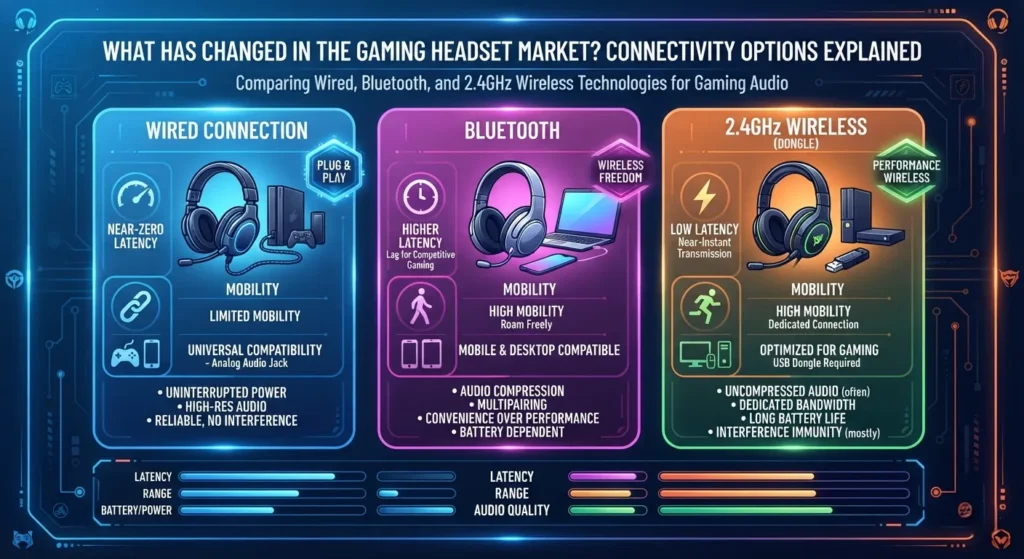
What Has Changed in the Gaming Headset Market?
Wireless Headsets Are Becoming More Versatile
Earlier wireless headsets often forced users to accept trade-offs. Modern designs are taking a different approach by adding more connection choices.
A premium headset can now serve multiple roles:
- A gaming headset through 2.4GHz wireless
- A mobile audio device through Bluetooth
- A wired headset through USB or 3.5mm connections
This reflects a broader change in how people use technology. Gaming is no longer limited to one device, one room, or one type of connection.

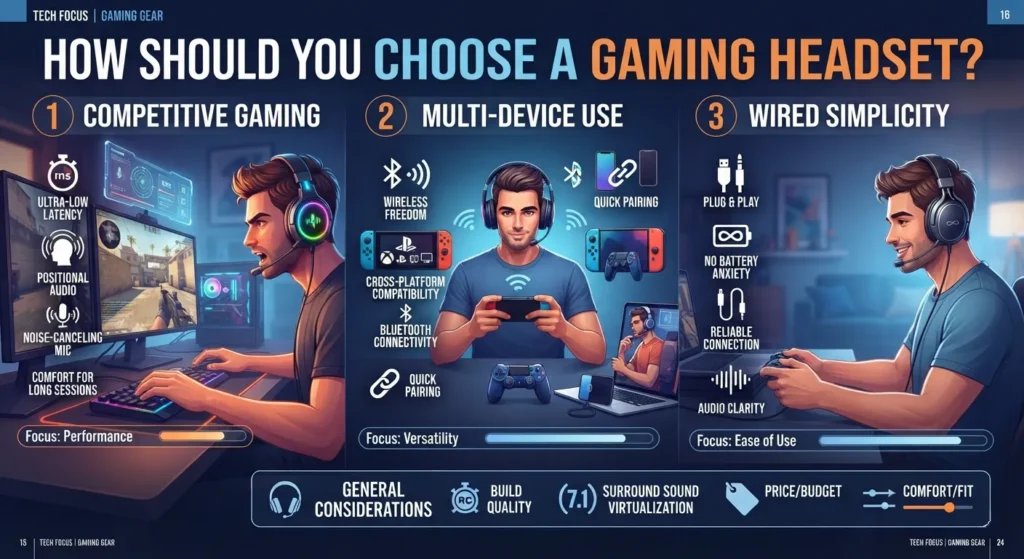
How Should You Choose a Gaming Headset?
Match the Headset to Your Gaming Style
Before buying a headset, consider where and how it will be used.
Competitive Players
Prioritize:
- Low-latency 2.4GHz wireless
- Reliable connections
- Good positional audio
- Comfortable design for long sessions
Multi-Device Users
Look for:
- Bluetooth support
- Simultaneous connections
- Compatibility across devices
Players Who Prefer Simplicity
A wired headset can still be the right choice because it avoids:
- Battery charging
- Wireless pairing management
- Connection switching

Conclusion
Gaming headset technology is moving away from a simple wired-versus-wireless argument. The industry is increasingly focused on flexible designs that combine multiple connection options for different types of players.
Products from SteelSeries and Razer demonstrate this shift by combining low-latency 2.4GHz wireless for gaming, Bluetooth for convenience, and wired options for users who still prefer direct connections.
The future of gaming audio will likely depend less on choosing one connection type and more on how well a headset adapts to the different ways people play, communicate, and use their devices.
Frequently Asked Questions
Are wireless gaming headsets good enough for competitive gaming?
Yes. Many modern gaming headsets use dedicated 2.4GHz wireless connections designed for gaming performance.
Is Bluetooth suitable for gaming?
Bluetooth offers convenience and broad compatibility, but many gaming-focused headsets use 2.4GHz wireless when lower latency is a priority.
Why do gaming headsets use 2.4GHz wireless?
2.4GHz wireless is designed to provide a more direct connection between gaming devices and headsets, helping reduce delays.
Do wireless gaming headsets still support cables?
Many premium models support additional connection methods such as USB and 3.5mm connections.
What does spatial audio do in gaming headsets?
Spatial audio attempts to improve directional sound perception, helping create a more immersive audio experience.
Are wired gaming headsets still worth buying?
Yes. Wired headsets remain useful for players who prefer a simple connection without batteries or wireless setup.
Can gaming headsets connect to smartphones?
Many modern gaming headsets include Bluetooth support for smartphones and other compatible devices.
Which connection is best for competitive gaming?
Competitive players often prioritize wired or dedicated 2.4GHz wireless connections because of their focus on low latency.
Are wireless gaming headsets replacing wired models?
Not completely. Wired headsets remain relevant for users who prefer direct connections and simplicity.
Swathi is a contributor at GizStreet with a master’s degree in science and a strong background in technical writing and product review. She covers gadgets, software, and consumer tech, with a focus on breaking down complex products into clear, practical takeaways for readers.
Share this story
Related Articles

Hall Effect Keyboards Are Changing Mechanical Gaming: What Rapid Trigger Means for the Future of Typing
Hall Effect keyboards are changing mechanical gaming with magnetic switches, adjustable actuation, and Rapid Trigger technology designed for faster and more customizable input.

WZATCO Yuva Bolt: What the Budget Smart Projector Offers for ₹10,990
The WZATCO Yuva Bolt combines native Full HD projection, Android 12 and Wi-Fi 6 at ₹10,990. Here's a closer look at its official features, specifications and pricing.

Apple Watch Series 11 Brings Hypertension Notifications: What the New Health Feature Does and Who Can Use It
Apple Watch Series 11 introduces hypertension notifications, a health feature that analyzes long-term trends to identify possible signs of high blood pressure.
Comments (0)