The Amicool BT686 External DVD Drive Shows Why Optical Media Still Has a Place in the USB-C Era
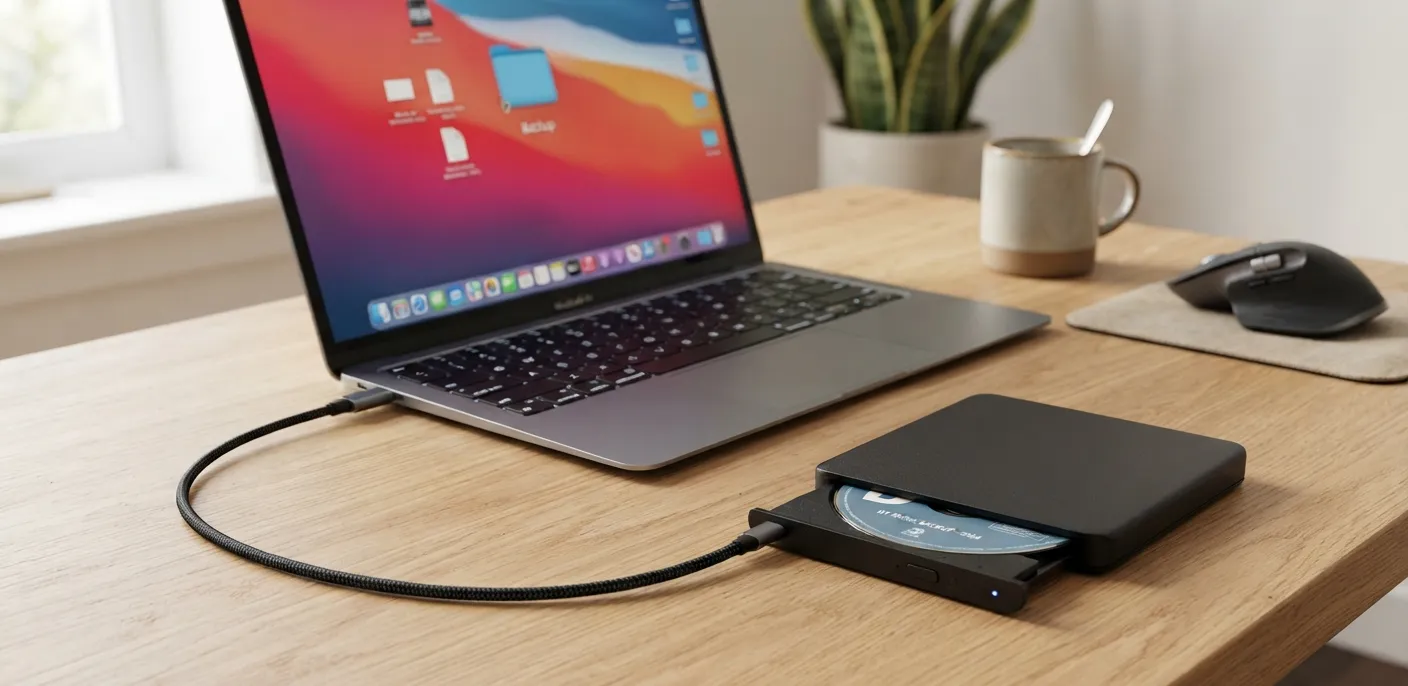
The Amicool BT686 external DVD drive restores CD and DVD functionality to modern laptops with USB-C support, plug-and-play operation and broad operating system compatibility.
Contributor

Executive Summary
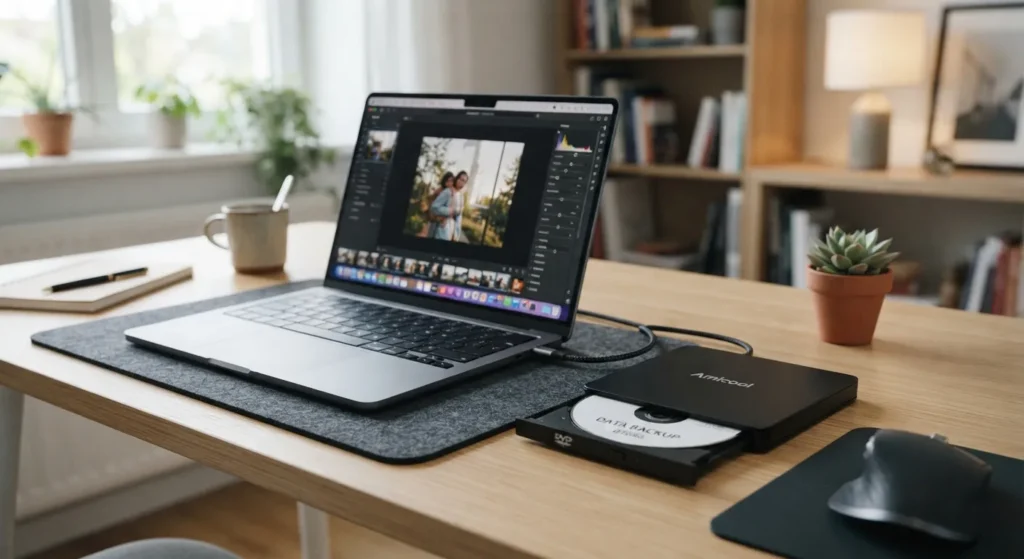
Slim laptops have largely left optical drives behind, but CDs and DVDs continue to hold valuable software, backups, music, and family archives. The Amicool BT686 external DVD drive is designed to bridge that gap, giving modern USB-C and USB-equipped computers the ability to read and write optical media without requiring an internal drive.
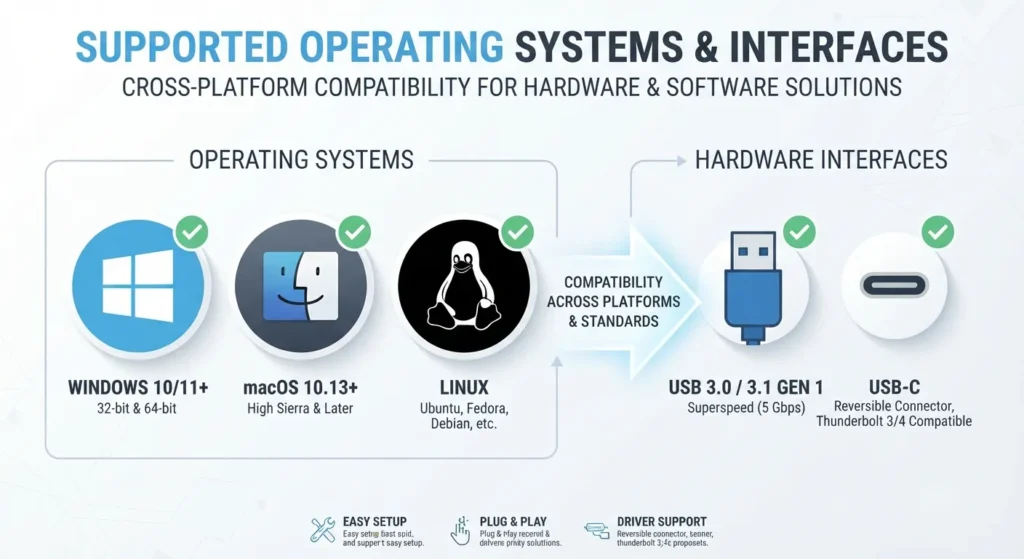
Verified documentation shows the BT686 supports plug-and-play operation, USB 3.0 connectivity with transfer speeds of up to 5 Gbps, compatibility with Windows, macOS, and Linux, and support for a wide range of CD and DVD formats. Rather than targeting professional media production, it serves as a practical accessory for users who occasionally need access to legacy discs.
Why External Optical Drives Still Matter
For many laptop owners, the disappearance of built-in DVD drives has gone largely unnoticed. Streaming has replaced movie discs, software is downloaded instead of installed from physical media, and cloud storage has become the default for everyday files.
That doesn’t mean optical media has disappeared.
Businesses still rely on archived software distributed on discs, institutions maintain long-term records on DVDs, and many households have photo collections or backups stored on optical media. Accessing those files still requires compatible hardware.
An external optical drive offers a straightforward way to connect older media with today’s thinner laptops without adding permanent hardware.
What the Amicool BT686 Offers
The verified documentation identifies the Amicool BT686 as a portable external DVD writer, meaning it can both read and burn compatible optical discs.
Its feature set is aimed at users who need occasional access to physical media rather than a specialist archival solution.
Key capabilities
- Reads and writes CDs and DVDs
- Plug-and-play operation with no proprietary drivers
- USB-powered design that does not require an external power adapter
- USB 3.0 interface
- Backward compatibility with USB 2.0 and USB 1.0
- USB-C compatibility for newer laptops
Its compact design also makes it easy to carry alongside a notebook, making it suitable for occasional use rather than permanent desktop installation.

Supported Disc Formats
The BT686 supports a broad selection of standard CD and DVD media.
| Media Type | Supported |
|---|---|
| CD-ROM | Yes |
| CD-R | Yes |
| CD-RW | Yes |
| DVD-ROM | Yes |
| DVD±R | Yes |
| DVD±RW | Yes |
| DVD-R DL (Dual Layer) | Yes |
| DVD-RAM | Yes |
One notable limitation is that the verified documentation does not list Blu-ray support. Anyone looking to play or archive Blu-ray discs will need hardware designed specifically for that format.
Technical Specifications
| Specification | Details |
|---|---|
| Model | BT686 |
| Interface | USB 3.0 / USB-C |
| Maximum Transfer Speed | Up to 5 Gbps |
| Power | USB bus-powered |
| Driver Installation | Not required |
| External Power Adapter | Not required |
Power is supplied directly through the USB connection, eliminating the need for a separate power brick and helping keep the setup simple.
Supported Operating Systems
The verified documentation lists support for:
- Windows XP
- Windows Vista
- Windows 7
- Windows 8.1
- Windows 10
- macOS
- Linux
Because the drive functions as a standard USB optical device, setup is intended to be automatic on supported operating systems.

Why USB-C Compatibility Makes a Difference
As manufacturers have shifted toward USB-C, many accessories designed for older USB-A ports now require additional adapters.
The BT686 is built with this transition in mind, supporting USB-C connectivity alongside USB 3.0 compatibility. For users who only occasionally need an optical drive, that means one less adapter to carry and a simpler connection to modern notebooks.
Practical Advice Before You Buy
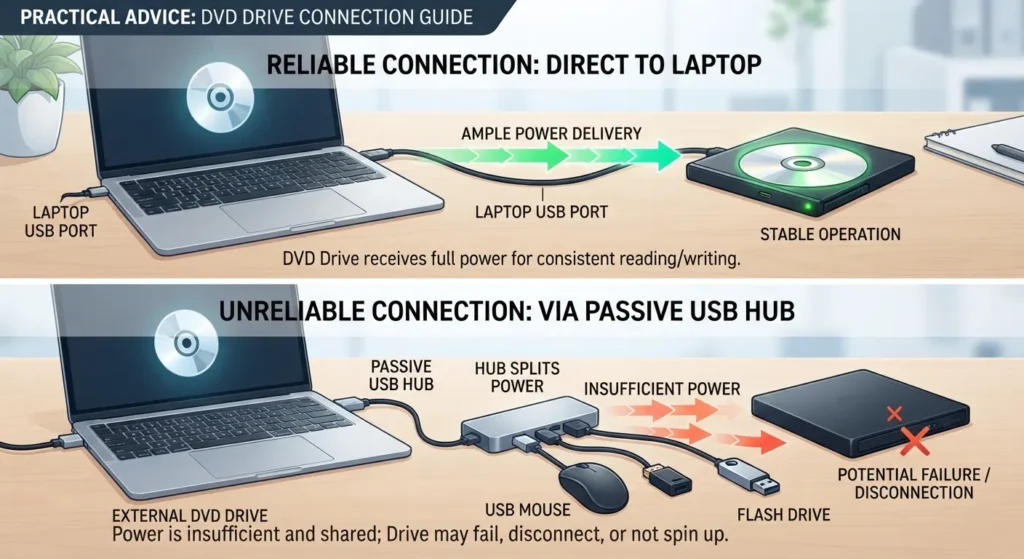
External optical drives are generally straightforward to use, but bus-powered devices can occasionally run into power-related issues.
Important
The verified user manual recommends connecting the drive directly to the computer instead of using a passive USB hub.
Passive hubs split available USB power between connected devices. If an optical drive doesn’t receive enough power, it may fail to spin the disc properly or may not be detected by the computer.
Connecting the drive directly to a laptop’s primary USB port typically provides the most reliable operation.

What This Drive Is — and Isn't
The BT686 is designed to solve a specific problem: giving modern computers access to legacy optical media.
It is suitable for:
- Reading archived CDs and DVDs
- Installing older software
- Burning data discs
- Creating recovery media
- Accessing long-term backups
It is not intended to replace professional media equipment. The verified documentation does not position it as:
- A Blu-ray drive
- A professional media digitization device
- A dedicated archival workstation
Knowing those limitations helps ensure buyers choose the right tool for their needs.
Pricing and Availability
The verified research package includes the following pricing information:
| Item | Information |
|---|---|
| Approximate Sale Price | US$20.39 |
| Original Referenced Price | US$21 |
| Availability | Retail channels |
Retail pricing may vary depending on the seller and any active promotions.
Why This Matters Beyond One Product
The disappearance of built-in optical drives reflects a broader shift toward thinner hardware and cloud-based services. Yet older storage formats remain part of many personal and professional workflows.
Government offices, schools, engineering firms, healthcare organizations, photographers, and home users continue to rely on CDs and DVDs for archived data and software. Replacing those collections is often impractical, making external optical drives a useful compatibility tool rather than an everyday peripheral.
For many users, the value isn’t in using discs every day—it’s in having access to them when needed.
Timeline
| Date | Event |
|---|---|
| 2022-05-02 | BT686 user manual updated |
| 2026-07-25 | PCWorld highlighted the product in a pricing-focused article |
Conclusion
The Amicool BT686 highlights a simple reality: while optical drives have disappeared from most modern laptops, the media they were built to read remains in widespread use. Verified documentation confirms support for a broad range of CD and DVD formats, plug-and-play operation, USB-powered convenience, and compatibility across Windows, macOS, and Linux. For anyone who occasionally needs access to legacy discs, it offers a practical way to connect older media with today’s computers without adding permanent hardware.
Frequently Asked Questions
1. Does the Amicool BT686 read and write DVDs?
Yes. The verified documentation confirms that it supports both reading and writing compatible CD and DVD media.
2. Does it require any drivers?
No. The drive is designed for plug-and-play operation and does not require proprietary drivers.
3. Does it need an external power adapter?
No. It draws power directly through the USB connection.
4. Is it compatible with USB-C laptops?
Yes. The verified documentation confirms USB-C compatibility.
5. Which operating systems are supported?
The documented supported platforms are Windows XP, Windows Vista, Windows 7, Windows 8.1, Windows 10, macOS, and Linux.
6. Can it read Blu-ray discs?
The verified documentation does not list Blu-ray support.
7. Why might the drive not be recognized?
Insufficient USB power—particularly when using a passive USB hub—is a documented cause. Connecting the drive directly to the computer is the recommended solution.
8. Can it be used to create recovery discs?
Yes. Because it supports writing compatible optical media, it can be used to burn recovery or installation discs.
9. What is its maximum interface speed?
The USB 3.0 interface supports transfer speeds of up to 5 Gbps.
10. Who is this drive best suited for?
It is a good fit for users who occasionally need to access CDs or DVDs for archived files, legacy software, backups, or recovery media, rather than those seeking Blu-ray or professional media production hardware.
Swathi is a contributor at GizStreet with a master’s degree in science and a strong background in technical writing and product review. She covers gadgets, software, and consumer tech, with a focus on breaking down complex products into clear, practical takeaways for readers.
Share this story
Related Articles

Sony Bravia 9 II and Bravia 7 II Arrive in India: Sony Pushes Premium LED TVs Forward With True RGB Technology
Sony has launched the Bravia 9 II and Bravia 7 II in India with True RGB LED technology, Google TV, Cognitive Processor XR and premium home theatre features.

Haier HQLED P7 Pro Series Arrives in India With Built-In 50W Audio, Google TV and Gemini Integration
Haier's HQLED P7 Pro Series arrives in India with Google TV, Gemini integration, Dolby Atmos, gaming features and prices starting at ₹35,990.

The Remote-Work Hardware Upgrades That Solve Real Desk Problems
Discover practical remote work hardware upgrades that improve laptop connectivity, reduce distractions, manage power, and make home offices more efficient.
Comments (0)