Apple iOS 27 Beta 3 Gives Siri More Voice Control as Apple Moves Toward Personalized AI
Apple iOS 27 Beta 3 adds Siri voice customization controls, giving users more control over expressivity and speaking pace while expanding Siri AI features.
Contributor
Executive Summary
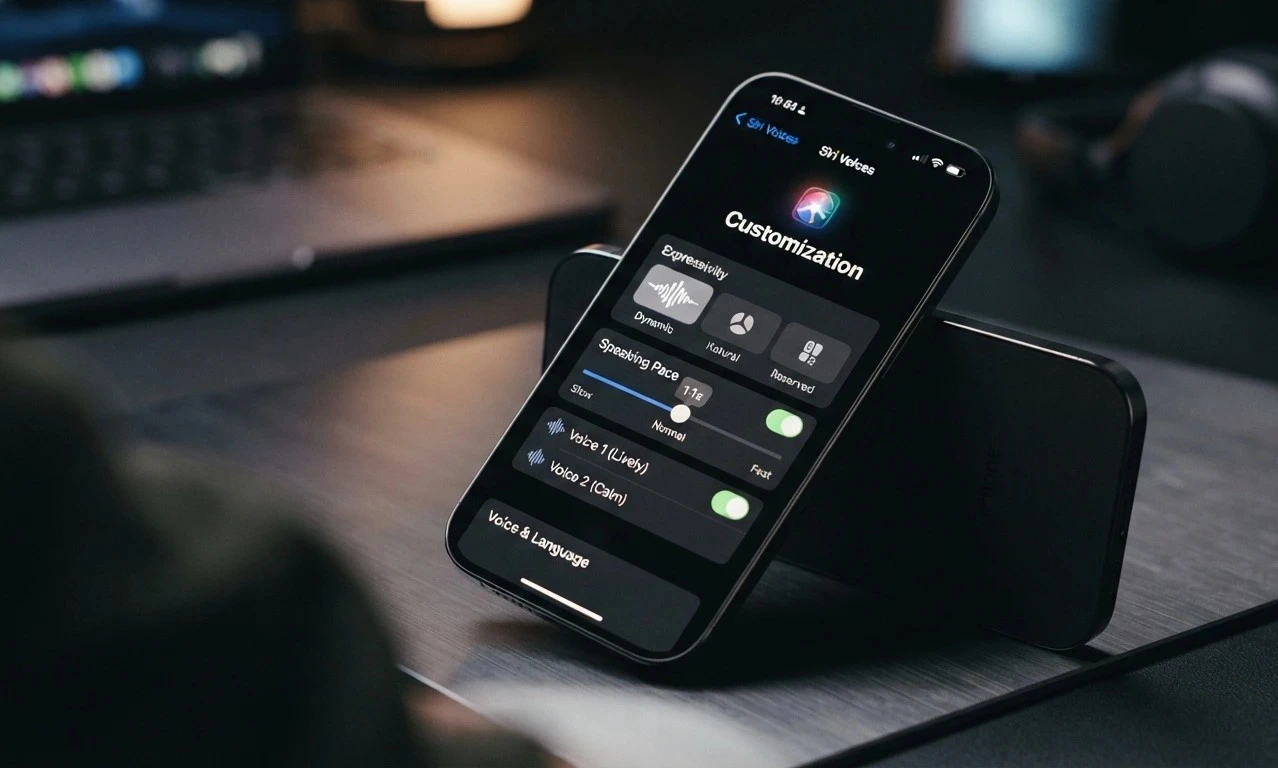
Apple is giving Siri a more customizable voice experience with iOS 27, adding controls that allow users to adjust how the assistant sounds. The iOS 27 preview confirms support for Siri voice customization, including expressivity and pace controls, as Apple continues expanding its Apple Intelligence platform across iPhone, iPad, Mac, Apple Watch, and Apple Vision Pro.
The iOS 27 Beta 3 Siri voice customization update reflects a broader shift in voice assistants. Instead of offering the same fixed interaction style for every user, Siri is moving toward a more flexible experience where people can adjust how conversations feel.
Alongside iOS 27, watchOS 27 brings Siri AI features to Apple Watch through a dedicated Siri app. However, some reported changes involving specific Siri behavior in apps such as Maps and Safari have not been confirmed through Apple’s official documentation.
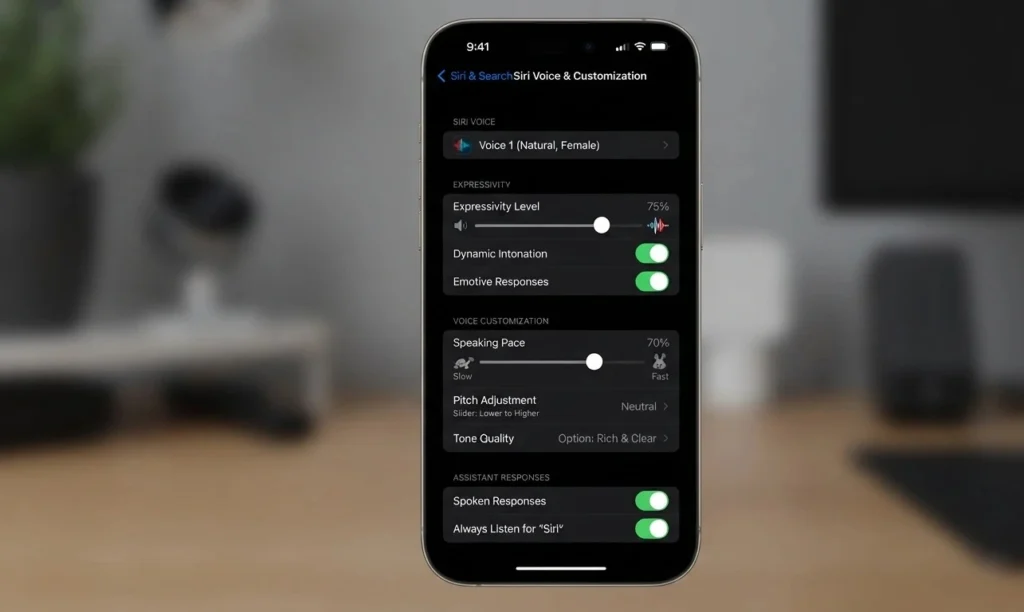
What New Siri Controls Arrive With iOS 27?
Apple’s latest Siri improvements are focused on refinement rather than a complete redesign. The biggest change is giving users more control over Siri’s voice delivery.
In previous versions, Siri customization mainly involved selecting different voices and languages. iOS 27 expands that approach by allowing users to adjust additional characteristics that influence how Siri communicates.
| Feature | What it Does |
|---|---|
| Voice selection | Lets users choose Siri voices |
| Expressivity | Adjusts the variation and emotional quality of Siri’s delivery |
| Pace | Changes how quickly Siri speaks |
These options are designed to make Siri feel less like a fixed digital assistant and more like an experience tailored to individual preferences.
A user who wants quicker responses can adjust Siri’s pace, while someone who prefers a calmer interaction can choose a different delivery style.
Why Is Apple Giving Users More Control Over Siri’s Voice?
Voice assistants have traditionally been built around accuracy and task completion. As conversational AI has evolved, users have started expecting assistants to feel more natural during everyday interactions.
The way an assistant speaks can influence how useful and comfortable it feels. A voice that sounds too slow, too flat, or too artificial may make frequent interactions less engaging.
Apple’s move toward Siri voice customization follows a wider industry trend: AI systems are becoming more personal, with users expecting greater control over how they interact with technology.
Apple Intelligence is central to this direction. The platform is built around next-generation Apple Foundation Models and is designed to bring AI capabilities across Apple devices while keeping the experience integrated into the company’s ecosystem.
The goal is not simply to make Siri sound different. It is to let users shape the interaction style that works best for them.
How Is Siri Expanding Beyond the iPhone?
Apple is extending Siri’s role across more devices, with Apple Watch becoming a major part of that expansion.
watchOS 27 Adds a Dedicated Siri App
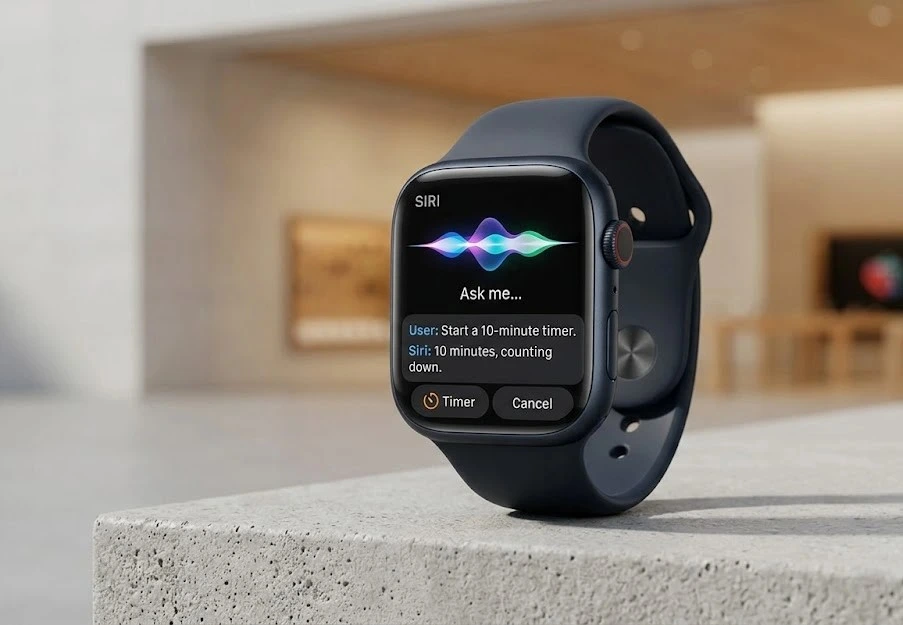
watchOS 27 introduces a dedicated Siri app that brings Siri conversations into a single location on Apple Watch.
Apple says Siri AI on Apple Watch is powered by Apple Intelligence and is designed to make conversations more accessible while allowing experiences to continue across devices.
This moves Siri closer to becoming a consistent assistant throughout Apple’s hardware lineup. Whether someone is using an iPhone, Apple Watch, or another supported device, Apple’s approach is to make the experience feel connected.
What Role Does Apple Intelligence Play in Siri?
Apple Intelligence is Apple’s artificial intelligence platform that connects AI features across its products.
The technology is available across:
- iPhone
- iPad
- Mac
- Apple Watch
- Apple Vision Pro
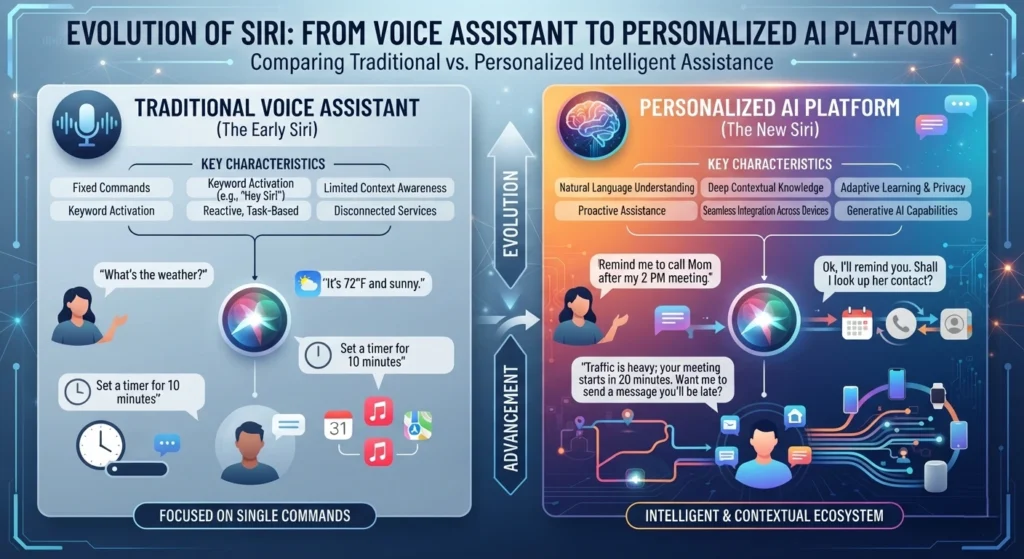
Rather than positioning Siri as a separate chatbot-style tool, Apple is integrating AI capabilities directly into its devices and software experiences.
This approach allows Siri to become part of everyday workflows instead of being limited to answering isolated voice commands.
Which Siri Features Are Confirmed and Which Are Still Unclear?
Apple has confirmed several Siri improvements, but some reported beta features have not been verified through official sources.
| Feature | Status |
|---|---|
| Siri voice customization | Confirmed |
| Expressivity adjustment | Confirmed |
| Pace adjustment | Confirmed |
| Siri AI on Apple Watch | Confirmed |
| Dedicated Siri app on Apple Watch | Confirmed |
| Specific Apple Maps voice behavior changes | Not officially confirmed |
| Specific Safari Siri summary behavior changes | Not officially confirmed |
This difference is important because beta software often contains features that may change before final release.
Reports about possible changes to Siri behavior inside Apple Maps and Safari should therefore be treated separately from officially confirmed features.
What Known Issues Affect Siri in iOS 27 Beta 3?
Beta software is still being tested, and Apple’s release notes list several Siri-related issues.
Known issues include:
- Siri may not resolve some entity types when apps provide only an EntityStringQuery.
- Siri may ignore custom values for navigation preferences, transport, and incident types in apps using Maps intent schemas.
- Safari Intelligence features may appear available before required assets are downloaded.
- After enabling Expressive Voices, users may not be able to modify Pace or Expressiveness settings.
- Siri may respond more slowly than expected in CarPlay under certain conditions.
These issues are part of the beta testing process and may be resolved before wider availability.
What Does the Siri Update Mean for the Future of AI Assistants?
The latest Siri changes show Apple moving toward a more adaptable AI experience.
Voice customization may appear smaller than major AI model announcements, but personalization is becoming an important part of how people interact with assistants they use every day.
A voice assistant is not only judged by what it can do. The way it communicates also affects usability, accessibility, and comfort.
Apple’s next challenge will be expanding Siri AI capabilities while maintaining the privacy-focused approach that has shaped its AI strategy.
Conclusion
iOS 27 Beta 3 marks another step in Apple’s effort to make Siri more adaptable and personal. The addition of voice controls for expressivity and pace gives users more influence over how the assistant communicates, while watchOS 27 extends Siri AI features to Apple Watch.
The update is less about replacing Siri with something entirely new and more about reshaping how people interact with it. As Apple continues developing Apple Intelligence, the focus will be on how these personalized AI experiences evolve across its ecosystem and how much more capable Siri becomes over time.
Frequently Asked Questions
1. What is new in iOS 27 Beta 3 for Siri?
iOS 27 adds Siri voice customization features, including controls related to expressivity and speaking pace.
2. Can users change Siri’s speaking speed?
Yes. Apple has confirmed a pace adjustment option for Siri.
3. What does Siri Expressivity change?
Expressivity controls adjust aspects of Siri’s voice delivery, including how dynamic the assistant sounds.
4. Is Siri AI available on Apple Watch?
Yes. watchOS 27 introduces Siri AI features and a dedicated Siri app on Apple Watch.
5. Is Apple Intelligence required for the new Siri features?
Apple’s Siri AI features are built around Apple Intelligence.
6. Which devices support Apple Intelligence?
Apple Intelligence is available across supported iPhone, iPad, Mac, Apple Watch, and Apple Vision Pro devices.
7. Can everyone install iOS 27 Beta 3?
Beta software is intended for developers and testers. General availability details were not provided in the verified information.
8. Are the reported Siri changes in Apple Maps officially confirmed?
No. Specific Apple Maps Siri behavior changes mentioned in reports were not confirmed through the official sources reviewed.
9. Does iOS 27 Beta 3 have Siri-related bugs?
Yes. Apple lists several Siri-related issues affecting beta users.
10. Will Siri become more personalized in future updates?
Apple’s Siri customization features and Apple Intelligence strategy show a focus on personalization, but future features have not been announced.
Share this story
Related Articles

Lumio Project Neo Explained: What the AI-Powered WhatsApp Assistant Actually Does
Lumio Project Neo brings AI-powered content discovery to compatible Vision TVs and Arc Projectors through WhatsApp and Instagram. Here's what is officially confirmed.

OpenAI Shifts Gears: Greg Brockman Takes Over Product Strategy in Push for ‘Agentic’ Future
OpenAI co-founder Greg Brockman is consolidating product efforts, merging ChatGPT and Codex as the company pivots toward AI agents and a unified 'super app'.
Google Gemini Proactive Assistance: The Future of AI Anticipation
Imagine your phone nudging you to review a presentation before your boss even sends the calendar invite. That’s not science fiction anymore. Google Gemini […]
Comments (0)