Intel Core vs AMD Ryzen: Which Processor Is Right for You?
Shopping for a new laptop almost always comes down to one early decision: Intel or AMD? The processor badge on the lid feels like […]
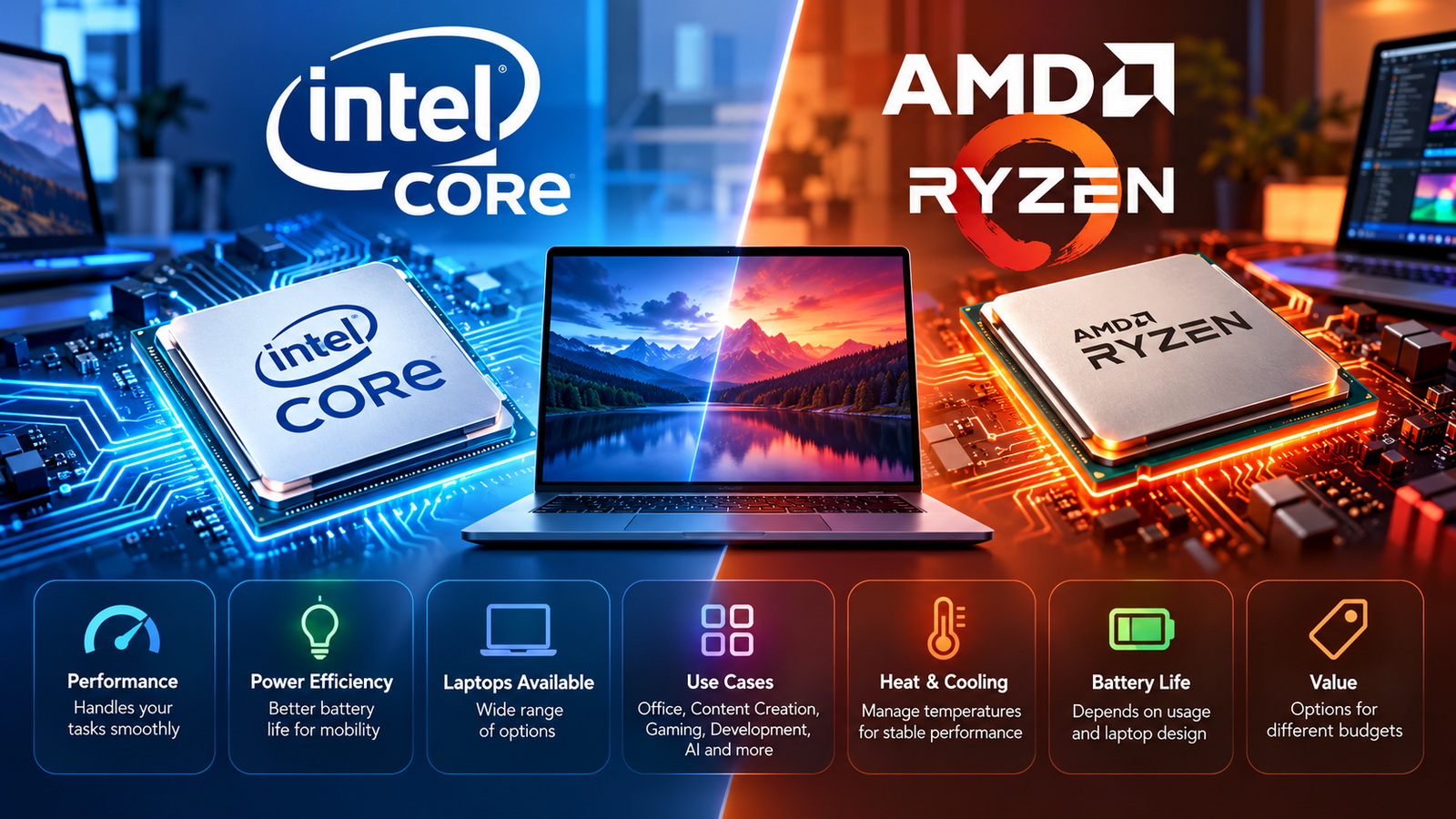
Shopping for a new laptop almost always comes down to one early decision: Intel or AMD? The processor badge on the lid feels like it should tell you everything, but on its own, it tells you surprisingly little.
Quick Answer: Intel Core vs AMD Ryzen
Neither Intel nor AMD is universally better for every laptop buyer. Both companies make processors that span budget, mainstream, and high-performance laptops, and the right choice depends on the specific processor model, the laptop’s graphics and cooling design, your workload, and your budget — not the brand name printed on the chip.
Instead of asking “Intel or AMD,” it’s more useful to ask: What will I actually do with this laptop, and which specific configuration supports that?
Intel Core and AMD Ryzen: What Are They?
Intel Core and AMD Ryzen are the two dominant families of processors (CPUs) used in Windows laptops today. A processor is the component that handles the core computing work of a laptop — running your operating system, apps, and background tasks.
Both Intel and AMD sell processors across several performance tiers, from entry-level chips for basic laptops to high-performance chips for gaming and content-creation machines. Both companies also update their processor families regularly, introducing new architectures, new integrated graphics, and new naming conventions every year or so.
This is exactly why a brand-level comparison — “Intel” versus “AMD” — can be misleading. A high-end Ryzen chip and a high-end Intel chip released in the same year will usually be much closer to each other in real-world performance than either is to its own company’s entry-level chip. The brand tells you who made the processor. It doesn’t tell you which performance class it belongs to.
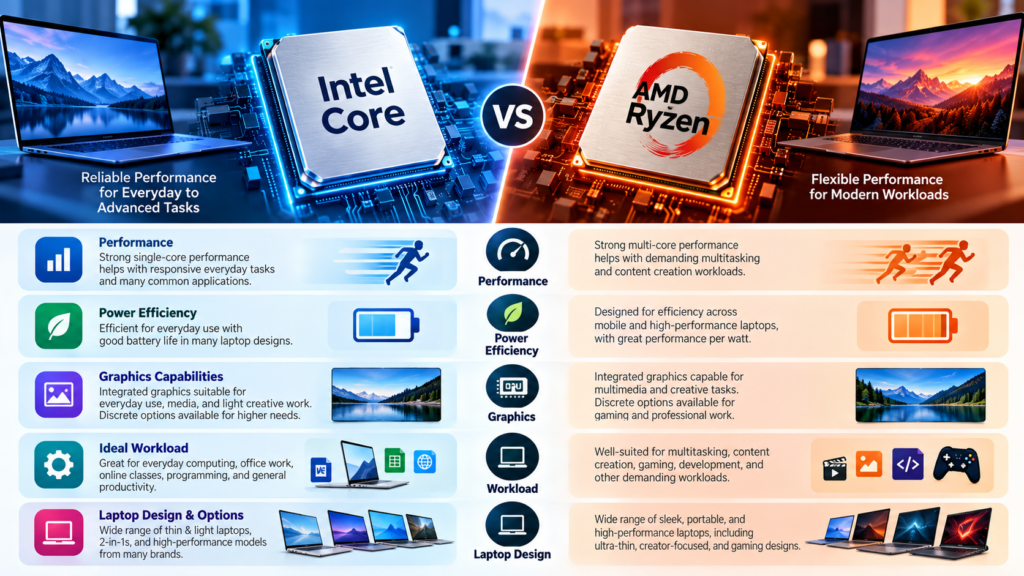
Intel Core Laptop Processors
Intel organizes its laptop processors into performance tiers, generally moving from entry-level chips up through mainstream and high-performance options. In recent generations, Intel has separated its lineup into two main branches: a standard Core line (Core 3, Core 5, Core 7) aimed at budget and mainstream laptops, and a Core Ultra line aimed at mainstream-to-premium laptops with a stronger focus on integrated graphics and on-device AI processing (via a built-in NPU, or neural processing unit).
Within the Core Ultra branch, Intel has also introduced higher-tier designations for its most graphics-capable chips, reserved for models with Intel’s most powerful integrated GPU configuration. As with any tiered lineup, a higher number or a premium designation generally points to a more capable chip, but the exact core count, clock speeds, and graphics configuration still vary model to model — which is why checking the specific SKU matters more than checking the family name.
Because Intel updates its naming and architecture on a regular cycle, always verify the current lineup against Intel’s own documentation before treating any specific model name as current.
AMD Ryzen Laptop Processors
AMD’s laptop lineup follows a broadly similar structure: Ryzen 3, Ryzen 5, Ryzen 7, and Ryzen 9 tiers, moving from entry-level to high-performance. AMD’s more recent laptop chips carry “Ryzen AI” branding, reflecting the addition of a dedicated NPU for on-device AI features, alongside integrated RDNA-based graphics.
At the top of AMD’s mobile stack, AMD also offers higher-power variants (often labeled “HX” or, at the very top, “Max+”) aimed at performance laptops and creator-class machines that need more sustained CPU and graphics performance than thin-and-light designs.
As with Intel, AMD’s core count, clock speed, cache size, and integrated GPU configuration all vary by specific model within a tier — a Ryzen 7 is not automatically faster than every Ryzen 5, and a newer chip generation typically brings architectural gains that a raw tier number won’t show you. Always verify current Ryzen model details against AMD’s own documentation.
Intel Core vs Ryzen: Key Differences
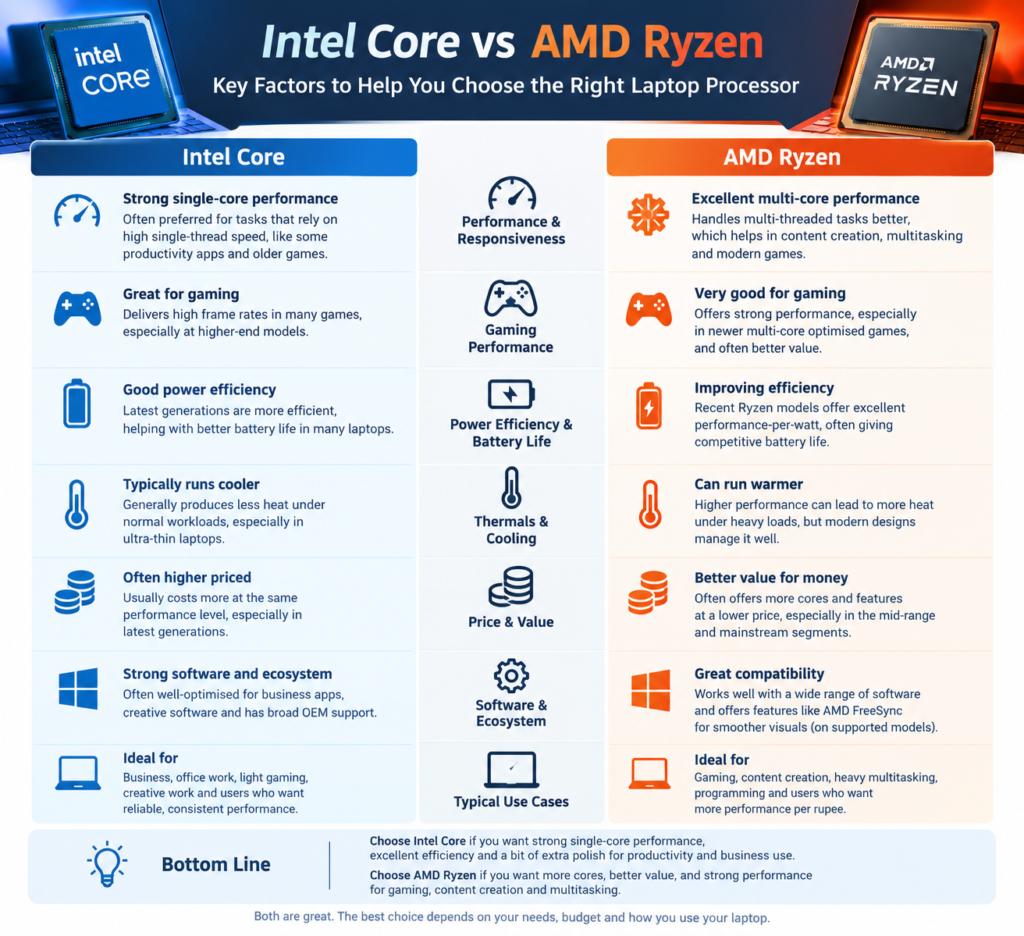
| Factor | Intel Core | AMD Ryzen |
|---|---|---|
| Product range | Core 3/5/7 and Core Ultra 5/7/9 (with higher graphics-focused tiers at the top) | Ryzen 3/5/7/9 and Ryzen AI variants, including higher-power HX and Max+ options |
| CPU performance | Depends on the specific model and generation | Depends on the specific model and generation |
| Integrated graphics | Depends on model; varies significantly between standard and top-tier configurations | Depends on model; varies significantly between standard and top-tier configurations |
| Gaming | Depends on CPU and GPU (dedicated GPU matters most for demanding games) | Depends on CPU and GPU (dedicated GPU matters most for demanding games) |
| Multitasking | Depends on core/thread count and system RAM | Depends on core/thread count and system RAM |
| Battery life | Depends heavily on overall laptop design, not CPU brand alone | Depends heavily on overall laptop design, not CPU brand alone |
| Cooling requirements | Depends on the processor’s power class and the laptop’s thermal design | Depends on the processor’s power class and the laptop’s thermal design |
| AI features (NPU) | Present on Core Ultra models; varies by generation | Present on Ryzen AI models; varies by generation |
| Best choice | Workload-dependent | Workload-dependent |
CPU Performance: What Actually Matters?
It’s tempting to compare “Core i5” to “Ryzen 5” and assume they’re equivalent, or to assume a bigger number automatically means a faster chip. Neither shortcut holds up.
Single-core performance matters most for tasks that lean on one fast core at a time — everyday responsiveness, opening apps, and many older or lightly threaded programs.
Multi-core performance matters for workloads that can spread work across many cores at once, like video exporting, compiling code, or running several demanding apps simultaneously.
Core count tells you how many independent processing units the chip has, but more cores only help if the software you’re running can actually use them.
Threads are a way some processors handle more than one instruction stream per physical core, improving efficiency on multi-threaded workloads — but thread count alone doesn’t determine real-world speed.
Clock speed (measured in GHz) tells you how fast a core cycles, but a higher clock speed on an older architecture can still be slower than a lower clock speed on a newer one. Clock speed can’t be compared meaningfully across different generations or between Intel and AMD chips.
Architecture and generation — the underlying chip design — often matters more than any single spec. A newer chip generation from either company can bring meaningful efficiency and performance gains even at similar core counts and clock speeds.
Power and cooling determine whether a laptop chip can actually sustain its rated performance over time, or whether it throttles down after a few minutes under load. This is covered in more detail below.
Intel vs AMD for Everyday Laptop Use
For web browsing, office applications, email, video calls, streaming, and general multitasking, most current-generation processors from both Intel and AMD — even in mainstream tiers — handle these tasks comfortably. The bigger practical differences for everyday use tend to come from RAM (see how much RAM your laptop needs), storage speed (SSD vs. older HDD), and display quality, rather than the CPU brand itself.
Intel vs AMD for Multitasking
Multitasking performance depends on more than the processor alone. Core and thread count help the system juggle more background processes without slowing down, but system RAM plays an equally large role — running out of RAM can make even a fast CPU feel sluggish because the system starts relying on slower storage-based memory swapping. If heavy multitasking is a priority, check both the processor tier and how much RAM your laptop needs before deciding.
Intel vs AMD for Gaming
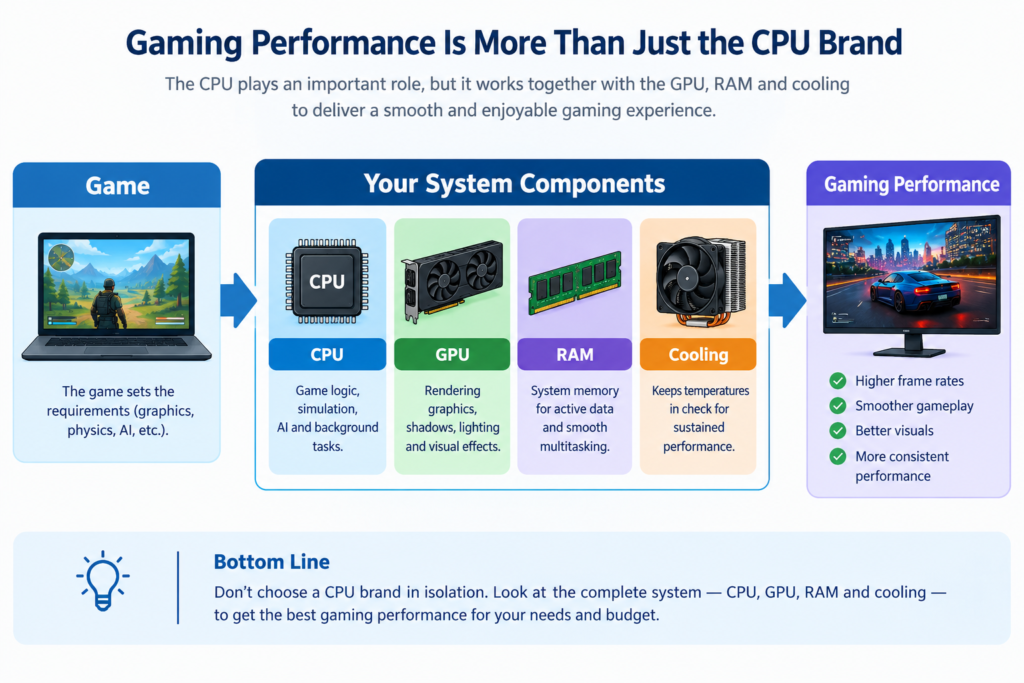
Gaming performance is one of the most misunderstood parts of any CPU comparison, because gaming is rarely CPU-limited on its own.
In most laptops, the dedicated graphics card (GPU) — not the CPU — has the biggest impact on gaming performance and frame rates, especially at higher resolutions and graphics settings. The CPU’s role in gaming is mainly handling game logic, physics, AI behavior, and feeding data to the GPU quickly enough that it isn’t left waiting. In a small number of scenarios (very high frame rates, CPU-heavy simulation games, or a GPU that’s much faster than the CPU can support), the processor can become the bottleneck instead.
RAM and cooling also affect gaming performance: insufficient RAM can cause stutter, and inadequate cooling can force both the CPU and GPU to run below their rated speeds during long sessions.
Neither Intel nor AMD can be said to universally deliver higher gaming frame rates — the outcome depends on the specific CPU, the specific GPU it’s paired with, and the game being played. Any specific gaming benchmark comparison should be treated as applying only to the exact processors, GPU, and test conditions used, not the brand as a whole.
Intel vs AMD Integrated Graphics
Integrated graphics (a GPU built into the processor itself, rather than a separate graphics card) matter most in laptops that don’t include a dedicated GPU. Both Intel and AMD have invested heavily in integrated graphics in recent generations, and both companies’ top-tier integrated GPU configurations can handle light-to-moderate gaming and everyday graphics work reasonably well, while their entry-level integrated graphics are better suited to basic tasks.
Neither company’s integrated graphics can be called universally better — the gap depends heavily on the specific chip generation and configuration being compared. If integrated graphics performance matters to you (for example, because you don’t want a laptop with a separate GPU), compare the exact processor models rather than assuming one brand’s integrated graphics are always ahead.
Intel vs AMD for Content Creation
Photo editing, video editing, 3D work, rendering, and encoding tend to benefit from strong multi-core CPU performance, ample RAM, fast storage, and — for many creative applications — a capable GPU (integrated or dedicated) that supports hardware acceleration for the specific software being used. Some creative applications are also optimized differently for Intel and AMD hardware, or rely on GPU acceleration more than raw CPU power.
Because content-creation performance depends so heavily on the specific software, workload type, and full system configuration, it’s not accurate to say one brand is universally faster for creative work. Check whether your specific editing or 3D software has documented performance guidance or system recommendations before assuming a brand advantage.
Intel vs AMD for Programming and Development
Development workloads vary widely — from lightweight code editing to running multiple virtual machines or containers simultaneously. Tasks like code compilation and running VMs benefit from strong multi-core performance and sufficient RAM, while everyday coding in a lightweight editor is far less demanding.
Neither Intel nor AMD is inherently better suited to development work as a category. What matters is matching core count, thread count, and RAM to your specific toolchain — someone running several containers and a database locally has very different requirements than someone doing mobile app development in a single IDE.
Intel vs AMD for Battery Life
Battery life is one of the areas most prone to oversimplified claims, and it deserves a careful answer.
Battery endurance depends on the CPU’s power efficiency, yes — but also on the laptop’s display (resolution and panel type), battery capacity, cooling design, operating system power management, background app activity, and how the laptop manufacturer has tuned the whole system. Two laptops with a similar-class processor from the same company can have very different battery life if one has a bigger battery, a more efficient display, or better power tuning.
It is not accurate to say that AMD or Intel processors always deliver better battery life. Efficiency has shifted between the two companies across different generations, and it varies by specific chip and by how a given laptop manufacturer implements it. If battery life is a priority, look at independent battery-life testing for the exact laptop model you’re considering, not just the processor brand.
Intel vs AMD: Laptop Cooling and Sustained Performance
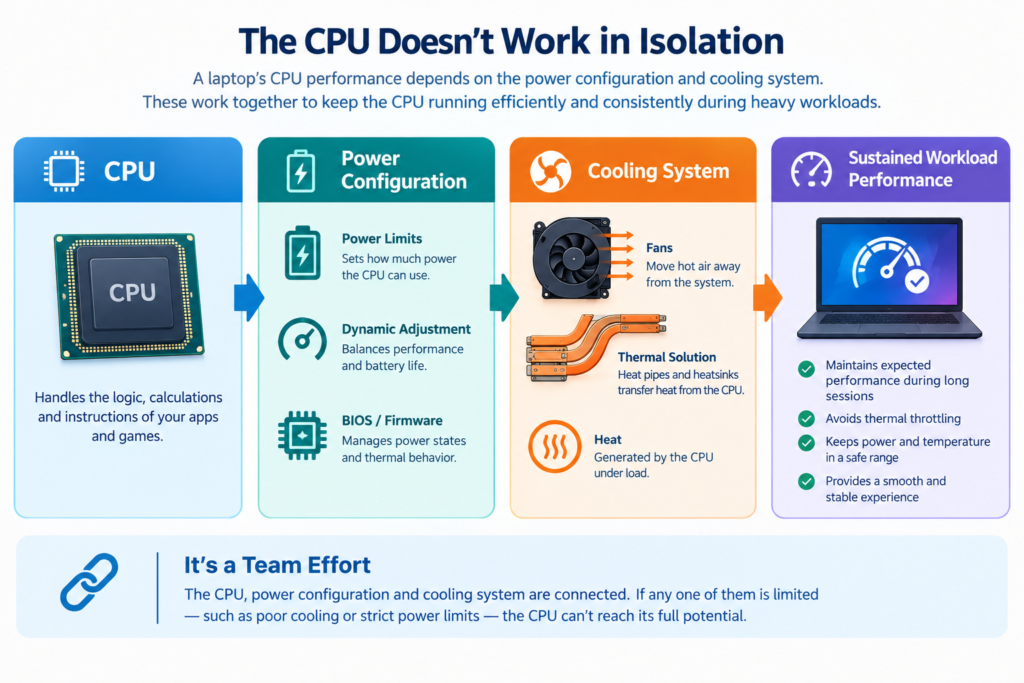
A processor’s rated specifications describe its potential, not a guarantee. Two laptops built around the exact same processor model can perform noticeably differently depending on:
- The cooling system (fan size, heat pipe design, vent placement)
- The chassis design (thin-and-light vs. larger gaming chassis)
- The power limits the manufacturer sets for that chip in that specific laptop
- Fan behavior and noise/thermal tuning
- Overall thermal management choices made by the manufacturer
This is why laptop reviews often show the same CPU performing differently across brands and models. A processor is only one part of a system, and laptop manufacturers can configure the same chip conservatively (for a thinner, quieter design) or aggressively (for higher sustained performance, usually with more fan noise and heat).
Intel vs AMD: Price and Value
Laptop pricing depends on far more than the processor brand — the CPU tier, GPU (if any), RAM, storage type and capacity, display quality, build materials, battery size, cooling design, and upgradeability all factor into the final price and the value you get for it.
Because current pricing shifts constantly and varies by region and retailer, this article won’t cite specific prices. As a rule, compare the complete configuration of any laptop you’re considering — a lower-priced laptop with a weaker GPU, less RAM, or a lower-quality display isn’t necessarily better value than a slightly pricier one with a more balanced spec sheet, regardless of which processor brand either one uses.
Which Is Better for Different Users?
For Office and General Use
Prioritize a comfortable display, reliable battery life for your typical day, and enough RAM (generally 16GB is a comfortable baseline for smooth multitasking) over chasing a specific high-end processor tier. Entry-to-mainstream chips from either brand are usually sufficient.
For Students
Balance portability, battery life, and price. A mainstream Core or Ryzen chip paired with adequate RAM and a good keyboard/display will typically serve better than overspending on a high-end CPU tier you won’t fully use for note-taking, research, and typical coursework.
For Gaming
Prioritize the dedicated GPU first, then check that the CPU and cooling system are strong enough to keep the GPU fed without bottlenecking it. Don’t select a gaming laptop based on CPU brand alone — the GPU and thermal design matter more for frame rates in most games.
For Content Creators
Look at multi-core CPU performance, RAM (16GB minimum, 32GB+ for heavier work), fast storage, and GPU acceleration support for your specific software. Check whether your primary editing or rendering application has documented hardware recommendations.
For Programmers
Match core/thread count and RAM to your actual toolchain — running multiple VMs or containers demands more than lightweight code editing. Fast storage also meaningfully speeds up build times and large project workflows.
For Heavy Multitaskers
Prioritize higher core/thread counts and generous RAM together — neither alone solves multitasking sluggishness if the other is insufficient.
For Battery-Focused Users
Look beyond the CPU brand to the specific laptop’s battery capacity, display efficiency, and independent battery-life test results, since laptop-level design affects endurance as much as the processor does.
How to Choose Between Intel and AMD
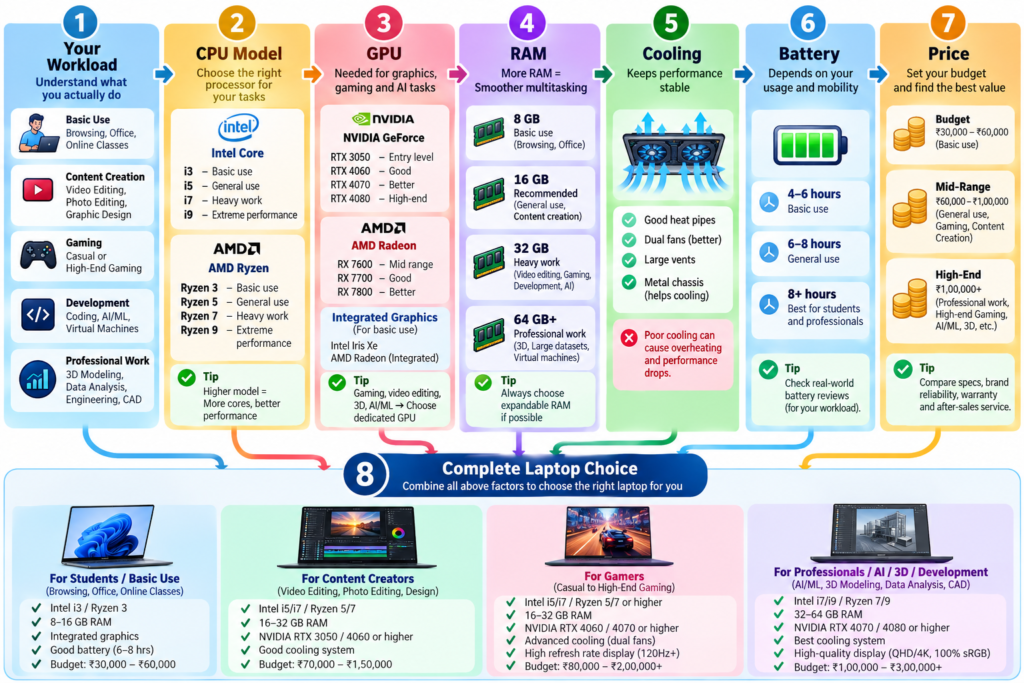
Before choosing a laptop based on its processor, compare:
- The exact processor model (not just the brand or tier number)
- The processor’s generation/family
- Core and thread configuration
- The CPU’s power class (thin-and-light vs. performance-class chip)
- Integrated or dedicated GPU
- RAM amount
- Storage type and capacity
- Display quality
- Cooling design
- Battery capacity and expected endurance
- Total laptop price
- Your actual intended workload
For a deeper walkthrough of full laptop buying decisions beyond the processor, see how to choose a laptop.
Common Intel vs AMD Misconceptions
- “Intel is always faster.” Not accurate — performance depends on the specific models being compared.
- “Ryzen is always faster.” Also not accurate, for the same reason.
- “More cores automatically means better performance.” Only true if the software you’re using can actually take advantage of those extra cores.
- “Higher clock speed automatically means a faster processor.” Clock speed can’t be compared meaningfully across different architectures or generations.
- “Core i7 (or Core 7) is automatically faster than every Core 5.” Generally true within the same generation, but a newer Core 5 can outperform an older Core 7 due to architectural improvements.
- “Ryzen 7 is automatically faster than every Ryzen 5.” Same caveat applies — generation matters as much as tier.
- “CPU brand determines gaming FPS.” The GPU typically has a larger impact on gaming performance than the CPU brand.
- “Battery life depends only on the CPU.” Display, battery capacity, and overall laptop design all play major roles.
- “Integrated graphics performance is identical across processor generations.” Integrated graphics have improved substantially generation over generation for both companies.
- “Two laptops with the same CPU will always perform identically.” Cooling, power limits, and chassis design can produce meaningfully different results even with an identical processor.
Final Verdict
Intel and AMD both offer multiple laptop processor families spanning budget to high-performance use cases, and neither company holds a universal advantage across every category. The exact CPU model — not the brand name — is what actually determines performance, and it matters more than a tier number on its own. Your workload, whether that’s everyday browsing, gaming, content creation, or development, should guide which specific configuration makes sense. Laptop cooling and power configuration affect how well any processor performs in practice, and for gaming specifically, the GPU usually matters more than the CPU brand. RAM plays a major role in multitasking regardless of which processor is installed. Ultimately, the best choice depends on the complete laptop configuration — processor, graphics, memory, storage, display, cooling, and battery — evaluated together, not the CPU brand in isolation.

Related Articles
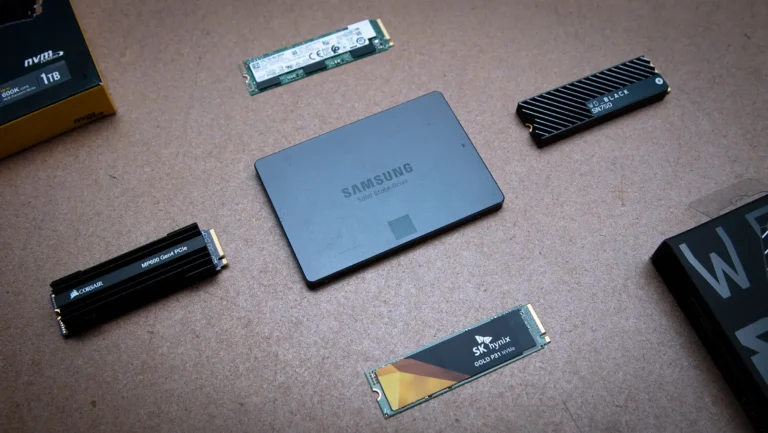
NVMe SSD vs SATA SSD: Speed, Performance and Real-World Differences
If you’ve shopped for a laptop or PC upgrade recently, you’ve probably seen “NVMe SSD” and “SATA SSD” listed as if they’re two flavors […]
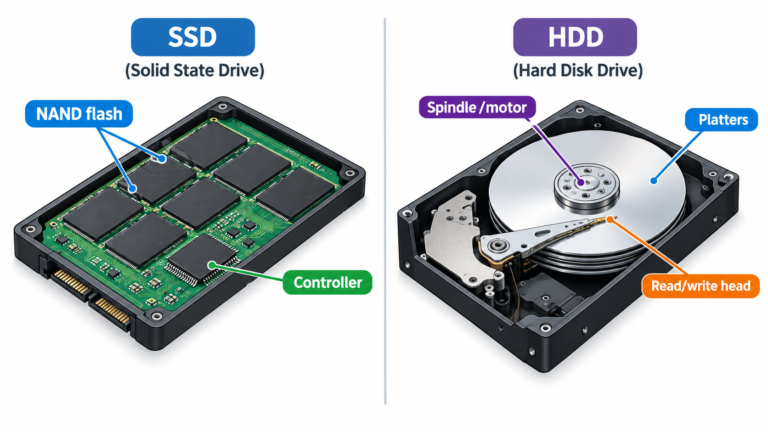
SSD vs HDD: What’s the Difference and Which Should You Choose?
If you’ve ever shopped for a laptop or tried to speed up an old PC, you’ve probably run into the terms SSD and HDD. […]

How Much RAM Do You Really Need in a Laptop?
How Much Laptop RAM Do You Need? If you’ve ever shopped for a laptop, you’ve probably hit a moment of hesitation on the RAM […]
Comments (0)