Lenovo IdeaPad Slim 3i With Intel N150: What This Budget Laptop Says About the Future of Affordable PCs
Lenovo IdeaPad Slim 3i with Intel N150 delivers practical everyday performance with Full HD displays, LPDDR5 memory, Wi-Fi 6, and affordable laptop features.
Contributor
Executive Summary
The budget laptop market is changing. Buyers are no longer looking only for the lowest price; they are looking for machines that offer a practical balance of performance, efficiency, and features that will remain useful for years.
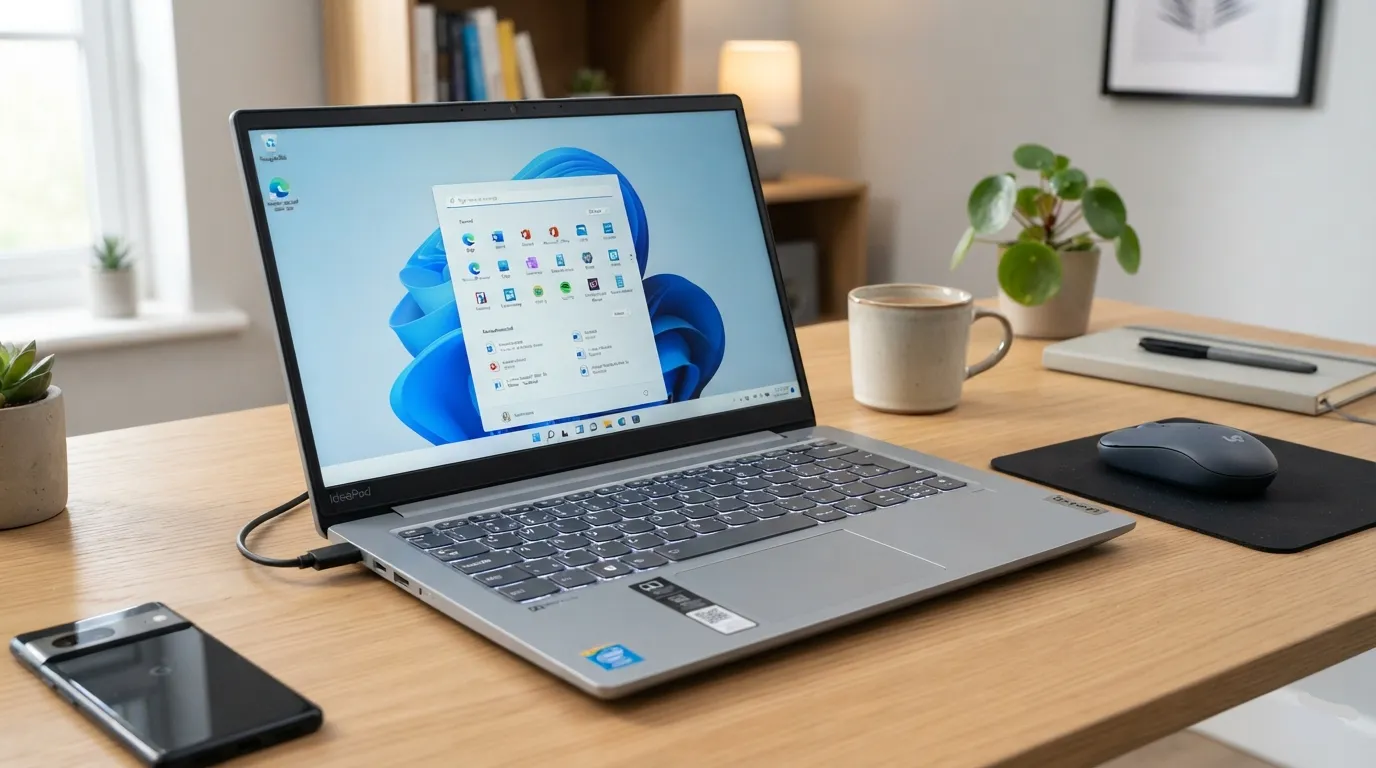
The Lenovo IdeaPad Slim 3i Intel N150 reflects this shift. Lenovo offers IdeaPad Slim 3i models with Intel processors, including configurations built around the Intel N150. The lineup is designed for everyday computing tasks such as education, office productivity, web browsing, and general home use.
Official Lenovo specifications show configurations featuring Full HD displays, integrated Intel Graphics, LPDDR5 memory, UFS storage, and Wi-Fi 6 connectivity. While it is not built for demanding professional workloads or high-end gaming, the IdeaPad Slim 3i shows how affordable laptops are becoming more capable without moving into premium price categories.
Why Is the Lenovo IdeaPad Slim 3i Relevant in Today’s Laptop Market?
For years, entry-level laptops competed mainly on price. They were built around simple tasks: browsing the web, writing documents, attending video calls, and watching content.
That approach is starting to change. Laptop makers are improving processor efficiency, refining thermal designs, and introducing new technologies across more price ranges.
For many users, especially students and home users, the challenge is not finding the most powerful laptop. It is finding a machine that provides enough performance without paying for hardware they may never use.
The IdeaPad Slim 3i fits into that category. It focuses on everyday reliability rather than trying to compete with gaming laptops, creative workstations, or premium ultrabooks.
What Processor Powers the Lenovo IdeaPad Slim 3i?
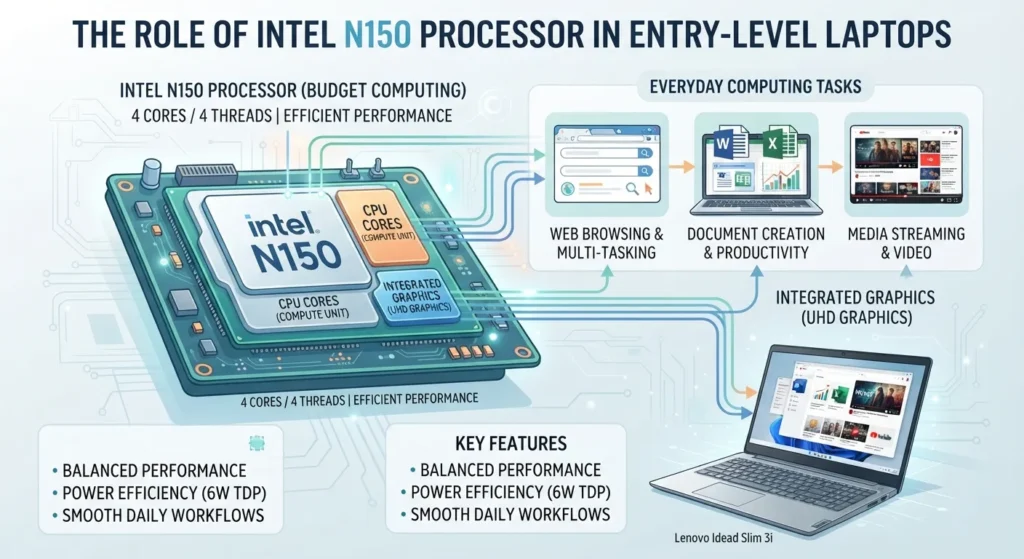
A Lenovo IdeaPad Slim 3i configuration listed by Lenovo includes the Intel N150 processor.
The Intel N150 is an entry-level processor designed around efficient everyday computing. It is intended for common tasks rather than demanding workloads such as professional video editing, advanced 3D applications, or high-end gaming.
Intel N150 Specifications
| Component | Specification |
|---|---|
| Processor | Intel N150 |
| Maximum frequency | Up to 3.60 GHz |
| Graphics | Integrated Intel Graphics |
For everyday users, this class of processor is suitable for activities such as:
- Web browsing
- Productivity applications
- Online learning
- Email and communication
- Video streaming
- Basic administrative tasks
Users working with demanding software should consider laptops with higher-performance processors.
What Features Does the Lenovo IdeaPad Slim 3i Offer?
The IdeaPad Slim 3i lineup combines practical hardware choices aimed at mainstream users.
Full HD Display Options
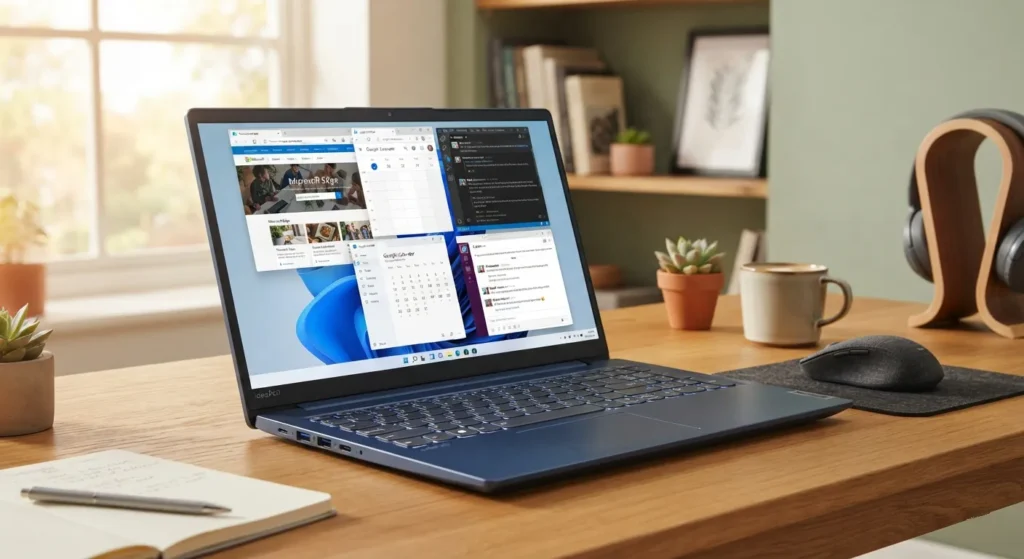
Display quality remains one of the most important parts of the laptop experience, and Lenovo lists Full HD configurations in the IdeaPad Slim 3i family.
One 14-inch Intel model includes a 14-inch Full HD display with a 1920 × 1080 resolution.
A related 15-inch Intel model lists a larger 15.6-inch Full HD display, also with a 1920 × 1080 resolution.
For everyday work, a Full HD screen provides clearer text and sharper images compared with lower-resolution budget panels.
Memory and Storage
A Lenovo IdeaPad Slim 3i 14-inch Intel configuration includes:
| Component | Specification |
|---|---|
| Memory | 8 GB LPDDR5-4800MT/s |
| Storage | 128 GB UFS 2.2 |
The inclusion of LPDDR5 memory brings a newer memory standard to an affordable laptop category.
Storage capacity is more limited. A 128 GB drive can work well for lightweight use, but users who keep large collections of photos, videos, games, or professional files may need external storage or a larger-capacity laptop.
Integrated Graphics
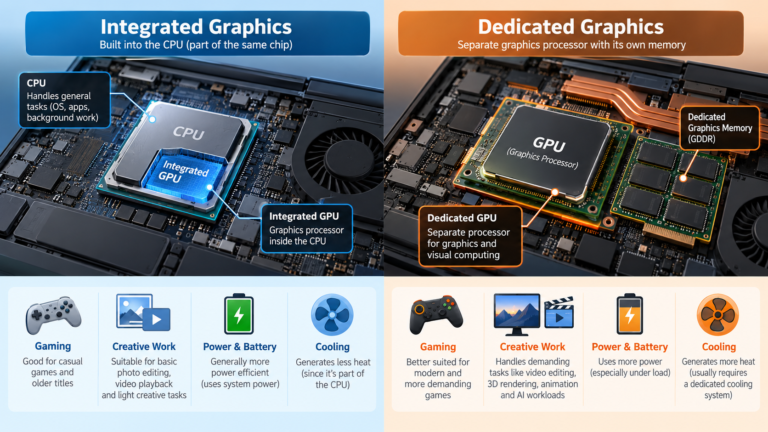
The IdeaPad Slim 3i configuration listed by Lenovo uses integrated Intel Graphics.
Unlike dedicated graphics processors found in gaming and professional laptops, integrated graphics share system resources with the processor. This helps manufacturers create thinner and more affordable devices.
They are suitable for:
- Video playback
- Everyday applications
- Basic graphics workloads
They are not intended for demanding gaming or professional graphics production.
How Does the IdeaPad Slim 3i Fit Into the AI Laptop Movement?
Artificial intelligence has become one of the major themes in the PC industry, with manufacturers increasingly highlighting Neural Processing Units (NPUs).
An NPU is a specialized processor component designed to handle certain AI workloads more efficiently.
However, AI-focused hardware is not available across every laptop category. Affordable systems such as the IdeaPad Slim 3i remain focused on delivering dependable everyday computing at accessible prices.
For buyers, the decision depends on priorities:
- Users who mainly need productivity tools may prefer affordability and efficiency.
- Users looking for advanced AI workloads may need to explore higher-end systems with dedicated AI acceleration hardware.

Who Should Buy the Lenovo IdeaPad Slim 3i?
The IdeaPad Slim 3i is designed for users with straightforward computing needs.
A Good Choice For
- Students
- Home users
- Office productivity users
- First-time Windows laptop buyers
- Users focused on browsing, documents, meetings, and streaming
Less Suitable For
- Professional video editors
- 3D designers
- Developers running demanding workloads
- Competitive gamers
- Users who need workstation-level performance
Important: A budget laptop can deliver excellent value when it matches the user’s needs. The right question is not whether a laptop is powerful enough in general, but whether it is powerful enough for the tasks you actually perform.
What Connectivity Features Are Available?
The Lenovo IdeaPad Slim 3i 14-inch Intel model includes modern wireless connectivity options.
| Feature | Specification |
|---|---|
| Wi-Fi | Wi-Fi 6 2×2 AX |
| Bluetooth | Bluetooth 5.1 or above |
Wi-Fi 6 support can improve wireless performance on compatible networks, especially in homes and offices with many connected devices.
What Should You Check Before Buying a Budget Laptop?
A lower-cost laptop can be a smart purchase, but only when the specifications match the workload.
Processor Requirements
The processor affects how smoothly a laptop handles everyday tasks.
Entry-level chips can work well for browsing, documents, and online learning. Users working with heavier applications should look at more powerful processors.
Memory Requirements
The IdeaPad Slim 3i configuration listed by Lenovo includes 8 GB memory.
This can be enough for many everyday users, but people who regularly multitask with many applications should consider their usage patterns before buying.
Storage Requirements
A 128 GB storage configuration is designed for lighter workloads.
Users storing large files may need:
- External storage
- Cloud storage
- A laptop with a larger internal drive
Display Quality
The display is one of the parts users interact with most. A Full HD panel can make everyday tasks such as reading documents, browsing, and watching videos more comfortable.
How Does the IdeaPad Slim 3i Compare With Higher-End Laptops?
The difference between budget and premium laptops is not only raw speed.
Higher-end machines typically add:
- More powerful processors
- Dedicated graphics options
- Larger storage capacities
- Advanced display technologies
- Additional AI hardware capabilities
The IdeaPad Slim 3i takes a different approach. It prioritizes efficiency, affordability, and practical everyday performance.
That makes it a better fit for users who need a dependable computer rather than maximum performance.
Conclusion
The Lenovo IdeaPad Slim 3i reflects the changing role of budget laptops. Affordable machines are no longer defined only by basic hardware; they are becoming more efficient, better equipped, and more capable for everyday computing.
The Intel N150-based configuration verified through Lenovo provides a practical foundation for Windows use, with features including integrated Intel Graphics, Full HD display options, LPDDR5 memory, and Wi-Fi 6 connectivity.
For students, home users, and productivity-focused buyers, the IdeaPad Slim 3i represents a straightforward option. The next development to watch will be how quickly AI-focused features move from premium laptops into more affordable models.
Frequently Asked Questions
1. What processor does the Lenovo IdeaPad Slim 3i use?
A Lenovo IdeaPad Slim 3i configuration listed by Lenovo uses the Intel N150 processor.
2. Is the Lenovo IdeaPad Slim 3i good for students?
Yes. Its specifications are designed around everyday tasks such as browsing, document work, online learning, and general productivity.
3. Can the Lenovo IdeaPad Slim 3i run modern games?
The laptop uses integrated Intel Graphics and is not designed for demanding gaming workloads.
4. Does the Lenovo IdeaPad Slim 3i have a Full HD display?
Yes. Lenovo lists IdeaPad Slim 3i models with Full HD 1920 × 1080 displays.
5. How much memory does the IdeaPad Slim 3i have?
A Lenovo-listed configuration includes 8 GB LPDDR5-4800MT/s memory.
6. What storage capacity does the IdeaPad Slim 3i offer?
A Lenovo-listed configuration includes 128 GB UFS 2.2 storage.
7. Does the IdeaPad Slim 3i support Wi-Fi 6?
Yes. A Lenovo IdeaPad Slim 3i 14-inch Intel model lists Wi-Fi 6 2×2 AX support.
8. Is the IdeaPad Slim 3i suitable for professional workloads?
It depends on the workload. It is suitable for everyday productivity but is not designed for demanding professional applications.
9. Does the IdeaPad Slim 3i include dedicated AI hardware?
The verified specifications confirm Intel processor options, but a dedicated AI accelerator feature was not verified for this configuration.
10. Is an entry-level laptop a good choice?
Yes, if it matches the user’s needs. Buyers should compare processor, memory, storage, and display specifications against the tasks they plan to perform.

Swathi is a contributor at GizStreet with a master’s degree in science and a strong background in technical writing and product review. She covers gadgets, software, and consumer tech, with a focus on breaking down complex products into clear, practical takeaways for readers.
Share this story
Related Articles
Integrated vs Dedicated Graphics: What’s the Difference?
Every laptop needs something to draw what you see on screen, from a spreadsheet to a video game. That job belongs to the graphics […]
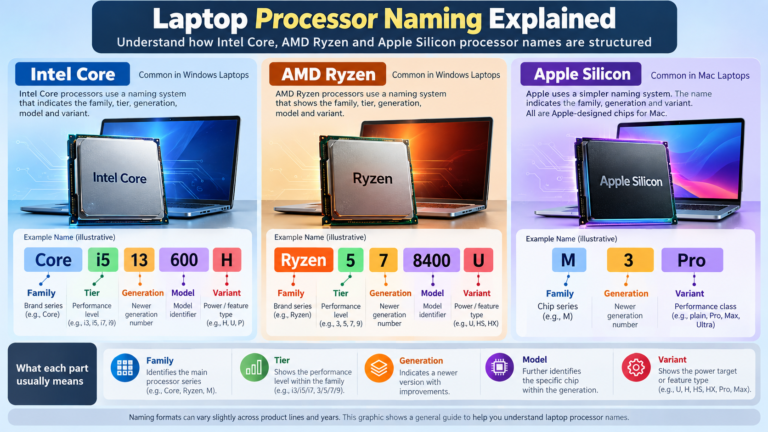
Laptop Processor Names Explained: Intel Core, Ryzen and Apple Silicon
You’re looking at a laptop listing that says “Intel Core Ultra 5 228V” or “AMD Ryzen AI 7 350” or “Apple M5 Pro”. What […]
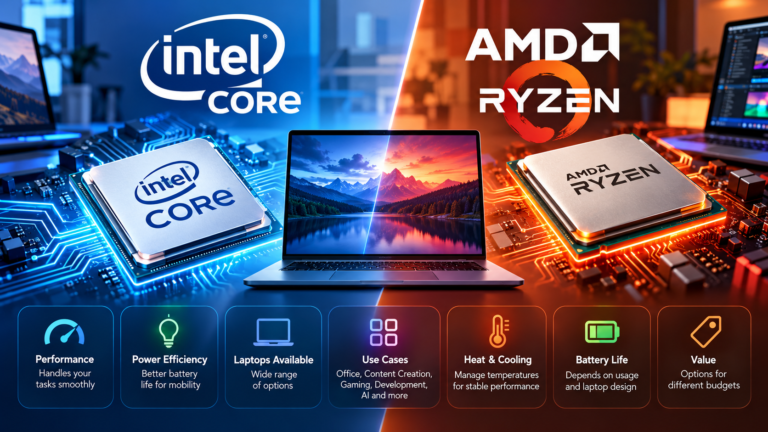
Intel Core vs AMD Ryzen: Which Processor Is Right for You?
Shopping for a new laptop almost always comes down to one early decision: Intel or AMD? The processor badge on the lid feels like […]
Comments (0)