macOS 27 Golden Gate: Apple Completes Its Apple Silicon Transition With New AI Features and a Redesigned Experience
macOS 27 Golden Gate introduces Liquid Glass, expanded Apple Intelligence, new developer tools, and support for Apple Silicon Macs. Here's everything you need to know.
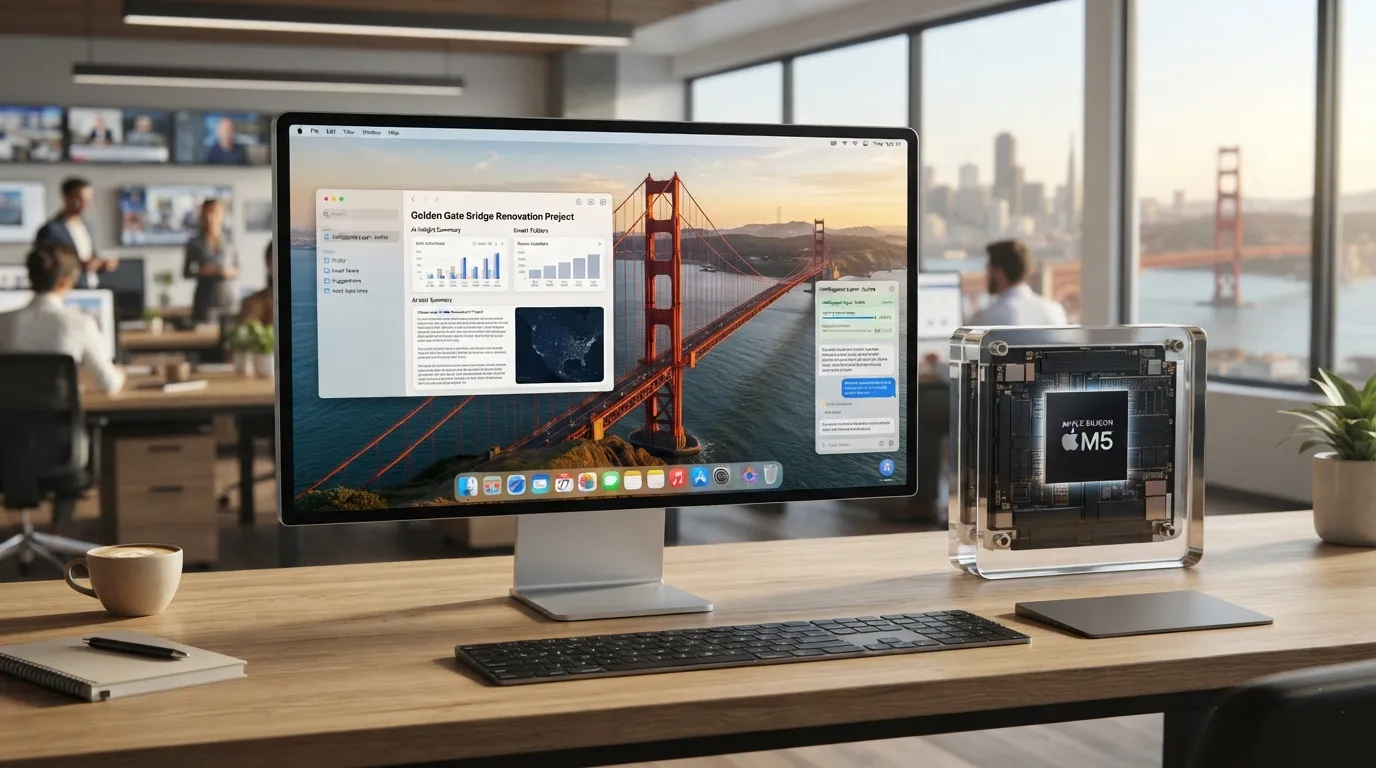
Contributor
Executive Summary
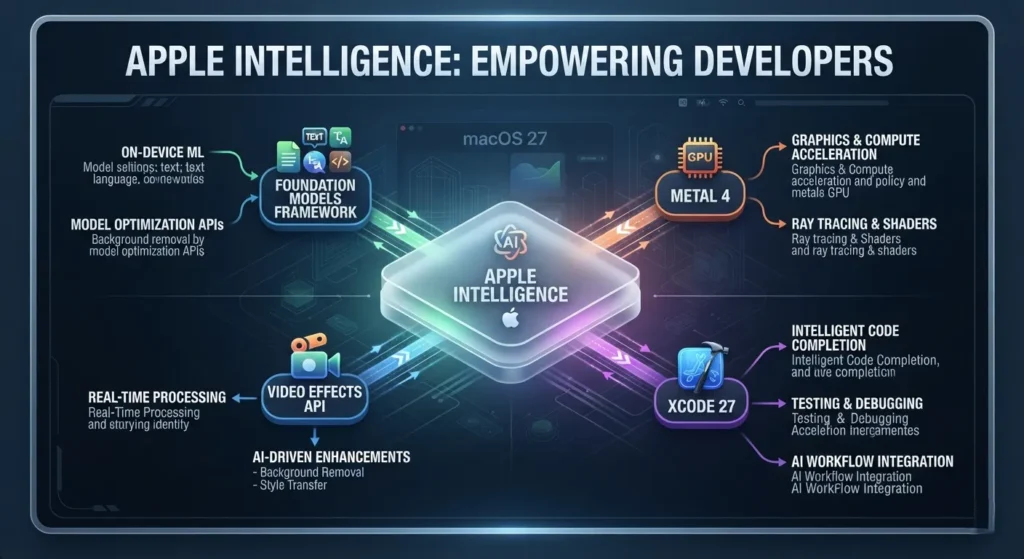
Apple has unveiled macOS 27, codenamed Golden Gate, ushering in the next chapter of the Mac platform. The release introduces a refreshed visual experience with Liquid Glass, expands Apple Intelligence, and adds new developer technologies including the Foundation Models framework, Metal 4, and the Video Effects API.
It also marks another step in Apple’s long-running transition to Apple Silicon. macOS 27 is designed for compatible Apple Silicon Macs, with the developer beta now available and the public release scheduled for later this fall as a free software update.
What Is macOS 27 Golden Gate?
Introduced at WWDC 2026, macOS 27 Golden Gate is Apple’s latest desktop operating system. Rather than centering on a single marquee feature, the update spans design, artificial intelligence, and developer tools.
The headline additions include:
- A redesigned interface built around the new Liquid Glass design language
- Deeper integration of Apple Intelligence
- New frameworks and APIs for developers building AI-powered applications
Together, these changes signal Apple’s continued focus on combining hardware, software, and on-device intelligence into a single platform.
Why This Release Matters
Golden Gate is more than an annual operating system update. It reflects Apple’s broader strategy of designing macOS around Apple Silicon and the capabilities that architecture enables.
Since introducing Apple Silicon, Apple has steadily optimized macOS for its own processors. Golden Gate continues that direction by delivering features designed specifically for Apple Silicon, particularly those that rely on on-device AI processing.
Important
Apple’s official documentation confirms Apple Silicon compatibility for macOS 27. The official sources reviewed do not explicitly specify how long Intel-based Macs will continue receiving security updates.
What's New in macOS 27?
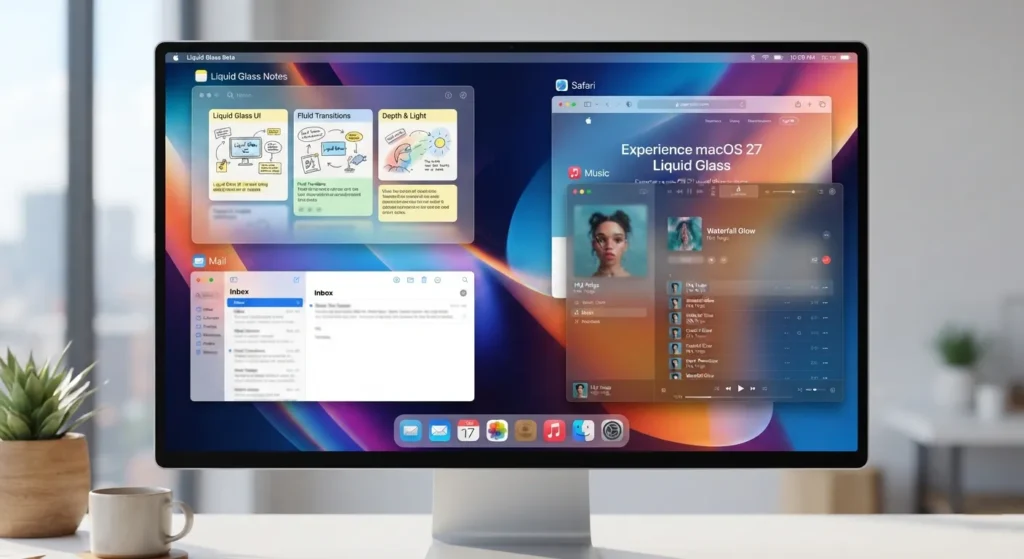
Liquid Glass Brings a Fresh Look
The most immediately noticeable change is Liquid Glass, Apple’s updated visual design language.
The interface introduces greater depth and transparency across system elements, creating a more refined appearance while giving developers updated design guidelines for building apps that feel native to macOS 27.
Apple Intelligence Continues to Expand
Apple is extending the reach of Apple Intelligence throughout macOS.
Golden Gate introduces deeper operating system integration alongside new developer technologies that allow applications to work with Apple’s AI models while keeping processing on the device.
Although Apple highlights the platform’s expanded AI capabilities, the reviewed official documentation does not provide a complete list of every consumer-facing feature.
Foundation Models Framework
One of the most significant additions for developers is the Foundation Models framework.
Instead of building AI functionality entirely from scratch, developers can use Apple’s built-in foundation models to integrate Apple Intelligence into their applications more efficiently.
Metal 4
Graphics developers also receive an update with Metal 4, Apple’s latest graphics framework for games, creative software, and professional applications.
Video Effects API
Golden Gate introduces a new Video Effects API, giving developers additional tools for building richer video experiences into their applications.

Which Macs Can Run macOS 27?
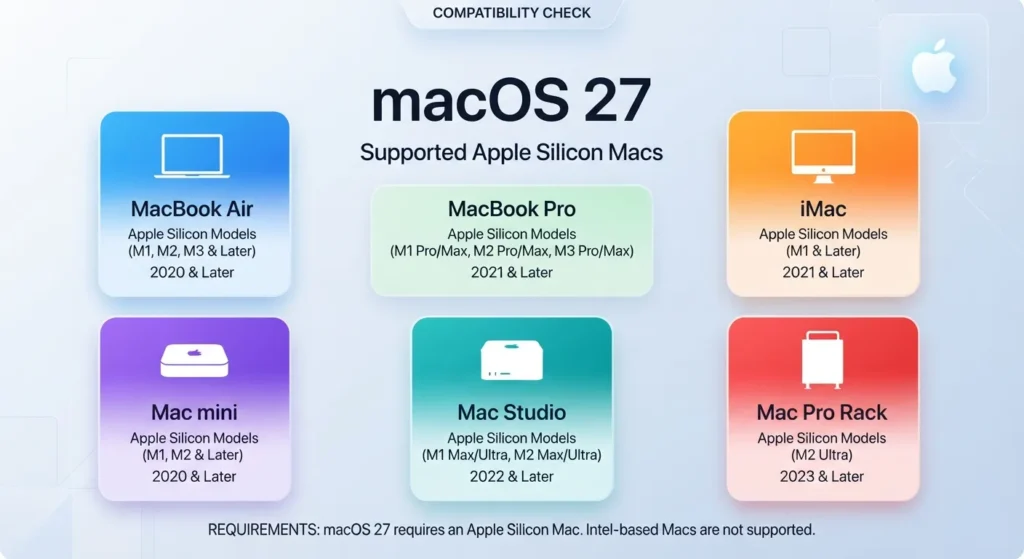
Apple’s official compatibility list includes the following Apple Silicon Macs:
| Device | Supported Models |
|---|---|
| MacBook Air | Apple Silicon (2020 and later) |
| MacBook Pro | Apple Silicon (2020 and later) |
| iMac | Apple Silicon (2021 and later) |
| Mac mini | Apple Silicon (2020 and later) |
| Mac Studio | 2022 and later |
| Mac Pro | Apple Silicon (2023) |
System Requirement
The official hardware requirement is simple:
- Compatible Apple Silicon Mac

Release Timeline
| Milestone | Status |
|---|---|
| WWDC 2026 announcement | Complete |
| Developer Beta | Available |
| Public Release | Coming this fall |
| Price | Free software update |
What Does It Mean for Developers?
Golden Gate introduces several platform technologies aimed at application developers.
Among the key additions are:
- Foundation Models framework
- Metal 4
- Video Effects API
- macOS 27 SDK
- Xcode 27 support
Developers planning to test or ship applications for macOS 27 should also review Apple’s release notes, which document API updates, SDK changes, and known issues affecting the beta.

Known Issues in the Beta
As expected with pre-release software, Apple’s beta documentation lists several issues developers should be aware of.
Current known issues include:
- Accessory Access does not function inside App Sandbox.
- Accessory Access is unsupported in macOS virtual machines.
- Weather Highlights currently supports only US English.
- Writing Tools may stop working after using “Describe Your Change”; restarting or force-quitting the application is the documented workaround.
- Mission Control may not restore fullscreen windows correctly in certain situations.
- XQuartz activation issues may occur when interacting with background X11 windows.
These issues may change as Apple updates the beta ahead of the public release.
Developer Tip
Review the latest beta release notes before testing production applications, as known issues and workarounds can change between builds.
Why It Matters for Mac Users
For Mac users with supported hardware, Golden Gate brings a more modern interface together with Apple’s latest AI platform.
Developers benefit from new frameworks that simplify the integration of Apple Intelligence, while the broader Mac ecosystem gains a stronger foundation for future AI-powered applications.
The update also reinforces Apple’s long-term direction: building new macOS capabilities around Apple Silicon and expanding the tools available to developers.
Conclusion
macOS 27 Golden Gate is a broad platform update that combines a redesigned interface with expanded Apple Intelligence capabilities and a new generation of developer technologies. The addition of Liquid Glass, the Foundation Models framework, Metal 4, and the Video Effects API highlights Apple’s continued focus on integrating AI more deeply into the Mac experience. With the developer beta already available and the public release planned for later this fall, the months ahead will be important for both developers preparing their apps and users planning their upgrade to the latest version of macOS.
Frequently Asked Questions
1. What is the official name of macOS 27?
Apple has officially named the operating system macOS 27 Golden Gate.
2. When will macOS 27 be available?
The developer beta is available now, while the public release is scheduled for this fall.
3. Is macOS 27 a paid upgrade?
No. Apple describes it as a free software update for supported Macs.
4. Which Macs are compatible with macOS 27?
Supported devices include Apple Silicon versions of the MacBook Air, MacBook Pro, iMac, Mac mini, Mac Studio, and Mac Pro listed in Apple’s compatibility documentation.
5. What is Liquid Glass?
Liquid Glass is Apple’s new visual design language for macOS 27, introducing a refreshed interface with greater depth and transparency.
6. What is the Foundation Models framework?
It is a developer framework that provides access to Apple’s built-in AI models for creating Apple Intelligence-powered applications.
7. Which development tools accompany macOS 27?
Apple provides the macOS 27 SDK alongside Xcode 27 for developers targeting the new operating system.
8. Are there known issues in the beta?
Yes. Apple currently documents issues affecting features including Accessory Access, Writing Tools, Mission Control, Weather Highlights, and XQuartz.
9. What graphics technology does macOS 27 introduce?
The release includes Metal 4, Apple’s latest graphics framework.
10. How can developers access the beta?
Developer beta builds are available through the Apple Developer Program.
Swathi is a contributor at GizStreet with a master’s degree in science and a strong background in technical writing and product review. She covers gadgets, software, and consumer tech, with a focus on breaking down complex products into clear, practical takeaways for readers.
Share this story
Related Articles

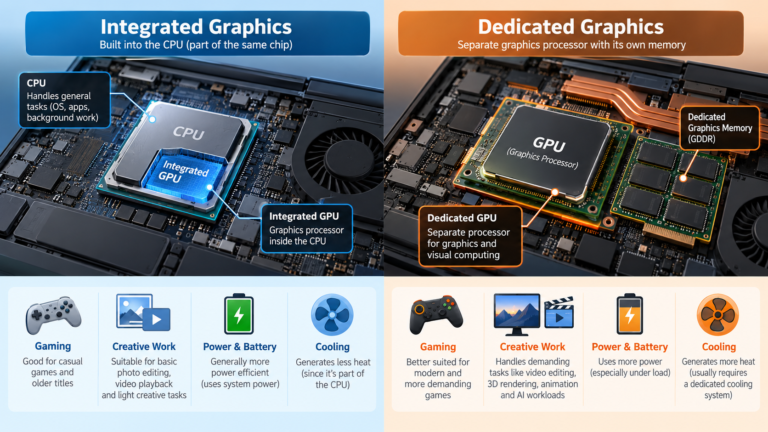
Integrated vs Dedicated Graphics: What’s the Difference?
Every laptop needs something to draw what you see on screen, from a spreadsheet to a video game. That job belongs to the graphics […]
Laptop Processor Names Explained: Intel Core, Ryzen and Apple Silicon
You’re looking at a laptop listing that says “Intel Core Ultra 5 228V” or “AMD Ryzen AI 7 350” or “Apple M5 Pro”. What […]

Intel Core vs AMD Ryzen: Which Processor Is Right for You?
Shopping for a new laptop almost always comes down to one early decision: Intel or AMD? The processor badge on the lid feels like […]
Comments (0)