The Remote-Work Hardware Upgrades That Solve Real Desk Problems
Discover practical remote work hardware upgrades that improve laptop connectivity, reduce distractions, manage power, and make home offices more efficient.
Contributor
Executive Summary
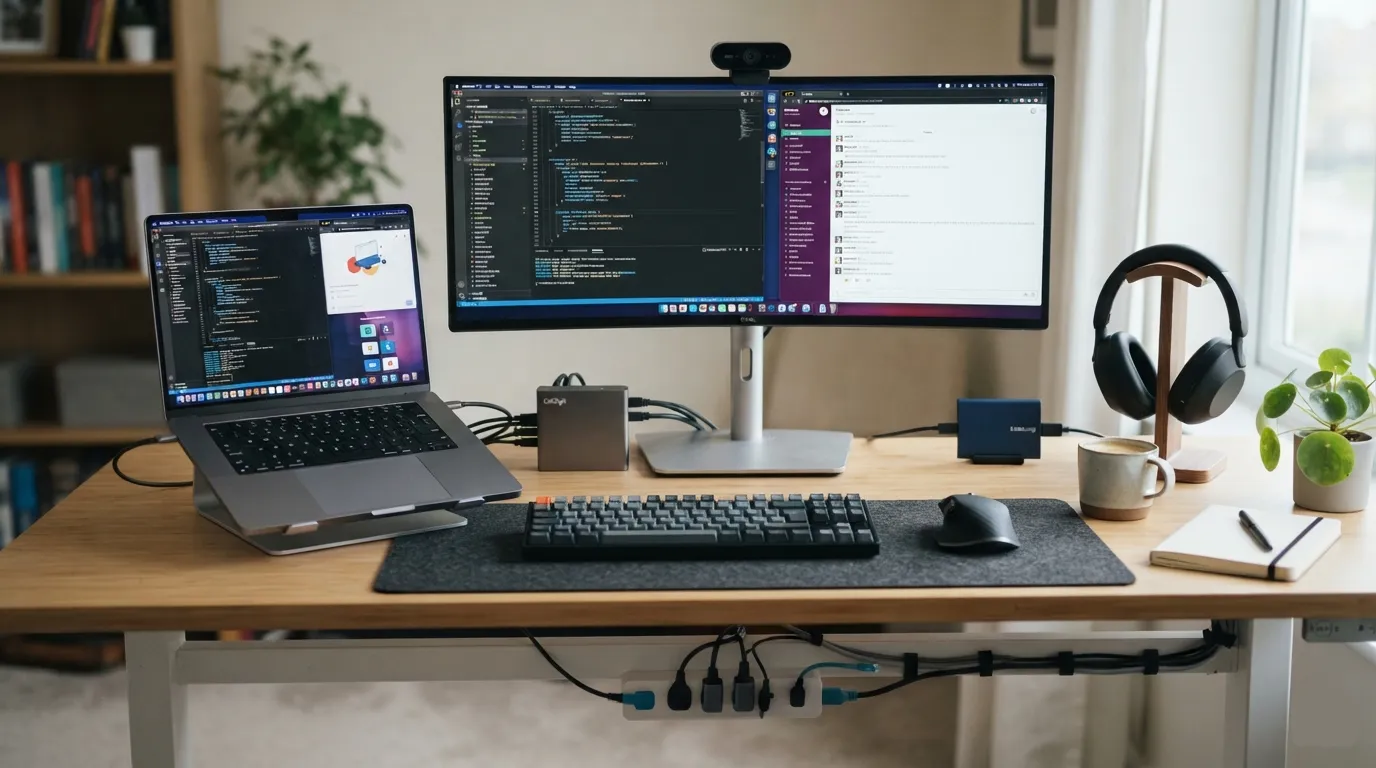
A better home office does not require a complete desk overhaul. The most useful upgrades address specific bottlenecks: limited laptop connectivity, distracting noise, crowded power arrangements, weak video quality, and slow or insecure file transfers. Here we discuss about the remote work hardware upgrades that can be useful.
Official product information supports several practical options. The Belkin Thunderbolt 3 Dock Core can turn a compatible laptop into a more capable desk setup with high-speed connectivity, dual 4K display support, and charging. The Soundcore Life Q30 focuses on noise reduction and long battery life. The Anker 351 Power Strip combines 12 AC outlets with USB charging and built-in surge protection. The WD My Passport SSD adds fast portable storage and hardware encryption, while the EMEET Piko+ uses a larger image sensor than the standard Piko model.
The important distinction is that these products solve different problems. A dock will not improve video calls, headphones will not expand ports, and a fast SSD will not protect a crowded power setup. The best upgrade is the one that removes the biggest source of friction in your current workspace.
Which hardware upgrades make the biggest difference in a remote workspace?
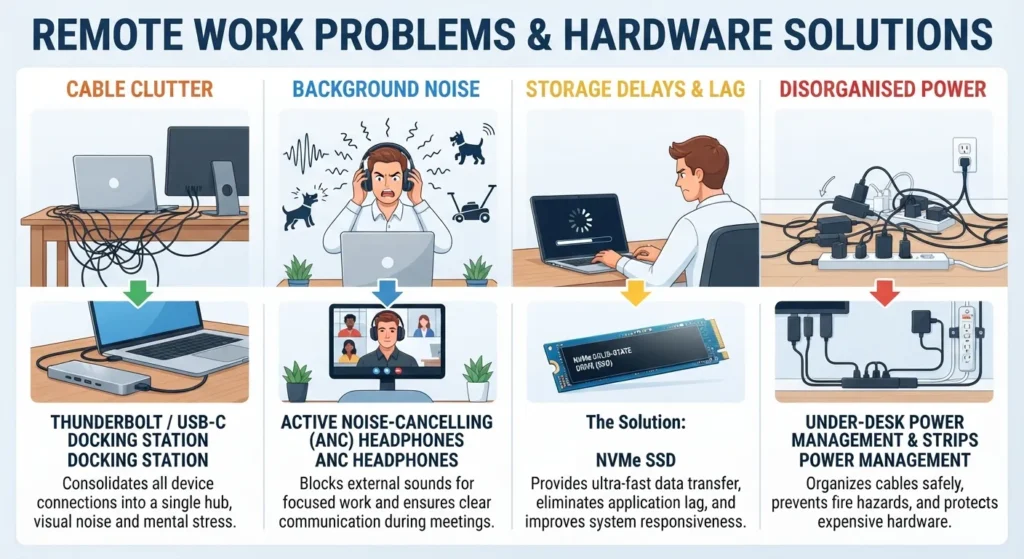
Remote work has made the laptop the centre of many professional setups, but laptops are designed primarily for portability. A full workday can expose their compromises: too few ports, limited screen space, inconvenient cable arrangements, average built-in cameras, and restricted storage flexibility.
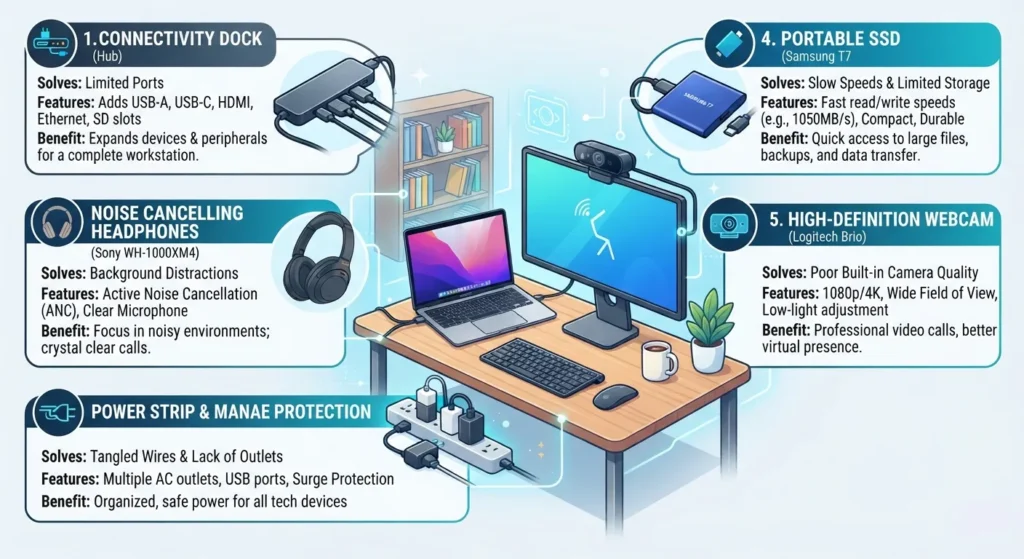
The most useful upgrades generally fall into five categories:
- Connectivity: A dock can reduce repeated cable swapping and connect displays and peripherals.
- Noise control: Active noise cancellation can help reduce distractions in shared or noisy environments.
- Power management: A surge-protected power strip can centralise power for multiple devices.
- Portable storage: A fast external SSD can make large files easier to move and protect.
- Video quality: A dedicated webcam can improve how users appear in remote meetings.
The goal is not to buy every accessory. It is to identify the point where work repeatedly slows down or becomes inconvenient.
Important: Compatibility matters more than the number of features printed on the box. Check your laptop’s ports, operating system, and monitor requirements before buying a dock or hub.
How can a Thunderbolt dock improve a laptop workspace?
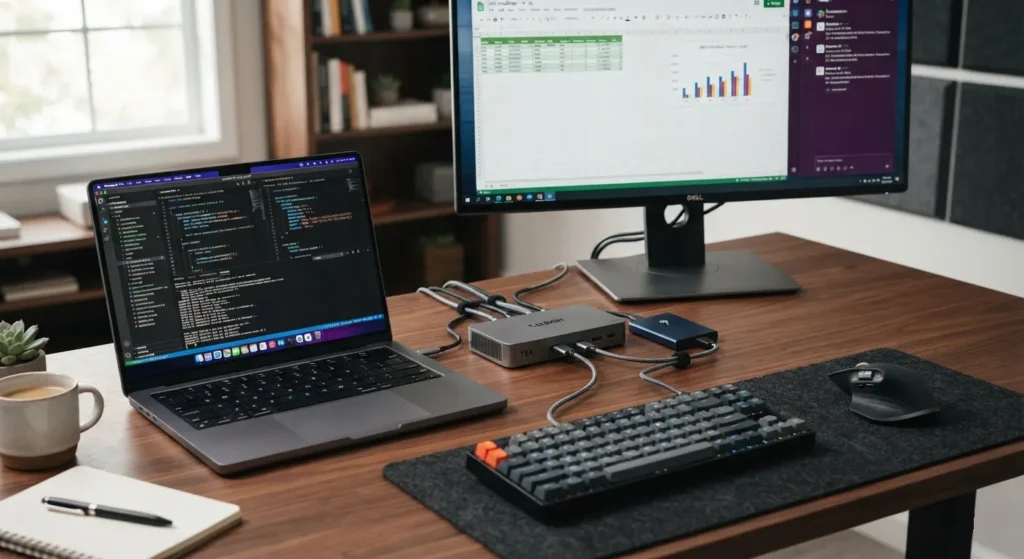
The Belkin Thunderbolt 3 Dock Core is designed for Mac and PC laptops that support Thunderbolt 3. Its purpose is straightforward: turn one laptop connection into a more complete workstation.
According to Belkin, the dock supports:
| Specification | Verified capability |
|---|---|
| Maximum data rate | Up to 40Gbps |
| Display support | Dual 4K displays at 60Hz |
| Upstream charging | Up to 60W |
| Supported Mac operating systems | macOS Sierra 10.12 or later |
| Supported Windows operating systems | Windows 10 or later |
Thunderbolt is a high-bandwidth connection that can carry data, video, and power. In practical terms, a compatible dock can reduce the need to reconnect several accessories individually whenever a laptop moves between rooms or leaves the home.
The dual-display capability may be especially useful for people working with large spreadsheets, timelines, development tools, or several applications at once. More screen space does not automatically make someone more productive, but it can reduce the constant switching and resizing that comes with working on a single laptop display.
What should buyers check before choosing a dock?
The most common mistake is assuming that every USB-C port supports the same capabilities. USB-C describes the connector shape, not necessarily the data speed, display support, or charging capability.
Before buying, check:
- Whether the laptop supports Thunderbolt 3.
- Whether the laptop supports the desired number and resolution of external displays.
- Whether 60W charging is sufficient for the laptop.
- Which display inputs are available on the monitor.
- Whether the operating system meets the stated requirements.
A dock should be selected around the laptop and display setup, not simply because it has the largest port count.
Can noise-cancelling headphones make a home office more usable?
The soundcore Life Q30 uses hybrid active noise cancellation, or ANC. ANC uses microphones and electronic processing to reduce certain types of external sound. It does not create silence, and its effectiveness can vary with the environment and the type of noise.
The official product information lists:
| Specification | Verified capability |
|---|---|
| Noise control | Hybrid active noise cancellation |
| Drivers | 40mm silk drivers |
| Microphones | 2 |
| Multipoint connection | Supported |
| Customised EQ | Supported |
| Weight | 260g |
| Battery life with ANC | Up to 40 hours |
| Battery life in standard mode | Up to 60 hours |
| Fast charging | 5 minutes for up to 4 hours of listening |
| Listed price | $79.99 |
Multipoint connectivity can be useful when switching between a work computer and a phone. The stated battery life may also reduce the need to recharge during the workweek.
The Life Q30 is not a substitute for a quiet room. It is better understood as a tool for reducing the impact of background noise when the workspace cannot be fully controlled.
Why does power management deserve more attention?
Power strips are often treated as simple outlet extenders, but a busy desk may depend on them for laptops, monitors, chargers, networking equipment, and other accessories.
The Anker 351 Power Strip combines:
- 12 AC outlets
- One USB-C port
- Two USB-A ports
- Built-in surge protection
- A 20W USB-C charging output
- A 125V, 15A, and 1875W electrical rating
Its 15 total output connections explain the “15-in-1” description: 12 AC outlets plus three USB ports.
Centralising power can simplify cable management and reduce the need for several small adapters. Built-in surge protection is also relevant for equipment connected to the strip.
Best Practice: Never assume that a power strip is suitable for every electrical environment. Check local voltage standards, plug compatibility, load limits, and the manufacturer’s safety guidance before use.
What does a portable SSD add to a remote-work setup?
The WD My Passport SSD is intended for users who need portable, high-speed storage. It uses NVMe technology, which is designed for fast solid-state storage performance.
Official specifications include:
| Specification | Verified capability |
|---|---|
| Maximum read speed | Up to 1050MB/s |
| Maximum write speed | Up to 1000MB/s |
| Maximum product-family capacity | Up to 4TB |
| Security feature | Password-enabled 256-bit AES hardware encryption |
| Storage technology | NVMe |
The distinction between transfer speed and interface speed matters. The verified product information specifies read speeds of up to 1050MB/s and write speeds of up to 1000MB/s. Those figures should not be replaced with an unsupported “5Gbps” performance claim.
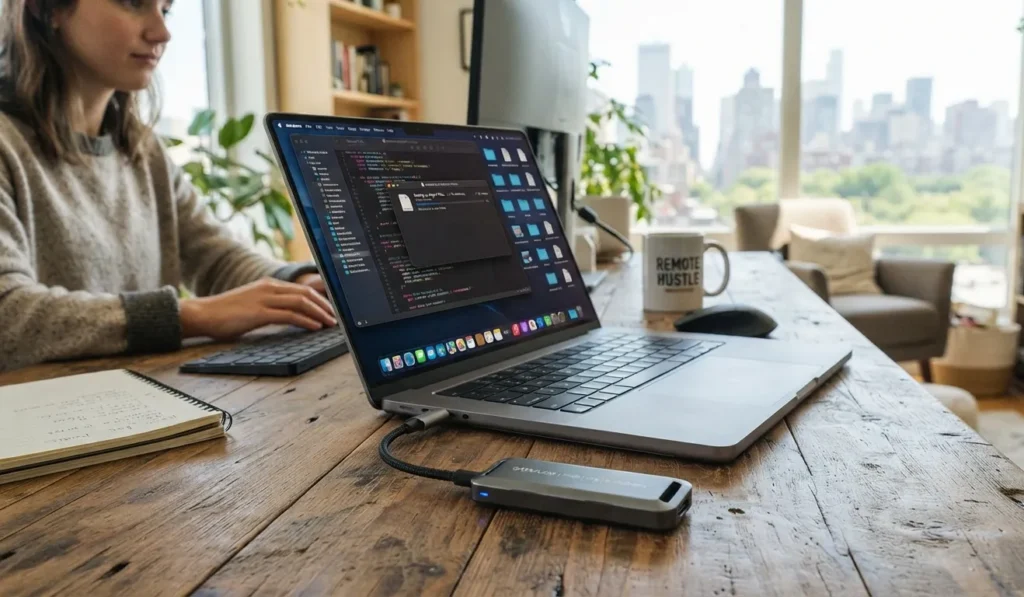
For remote workers, an external SSD can be useful for transferring large project files, carrying work between locations, or maintaining a separate copy of important data. Hardware encryption adds another layer of protection when the feature is configured with a password.
Encryption does not replace backups. A drive can still be lost, damaged, or deleted accidentally. Important files should exist in more than one location.
What should remote workers know about the EMEET Piko+?
The EMEET Piko+ is part of the Piko webcam family. Official support information identifies one key difference between the Piko+ and the standard Piko: the Piko+ uses a 1/2.55-inch image sensor, while the Piko uses a 1/2.8-inch sensor.
The official FAQ states that the larger Piko+ sensor performs better in low-light environments.
That does not mean the webcam alone determines call quality. Lighting, camera placement, network stability, and the video-conferencing application can all affect the final image.
For buyers, the useful takeaway is that sensor size is one technical factor worth checking, particularly when meetings often take place in rooms with limited natural light.
How should you prioritise home-office upgrades?
A practical buying order depends on the workspace.
If cables and ports are the main problem
Start with a compatible dock. The Belkin Thunderbolt 3 Dock Core is relevant when the laptop supports Thunderbolt 3 and the desk setup includes external displays or multiple peripherals.
If household noise interrupts concentration
Consider noise-cancelling headphones. The Life Q30’s hybrid ANC, multipoint support, and stated battery life make it a feature-rich option for users who regularly switch between devices.
If the desk has too many chargers and adapters
Review the power arrangement. The Anker 351 provides a large number of outlets and USB charging, but buyers should verify electrical compatibility and avoid exceeding its rated load.
If large files take too long to move
A portable SSD may be the most useful upgrade. The WD My Passport SSD offers verified read speeds of up to 1050MB/s and write speeds of up to 1000MB/s.
If video calls are affected by poor lighting
A dedicated webcam may help, but camera specifications should be considered alongside room lighting and placement. The Piko+ sensor information suggests an advantage over the standard Piko in low-light conditions.
Three common mistakes when upgrading a remote workspace
1. Buying hardware before identifying the bottleneck
A premium accessory can have little effect if it does not address the actual problem. Track what interrupts work for several days before spending money.
2. Treating USB-C as a complete compatibility guarantee
USB-C ports can support different capabilities. Confirm Thunderbolt support, display output, and charging requirements before buying.
3. Confusing speed with a complete data-protection strategy
A fast SSD improves file transfers, but it does not replace a backup plan. Encryption protects data access; backups protect against loss.
Why do these upgrades matter beyond convenience?
The value of workspace hardware is often cumulative. A dock can reduce connection friction. Better noise control can make shared spaces more workable. A well-organised power setup can simplify a crowded desk. Fast external storage can reduce waiting during large file transfers.
None of these changes is dramatic on its own. Together, they can make a laptop-based workspace feel less temporary and more deliberate.
The broader lesson is that remote-work hardware should be judged by the problem it solves, not by how expensive or feature-packed it appears.
Conclusion
A capable remote workspace is not defined by the number of accessories on the desk. It is defined by how effectively the setup removes recurring obstacles.
The Belkin Thunderbolt 3 Dock Core addresses connectivity and display expansion for compatible laptops. The soundcore Life Q30 focuses on reducing noise while offering long battery life and multipoint connectivity. The Anker 351 Power Strip combines extensive outlet capacity with USB charging and surge protection. The WD My Passport SSD adds fast portable storage and hardware encryption, while the EMEET Piko+ offers a larger image sensor than the standard Piko.
The strongest upgrade strategy is targeted: identify the problem, verify compatibility, and buy the hardware that solves it. For remote and hybrid workers relying on flexible laptop-based setups, practical improvements in connectivity, power, noise control, storage, and video quality can matter more than buying expensive equipment simply because it appears more advanced.
Frequently Asked Questions
1. Is the Belkin Thunderbolt 3 Dock Core compatible with every USB-C laptop?
No. The verified compatibility information is for Mac and PC laptops with Thunderbolt 3. A USB-C connector alone does not confirm Thunderbolt support.
2. How many displays can the Belkin Thunderbolt 3 Dock Core support?
Belkin lists support for dual 4K displays at 60Hz, subject to compatible hardware and system configuration.
3. Does the Belkin dock charge a laptop?
It supports up to 60W of upstream charging. Buyers should check whether that output is sufficient for their specific laptop.
4. How long does the soundcore Life Q30 battery last?
The official regional product information lists up to 40 hours with ANC enabled and up to 60 hours in standard mode.
5. What is the official listed price of the soundcore Life Q30?
The official product page lists $79.99. Prices may vary by region and retailer.
6. How many outlets does the Anker 351 Power Strip have?
It has 12 AC outlets, plus one USB-C port and two USB-A ports.
7. Does the Anker 351 Power Strip provide surge protection?
Yes. The official product page states that it includes built-in surge protection.
8. How fast is the WD My Passport SSD?
The official product page lists read speeds of up to 1050MB/s and write speeds of up to 1000MB/s.
9. Does the WD My Passport SSD support encryption?
Yes. It supports password-enabled 256-bit AES hardware encryption.
10. What is the difference between the EMEET Piko+ and the standard Piko sensor?
The Piko+ uses a 1/2.55-inch sensor, while the standard Piko uses a 1/2.8-inch sensor. The official FAQ says the Piko+ sensor performs better in low-light environments.

Swathi is a contributor at GizStreet with a master’s degree in science and a strong background in technical writing and product review. She covers gadgets, software, and consumer tech, with a focus on breaking down complex products into clear, practical takeaways for readers.
Share this story
Related Articles
Lenovo Legion Y700 AI Officially Teased With 165Hz OLED Display Ahead of China Launch
Lenovo has revealed key specifications for the Legion Y700 AI, confirming an 8.4-inch 165Hz OLED display, Dolby Vision, 5G connectivity, and an August China launch.
The Amicool BT686 External DVD Drive Shows Why Optical Media Still Has a Place in the USB-C Era
The Amicool BT686 external DVD drive restores CD and DVD functionality to modern laptops with USB-C support, plug-and-play operation and broad operating system compatibility.
Sony Bravia 9 II and Bravia 7 II Arrive in India: Sony Pushes Premium LED TVs Forward With True RGB Technology
Sony has launched the Bravia 9 II and Bravia 7 II in India with True RGB LED technology, Google TV, Cognitive Processor XR and premium home theatre features.
Comments (0)