Saturday, July 25, 2026
Gadgets

Apple Watch Series 11 Brings Hypertension Notifications: What the New Health Feature Does and Who Can Use It

Apple Watch Series 11 introduces hypertension notifications, a health feature that analyzes long-term trends to identify possible signs of high blood pressure.
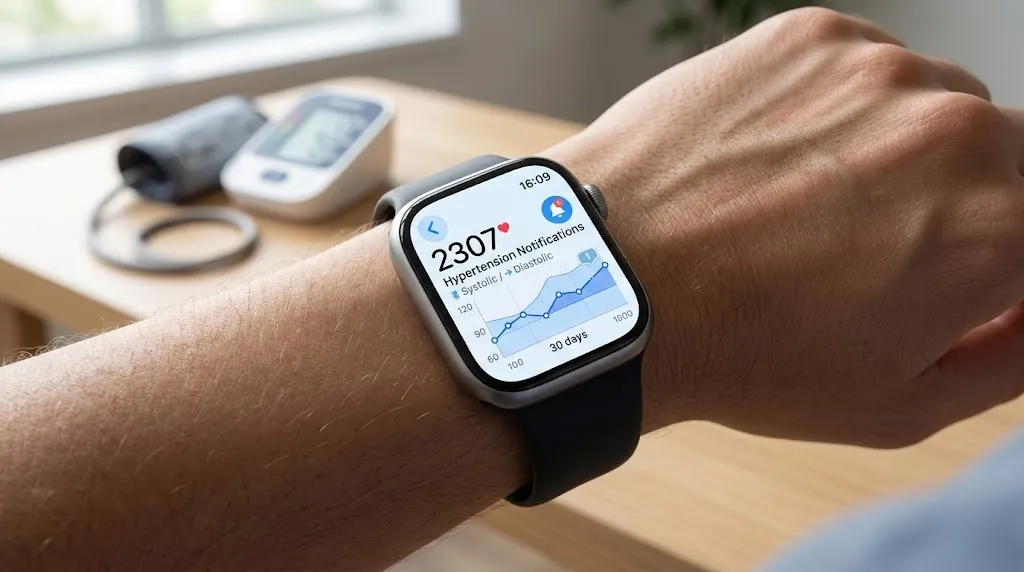
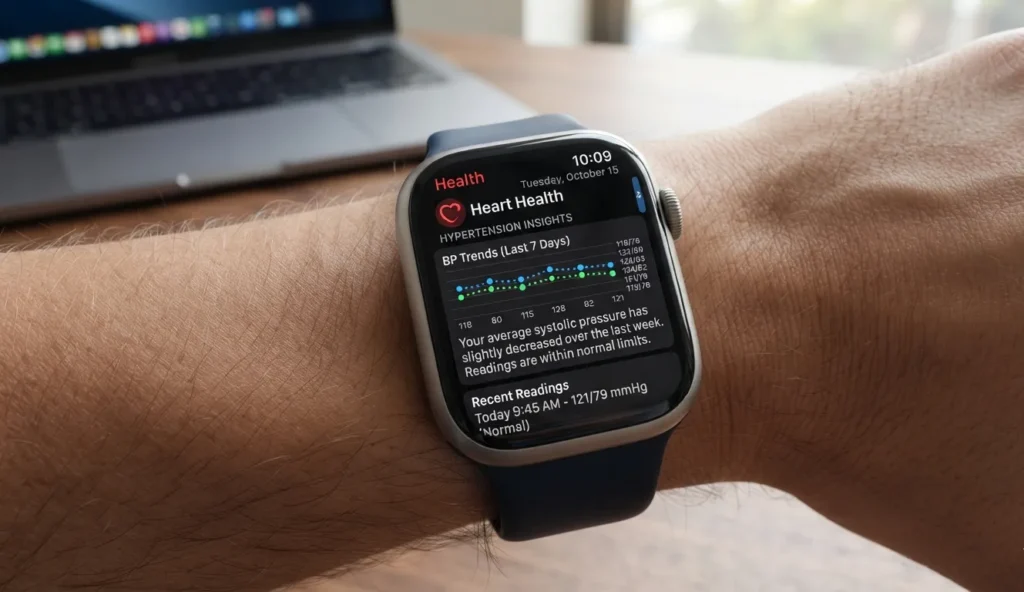
Apple Watch Series 11 displaying health monitoring features related to hypertension notifications.

Executive Summary

Apple has expanded the health capabilities of the Apple Watch Series 11 with hypertension notifications, a feature designed to identify patterns that may indicate high blood pressure. Using data from the watch’s optical heart sensor and machine learning, the system analyzes health trends over a 30-day period before alerting users to possible signs of hypertension.

The feature reflects Apple’s continued focus on preventive health, but it comes with clear boundaries. It is not intended to diagnose hypertension or replace conventional blood pressure measurements. Instead, it serves as an early warning tool that may prompt users to seek medical advice.

Apple has also defined who can use the Apple Watch Series 11 hypertension notifications feature, which devices support it, and the situations in which it should not be relied upon.

What Is Apple's New Hypertension Notification Feature?

Hypertension notifications are one of the headline health additions for Apple Watch Series 11. Rather than measuring blood pressure directly, the feature looks for long-term patterns that may be associated with elevated blood pressure.

Traditional blood pressure monitors rely on an inflatable cuff to take readings. Apple Watch takes a different approach. It analyzes data collected by its optical heart sensor over time, using machine-learning models trained on large clinical datasets.

If the system detects consistent indicators associated with hypertension during a 30-day evaluation period, it can notify the wearer. Apple recommends confirming the finding with a standard blood pressure monitor and discussing the results with a healthcare professional.

Important: The feature is intended to notify users of possible hypertension. It is not designed to diagnose, treat, or monitor hypertension.

Apple Watch Series 11 showing a health monitoring interface. Apple Watch Series 11 hypertension notifications
Apple Watch Series 11 uses health sensors and machine learning to provide hypertension notifications.

How the Feature Works

Rather than relying on a single measurement, Apple’s system evaluates long-term trends.

The feature:

  • Uses the Apple Watch optical heart sensor
  • Collects health data over a 30-day period
  • Applies machine-learning algorithms
  • Looks for patterns associated with hypertension
  • Sends a notification if consistent indicators are detected

Blood pressure naturally changes throughout the day, which is why Apple focuses on trend analysis instead of attempting cuffless blood pressure readings.

Technical Overview

SpecificationDetails
SensorOptical heart sensor
Analysis Period30 days
TechnologyMachine learning
Clinical Training DatasetMore than 100,000 participants
Clinical ValidationMore than 2,000 participants

Which Devices Support the Feature?

Apple has published specific compatibility requirements for hypertension notifications.

Supported Devices

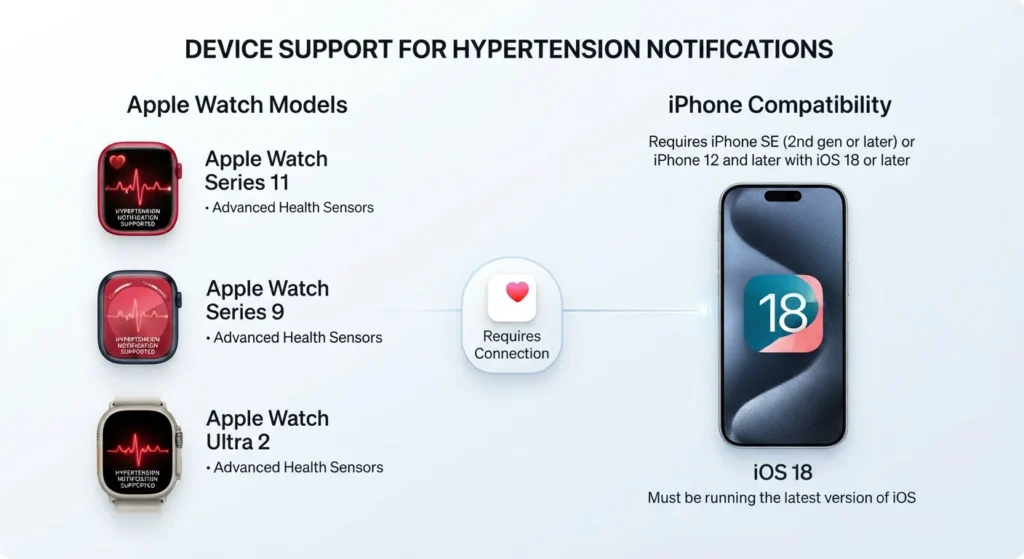
  • Apple Watch Series 11
  • Apple Watch Series 9 or later
  • Apple Watch Ultra 2 or later

Required Phone

  • iPhone 11 or later

Software Requirements

  • Latest version of iOS
  • Latest version of watchOS

Wrist Detection must also be enabled for the feature to work.

Apple Watch models compatible with hypertension notifications.
Supported Apple Watch models and device requirements for hypertension notifications.

Who Cannot Use Hypertension Notifications?

The feature is not available to every Apple Watch owner.

Apple says it is unavailable for:

  • Users younger than 22 years old
  • People previously diagnosed with hypertension
  • Pregnant users
  • Apple Watch SE owners

These eligibility requirements reflect the populations for which the feature has been evaluated.

What Should You Do If You Receive a Notification?

A hypertension notification should be viewed as a prompt to gather more information—not as a diagnosis.

Apple recommends that users:

  1. Measure their blood pressure with a standard cuff-based monitor.
  2. Continue taking readings over several days.
  3. Discuss those readings with a healthcare professional.

The company specifically advises logging blood pressure measurements for seven days with a third-party monitor before seeking medical guidance.

Why This Matters

High blood pressure is often described as a “silent” condition because many people experience no noticeable symptoms.

That makes early awareness especially valuable. While wearable devices cannot replace medical testing, they can encourage users to investigate potential issues sooner than they otherwise might.

The addition of hypertension notifications also illustrates how smartwatches are evolving. What began as devices for fitness tracking and notifications is increasingly becoming a platform for long-term health monitoring and preventive care.

How This Builds on Earlier Apple Watch Health Features

Apple has steadily expanded the health capabilities of the Apple Watch over several generations.

Features such as heart rhythm monitoring, ECG functionality and sleep tracking have gradually shifted the device beyond fitness tracking. Hypertension notifications continue that progression by focusing on long-term cardiovascular health.

What has not changed is Apple’s position that the watch is not a substitute for medical equipment. Unlike a conventional blood pressure monitor, it does not provide systolic or diastolic blood pressure readings.

Known Limitations

Apple is equally clear about what the feature cannot do.

Note: Not receiving a notification does not mean you do not have hypertension.

Other limitations include:

  • It does not diagnose hypertension.
  • It does not treat hypertension.
  • It is not intended for continuous monitoring of people already diagnosed with hypertension.
  • Not everyone with hypertension will receive a notification.

These limitations are an important part of understanding how the feature should—and should not—be used.

Industry Perspective

The latest addition reflects a broader trend across the wearable industry. Smartwatches are increasingly designed to identify health trends over time rather than replace clinical instruments.

Apple’s approach fits within that direction. By combining long-term sensor data with machine learning, the company aims to help users recognize potential health concerns earlier while leaving diagnosis and treatment to healthcare professionals.

Timeline

DateEvent
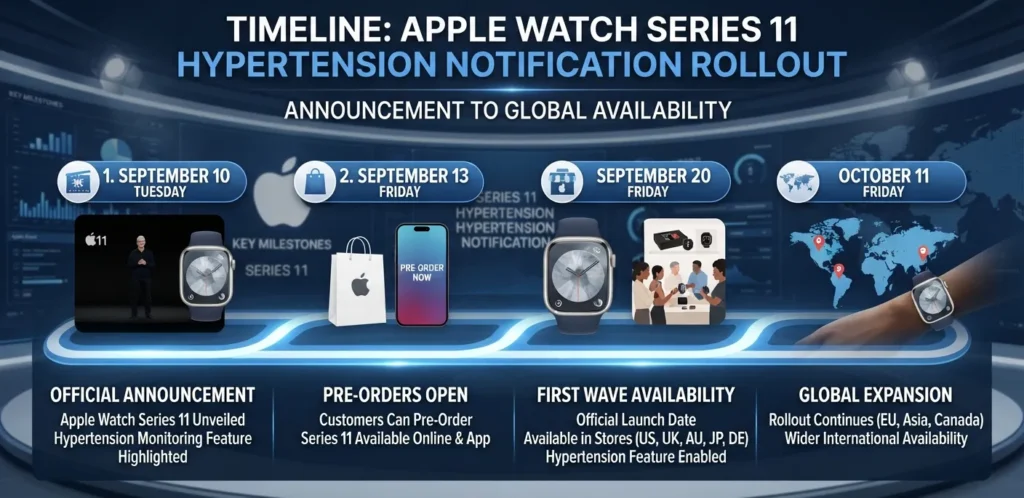
September 2025Apple announced Apple Watch Series 11 with hypertension notifications.
September 2025Apple published official support documentation for the feature.
December 3, 2025Hypertension notifications became available in India.
Timeline of Apple Watch hypertension notification rollout.
Key milestones in the rollout of Apple Watch hypertension notifications.

Conclusion

Hypertension notifications add another preventive health feature to the Apple Watch Series 11, extending Apple’s focus on helping users recognize potential health concerns before they become more serious. Rather than replacing traditional blood pressure monitors, the feature is designed to identify long-term patterns that may warrant medical attention.

For users with compatible devices, it offers another layer of health insight alongside Apple’s existing wellness features. Just as important, the company clearly outlines the feature’s limitations, reinforcing that it should be viewed as an aid to awareness—not a medical diagnosis. As wearable health technology continues to mature, that distinction remains essential.

Frequently Asked Questions

1. Does Apple Watch measure blood pressure directly?

No. The feature analyzes long-term health trends and does not directly measure blood pressure.

2. Does hypertension notification replace a blood pressure cuff?

No. Apple recommends confirming any notification with a conventional cuff-based blood pressure monitor.

3. Which Apple Watch models support hypertension notifications?

The feature is available on Apple Watch Series 9 or later and Apple Watch Ultra 2 or later, including Apple Watch Series 11.

4. Can Apple Watch diagnose hypertension?

No. Apple states that the feature is not intended to diagnose or treat hypertension.

5. How long does the watch collect data before sending a notification?

The feature evaluates health trends over a 30-day period.

6. Which iPhone is required?

An iPhone 11 or later running the latest versions of iOS and watchOS.

7. Can people under 22 use the feature?

No. Apple says hypertension notifications are unavailable for users younger than 22.

8. Does Apple Watch SE support hypertension notifications?

No. Apple Watch SE is not supported.

9. What should users do after receiving a notification?

Apple recommends recording blood pressure with a cuff-based monitor for seven days and consulting a healthcare professional.

10. Is there a separate price for hypertension notifications?

No. Apple has not announced separate pricing for the feature. It is included on supported Apple Watch models.

0 Comments

Related Articles

Comments (0)

Share your thoughts

Your email address will not be published. Required fields are marked *