Lenovo Yoga 9i 2-in-1 Aura Edition: What Official Information Confirms About Lenovo’s Premium Hybrid Laptop
Discover the officially confirmed specifications and features of the Lenovo Yoga 9i 2-in-1 Aura Edition, and understand what is verified versus editorial opinion.
Contributor

Executive Summary
Buying guides are useful for narrowing down options, but they often mix verified specifications with subjective opinions. That’s especially true in the crowded premium 2-in-1 laptop market, where devices are frequently ranked based on hands-on impressions rather than manufacturer documentation.
One of the standout models featured in recent 2026 laptop roundups is the Lenovo Yoga 9i 2-in-1 Aura Edition. Lenovo’s official product pages and technical documentation confirm the core hardware and platform features of the device, including Intel Core Ultra processors, Windows 11, an OLED PureSight touchscreen, and Copilot+ PC capabilities. What they don’t confirm are comparative claims such as “best overall” or “longest battery life.”
This article separates official product information from editorial opinion, giving readers a clearer picture of what is verified and what remains a matter of independent review.
What Is the Lenovo Yoga 9i 2-in-1 Aura Edition?
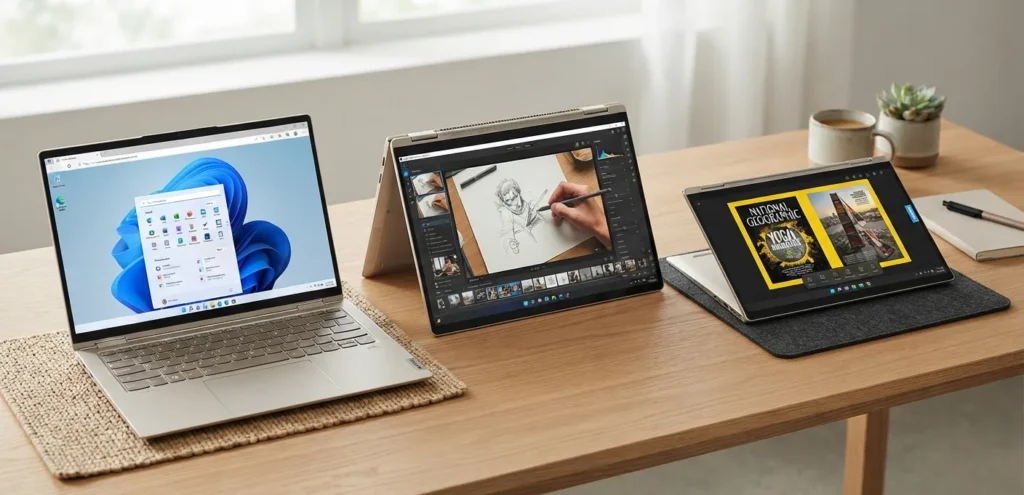
The Yoga 9i 2-in-1 Aura Edition sits at the top of Lenovo’s premium convertible laptop lineup. Designed with a 360-degree hinge, it can switch between laptop, tablet, tent, and presentation modes, making it suitable for users who alternate between typing, touch input, and digital inking.
Official Lenovo documentation identifies the following key features:
- Intel Core Ultra processors
- Windows 11
- OLED PureSight touchscreen display
- 360-degree convertible hinge
- Copilot+ PC capabilities
- Lenovo Aura Edition software experiences
Rather than focusing on a single workload, the Yoga 9i is positioned as a versatile device for productivity, content creation, media consumption, and everyday computing.

Which Specifications Are Officially Confirmed?
Lenovo’s product documentation confirms the following specifications for the Yoga 9i 2-in-1 Aura Edition.
| Specification | Official Information |
|---|---|
| Product | Lenovo Yoga 9i 2-in-1 Aura Edition |
| Form Factor | Convertible 2-in-1 laptop |
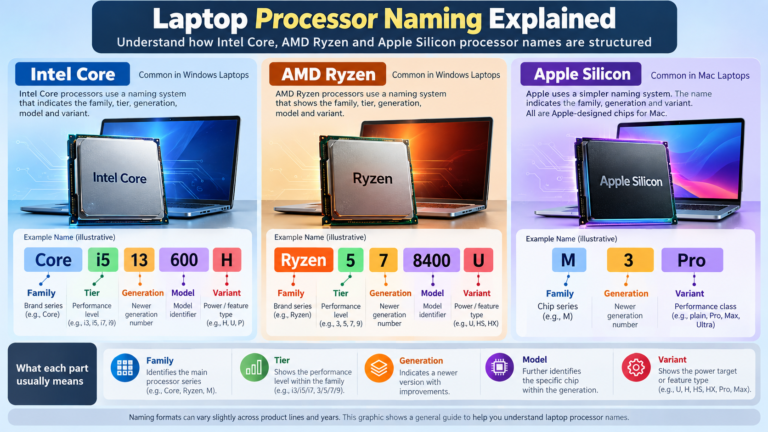
| Processor | Intel Core Ultra Series |
| Operating System | Windows 11 |
| Display | OLED PureSight touchscreen |
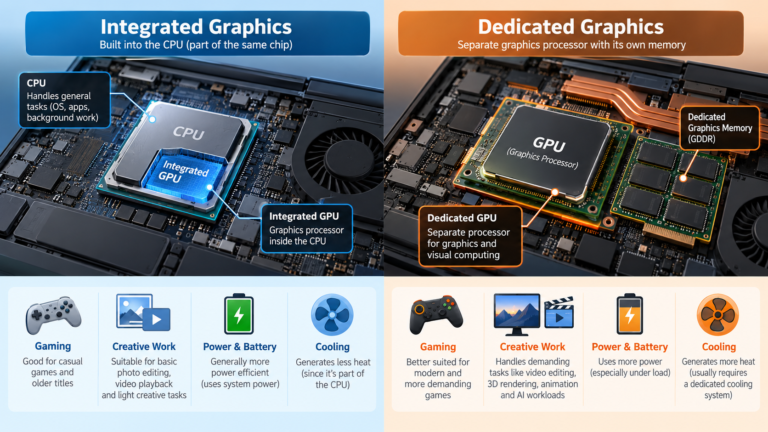
| Graphics | Intel Arc Graphics |
| Memory | Up to 32GB LPDDR5X |
| Storage | Up to 2TB SSD |
| AI Platform | Copilot+ PC |
| Edition | Lenovo Aura Edition |
Configuration options can vary by region and retailer, so available hardware combinations may differ depending on the market.
Understanding Lenovo Aura Edition
Aura Edition is Lenovo’s branding for a collection of hardware and software experiences intended to make everyday PC use more intuitive.
The company describes Aura Edition as a set of intelligent features that work alongside Windows, complementing Microsoft’s AI-powered experiences rather than replacing them. It is not a separate operating system or a distinct software platform.
Note: Aura Edition is a branded experience available on supported Lenovo hardware running Windows 11.

Why Copilot+ PCs Matter
The Yoga 9i is documented as a Copilot+ PC, Microsoft’s category for Windows systems equipped with dedicated AI hardware.
In practical terms, that means the device is designed to support:
- AI-assisted productivity features
- Local AI processing
- Future Windows AI experiences
- Dedicated neural processing alongside CPU and GPU resources
The availability of individual AI features ultimately depends on Windows updates and Microsoft’s software roadmap, not solely on the laptop’s hardware.
How a Convertible Laptop Differs From Other Hybrids
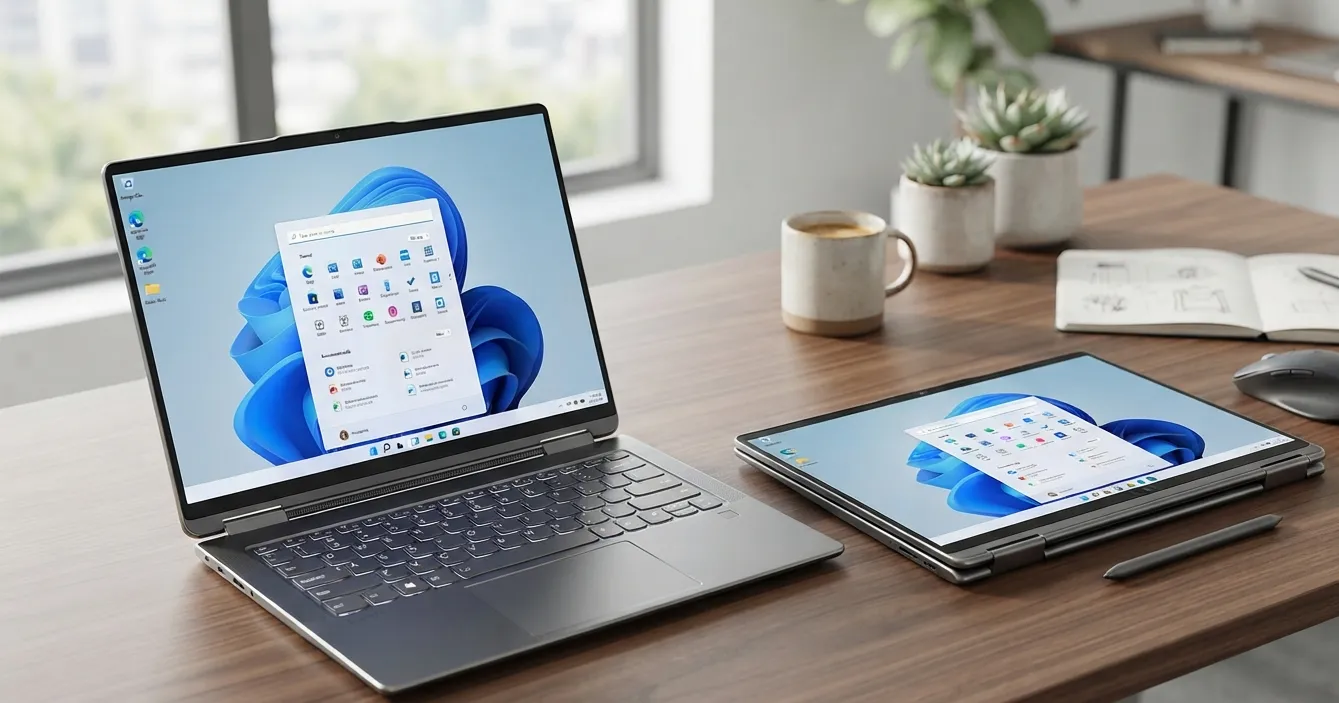
A 2-in-1 convertible combines a traditional laptop with a touchscreen that folds back through 360 degrees. That allows the same device to be used in several modes:
This flexibility makes convertibles popular with students, professionals, and creators who regularly switch between keyboard input and touch or pen interaction.
Unlike detachable devices, the keyboard remains permanently attached, providing a more traditional notebook experience when needed.
Reading Editorial Rankings in Context
The buying guide that prompted this discussion compared several premium hybrid laptops, including:
- Lenovo Yoga 9i 2-in-1 Aura Edition
- Microsoft Surface Pro 11
- HP OmniBook X Flip 14
- Lenovo Yoga 7 14 Gen 9
- Lenovo Chromebook Duet 11
- MSI Prestige 14 Flip AI Plus
Those comparisons can be helpful, but it’s important to distinguish measurable specifications from editorial opinion.
Descriptions such as:
- “best overall”
- “best battery life”
- “best value”
- “best for creators”
reflect the reviewer’s assessment rather than official manufacturer claims.
Best Practice: Start with verified specifications to understand what a device offers, then use independent reviews to evaluate real-world performance and usability.

What Still Can't Be Verified
Lenovo’s official documentation covers hardware specifications in detail, but several topics discussed in editorial reviews fall outside the scope of manufacturer materials.
These include:
- Official global pricing
- Region-specific availability
- Benchmark performance comparisons
- Independent battery-life testing
- Thermal performance comparisons
- Rankings against competing laptops
Answering those questions requires independent testing rather than product documentation.
Why This Matters for Buyers
Official specifications explain what a laptop is built to do. They don’t necessarily reveal how it performs compared with competing devices in everyday use.
A balanced buying decision is usually based on four sources of information:
- Official specifications
- Manufacturer documentation
- Independent reviews
- Hands-on testing, where possible
Looking at all four provides a more complete picture than relying on marketing material or rankings alone.
Conclusion
Lenovo’s official documentation confirms the Yoga 9i 2-in-1 Aura Edition as a premium Windows 11 convertible featuring Intel Core Ultra processors, an OLED PureSight display, Intel Arc Graphics, and Copilot+ PC support. Those verified specifications define the hardware platform and capabilities of the device.
Claims about overall rankings, battery-life leadership, or superiority over competing models belong to independent editorial reviews rather than official product documentation. For anyone considering a purchase, the most reliable approach is to use manufacturer specifications as a foundation and independent testing to evaluate real-world performance.
Frequently Asked Questions
1. Is the Lenovo Yoga 9i 2-in-1 Aura Edition an official Lenovo product?
Yes. Lenovo lists the Yoga 9i 2-in-1 Aura Edition in its official product documentation and on its product pages.
2. Which operating system does it use?
Official documentation lists Windows 11.
3. Which processors are supported?
The Yoga 9i 2-in-1 Aura Edition is offered with Intel Core Ultra processors.
4. Does it feature an OLED display?
Yes. Lenovo specifies an OLED PureSight touchscreen.
5. Is the Yoga 9i a Copilot+ PC?
Yes. Supported configurations are identified as Copilot+ PCs.
6. What graphics solution does it use?
Official specifications reference Intel Arc Graphics.
7. How much memory can it support?
Lenovo documentation lists configurations with up to 32GB LPDDR5X memory.
8. What is the maximum storage capacity?
Official specifications indicate support for up to 2TB of SSD storage.
9. Does Lenovo publish battery-life comparisons with competing laptops?
No. The official documentation reviewed does not include comparative battery-life rankings.
10. Is official pricing available?
The reviewed official sources do not provide universal pricing because configurations and prices vary by region.
Swathi is a contributor at GizStreet with a master’s degree in science and a strong background in technical writing and product review. She covers gadgets, software, and consumer tech, with a focus on breaking down complex products into clear, practical takeaways for readers.
Share this story
Related Articles

NVMe SSD vs SATA SSD: Speed, Performance and Real-World Differences
If you’ve shopped for a laptop or PC upgrade recently, you’ve probably seen “NVMe SSD” and “SATA SSD” listed as if they’re two flavors […]

SSD vs HDD: What’s the Difference and Which Should You Choose?
If you’ve ever shopped for a laptop or tried to speed up an old PC, you’ve probably run into the terms SSD and HDD. […]

How Much RAM Do You Really Need in a Laptop?
How Much Laptop RAM Do You Need? If you’ve ever shopped for a laptop, you’ve probably hit a moment of hesitation on the RAM […]
Comments (0)